Online booking
A website that takes bookings while you work.
Let customers pick a service and a real free time, any hour of the day. You get a tidy calendar, reminders go out for you, and no-one has to chase anyone.
Everything bookings need, built in.
Services and prices
Set each service's length, price and group size, from a 15-minute check-up to a 3-hour workshop.
Only real free times
Your hours, breaks, notice period and buffer times decide what customers can choose.
Approve or auto-confirm
Confirm bookings straight away, or approve each request yourself first.
Reminders sent for you
Customers get confirmation and reminder emails, so fewer people forget.
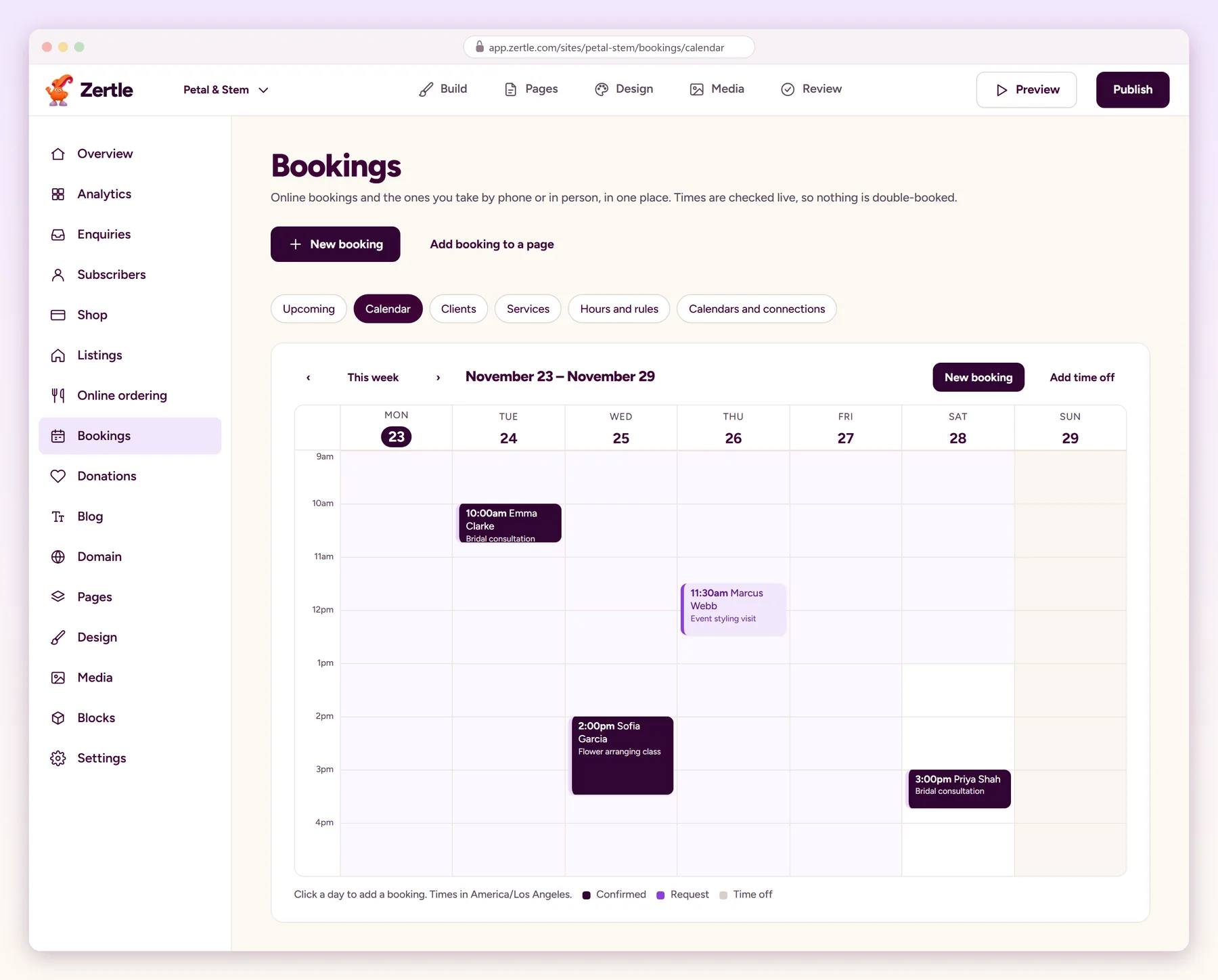
Calendar and client notes
See your week at a glance, reschedule, add time off and keep notes on each client.
Your other calendars
See bookings in Google, Outlook or Apple Calendar, and add a Book button to Google and Instagram.
Taking bookings in four steps.
- 1
Add your services
Name, length, price and how many people can book each one.
- 2
Set your hours
Opening hours, breaks and how much notice you need.
- 3
Add the booking form
Drop the booking element on any page and match it to your design.
- 4
Publish
Customers can book straight away, on any phone or computer.
Online booking questions.
More in the help centre.
Which plan includes online booking?
Online booking is on the Business plan and above, with no extra booking fees per appointment.
Can customers book group classes?
Yes. Give a service a group size and several people can book the same time until it's full.
Can I take a break or block a day off?
Yes. Add breaks to your hours, or add time off for holidays, and those times can't be booked.
Who is online booking good for?
Salons, barbers, clinics, coaches, tutors, golf clubs, studios and anyone who sells their time by the appointment.
Fill your calendar, not your inbox.
Start from a template with booking already set up.