Real estate websites
A real estate website with listings as good as the big portals.
Show every property on your own domain with the search, photos, floor plans and open home times buyers and renters expect. Enquiries go straight to the right agent.
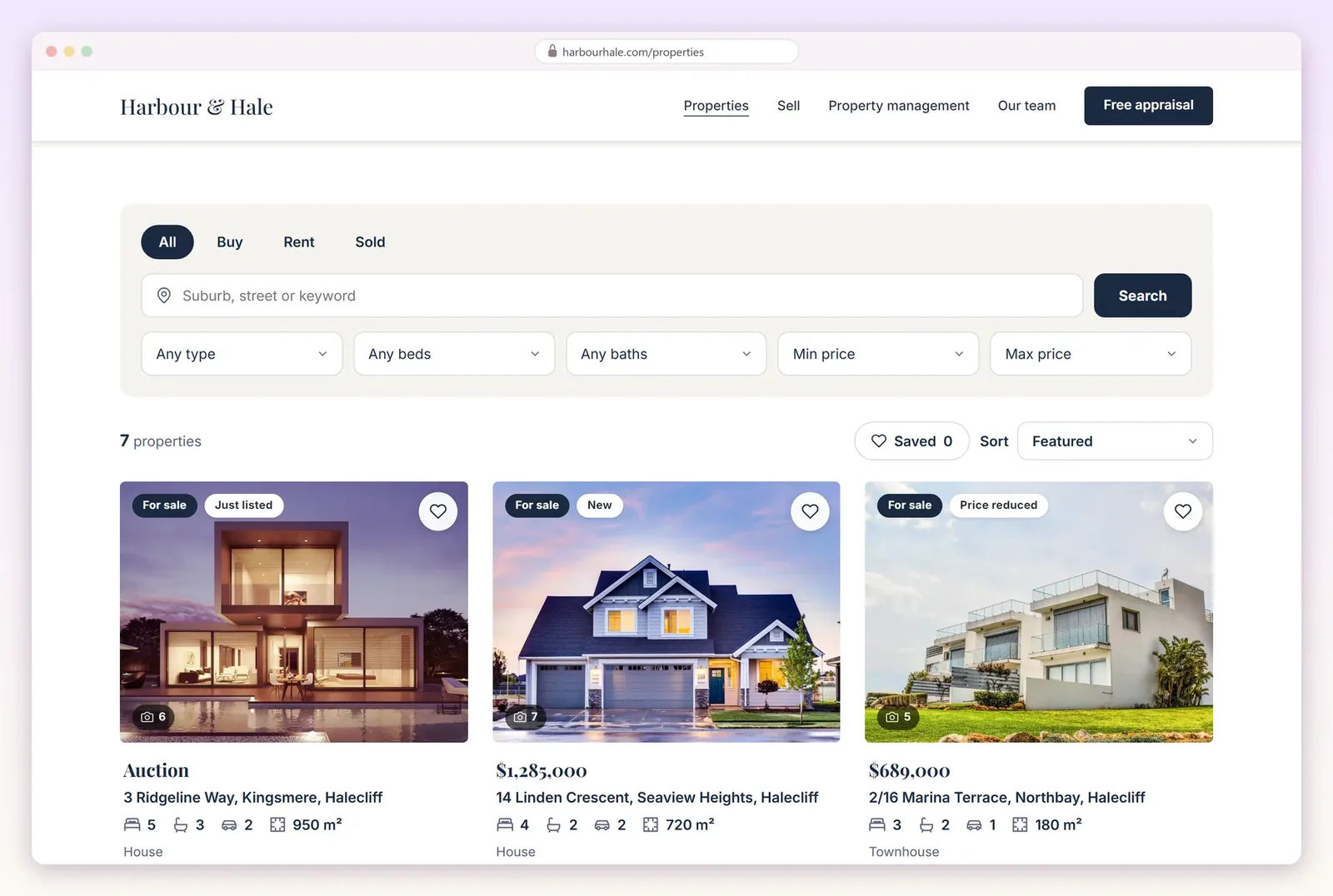
Everything a property search needs.
Search, filters and tabs
Buy, Rent and Sold tabs, a suburb or keyword search, type, bedrooms, bathrooms and price, with sorting by newest, price or the next open home.
Photo-led property pages
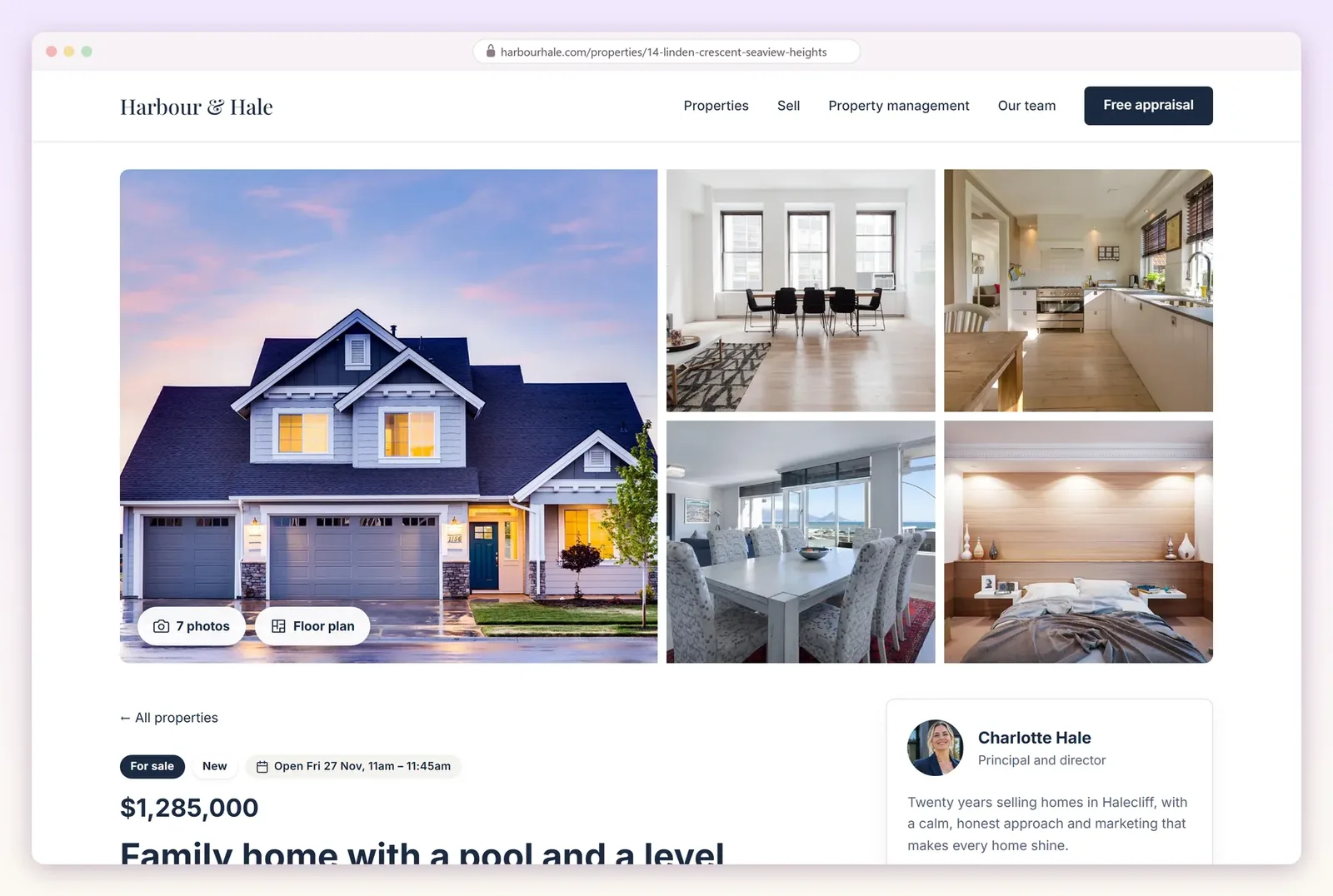
A photo mosaic or full-width slider with a full-screen viewer, key facts, the story, features and a details table.
Floor plans, video and 3D tours
Add floor plans, a YouTube or Vimeo video and a Matterport or iGUIDE tour. Video loads only when someone presses play.
Open homes and auctions
Upcoming times show on every card and property page, with Add to calendar. Past times hide by themselves.
Enquiries to the right agent
Each property's form is emailed to its agents and saved in your enquiry inbox, titled with the address.
Saved homes and a repayment calculator
Visitors save favourites with a heart and estimate repayments from the price, deposit, rate and term.
Your listings, on your own domain.
Portals send buyers to every agency at once. Your own website keeps them with you: every property has its own page, address and search description, and real estate structured data that search engines understand.
Add a property in a couple of minutes from your dashboard: price or price words, address (or just the suburb), beds, baths, car spaces, land and floor area, features, photos, floor plans and open homes.
- For sale, for rent, under offer, sold and leased
- Agents with photos, phone and email on every property
- Sold properties build trust on their own tab
From template to live listings in an afternoon.
- 1
Start from a template
Choose a real estate template, or add listings pages to any design with one click.
- 2
Add agents and properties
Upload photos to Media, then fill in each property. Anything you leave empty simply doesn't show.
- 3
Publish
Properties go live with their own pages, in your sitemap and site search.
Real estate website questions.
More in the help centre.
Which plan do I need for property listings?
Business includes up to 25 properties, which suits most independent agents and small offices. Store includes up to 500. Sold and leased properties count while they're on your site.
Can visitors search by suburb, price and bedrooms?
Yes. The listings page has Buy, Rent and Sold tabs, a suburb or keyword search, and filters for type, bedrooms, bathrooms and price, with sorting. A search box on your home page sends visitors there with their search filled in.
Where do enquiries go?
To the agents on that property by email, and into your enquiry inbox. You can also copy every enquiry to an office address.
Can I design the property pages myself?
Yes. Choose from Classic, Showcase or Compact layouts, then move, restyle or add anything. Every property follows the same design.
Do rentals work too?
Yes. Show the rent per week or month, the available date, bond, pets and furnishing. The repayment calculator only appears on properties for sale.
Templates for real estate websites.
All website templates

List your first property today.
Build your agency website for free, then upgrade to Business to publish your listings.