Drag and drop website builder
Drag, drop and publish a website you love.
Pick an element, drop it on the page and click to change it. Zertle's editor is visual from start to finish, with the control to make every page exactly right on every screen.
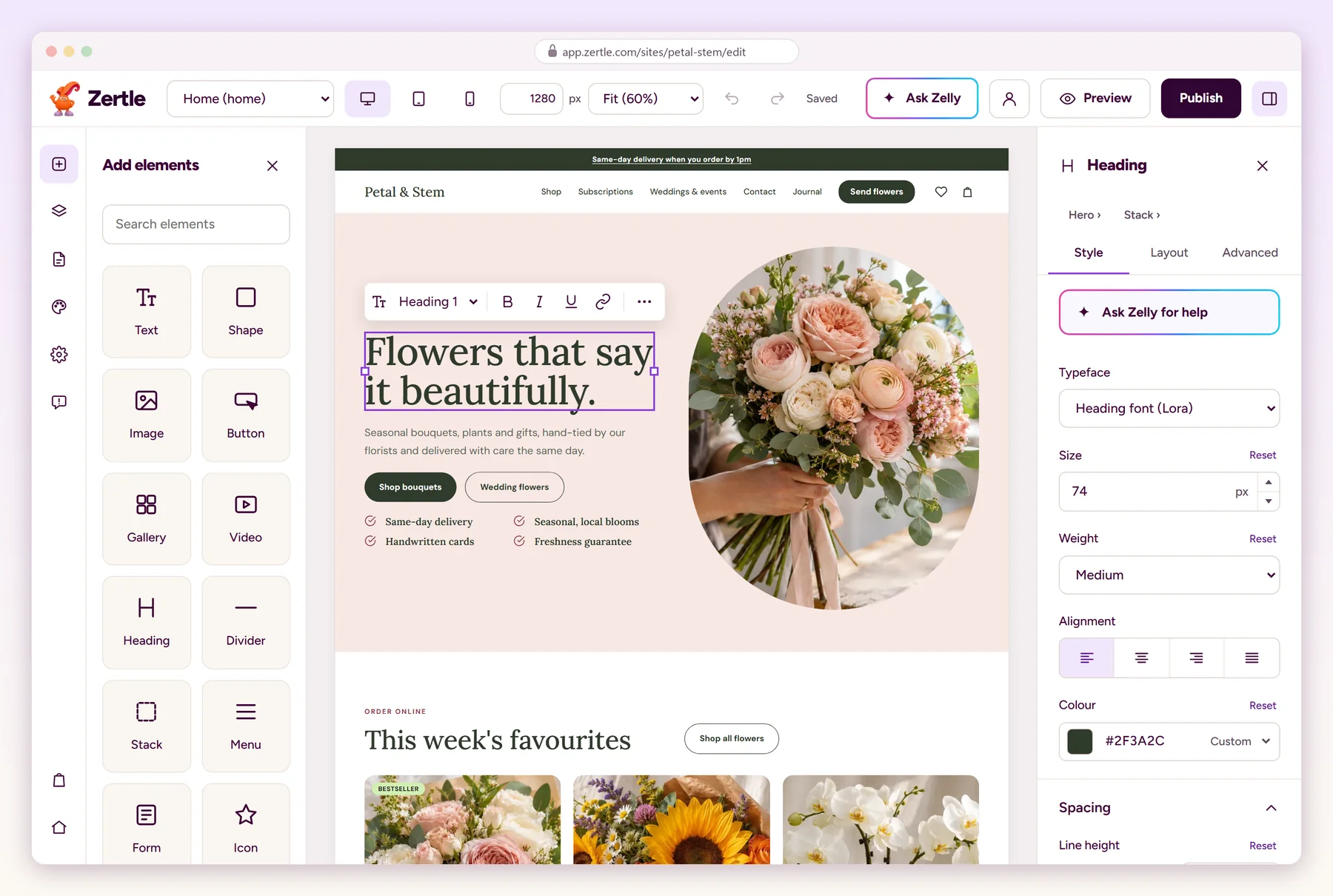
Three ways to lay out a page.
Every section on a Zertle page has a layout mode. Stacks line elements up in a row or column with even gaps, so things stay neat as you add more. Grids give you tidy columns that become fewer columns on smaller screens. Free sections let you place elements anywhere, overlap photos and text, rotate and layer them.
Mix modes on the same page: a free hero with an overlapping photo, a three-column grid of services, then a stacked contact section. Drag elements between sections and the editor shows exactly where they'll land.
- Snapping guides that line elements up with each other and the page edges
- Elements may hang over the edge for bleeding photos, but never get lost off the page
- Multi-select, align, group into stacks and duplicate
What you can drag onto a page.
One Add panel holds every element. A few of the most used:
Text, headings and buttons
Edit words in place with a toolbar for bold, links, colours and fonts.
Photos, galleries and video
Responsive photos with focal points, galleries, albums, sliders and background video.
Forms and contact details
Quote forms, file uploads, conditional questions and an enquiry inbox.
Booking and ordering
A live booking calendar, food ordering and payment buttons.
Products and listings
Product grids, product pages, listing search and filters.
Interactive extras
Accordions, tabs, carousels, before-and-after sliders, countdowns, calculators and maps.
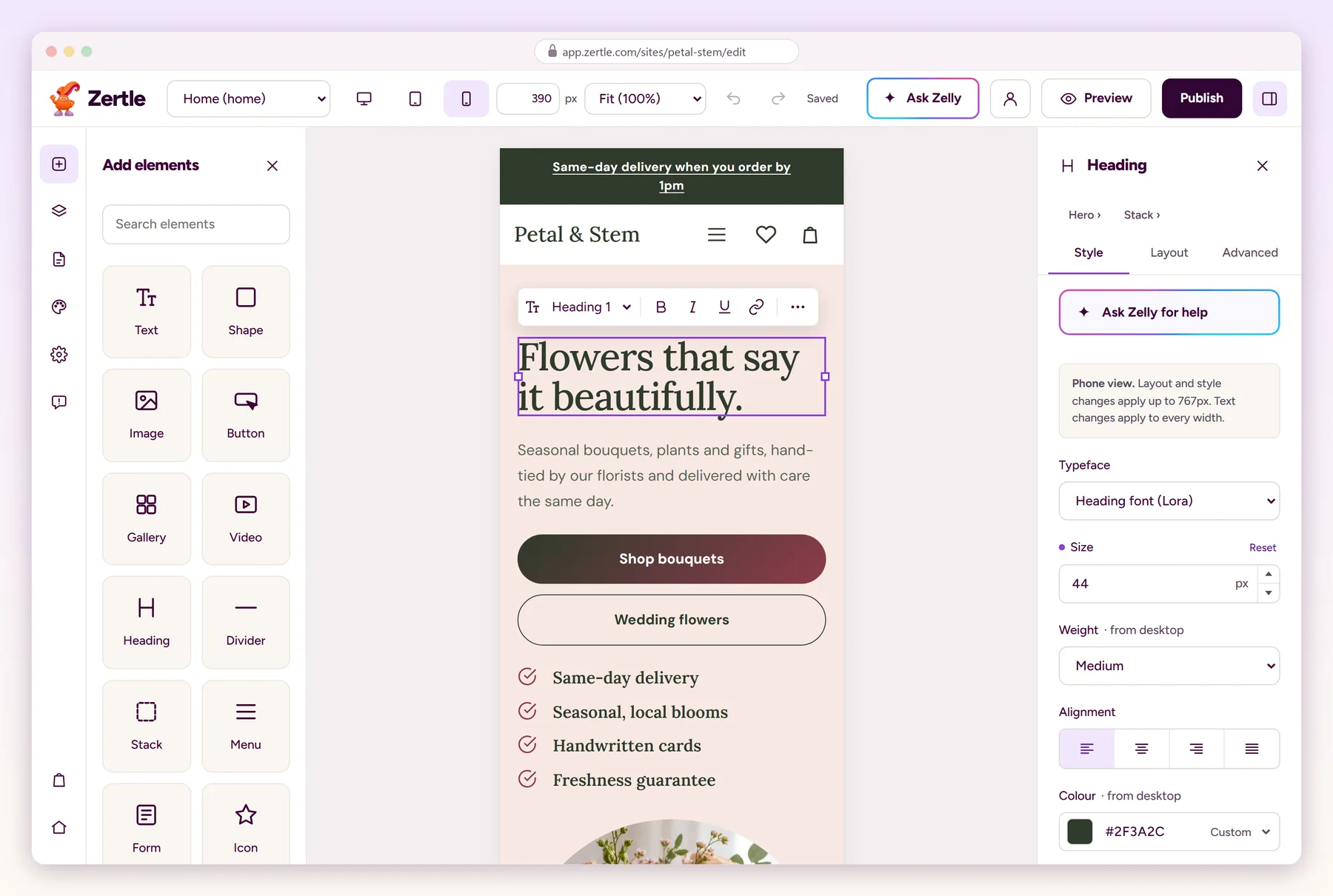
Phone and tablet layouts you control.
Most visitors arrive on a phone, so Zertle gives you a real phone layout instead of a squashed desktop page. Switch to tablet or phone and change only what needs changing: a smaller heading, one column instead of three, a photo hidden or moved.
Changes on phone stay on phone. Your desktop design is untouched, and anything you don't change follows it automatically.
From blank page to live site.
- 1
Choose a template or start blank
Templates come with pages, layouts and placeholder words for your type of business.
- 2
Drag in what you need
Add sections and elements from the Add panel and arrange them on the canvas.
- 3
Style it once
Set your colours and fonts in the Design panel and the whole site follows.
- 4
Check and publish
The publish check spots problems with search, speed and accessibility before you go live.
Drag and drop builder questions.
More in the help centre.
What is a drag and drop website builder?
It's a tool that lets you build web pages visually, by moving elements like text, photos and buttons into place with your mouse or finger, instead of writing code.
Is a drag and drop builder good enough for a business website?
Yes. Modern builders like Zertle publish fast, search-friendly pages, and include business tools such as forms, booking and payments.
Can I drag and drop on a tablet?
The Zertle editor works best on a laptop or desktop with a mouse. You can review and make small edits on a tablet.
Will my drag and drop site look good on phones?
Yes. Every Zertle page has its own phone and tablet layouts, and the responsive review shows desktop and phone side by side before you publish.
Do I need to know HTML or CSS?
No. Every setting is visual and in plain English. If you know CSS, each element has an optional Custom CSS box.
Learn the editor.
Try dragging your first section.
Free plan, no card. Your first page takes minutes.