- Choose Plan and billing at the top of your dashboard (it shows your current plan's name).
- Choose yearly or monthly billing at the top.
- Choose Switch to on the plan you want. You see exactly what you'll pay before anything changes.
Prices are in US dollars, per website, with no setup fee.
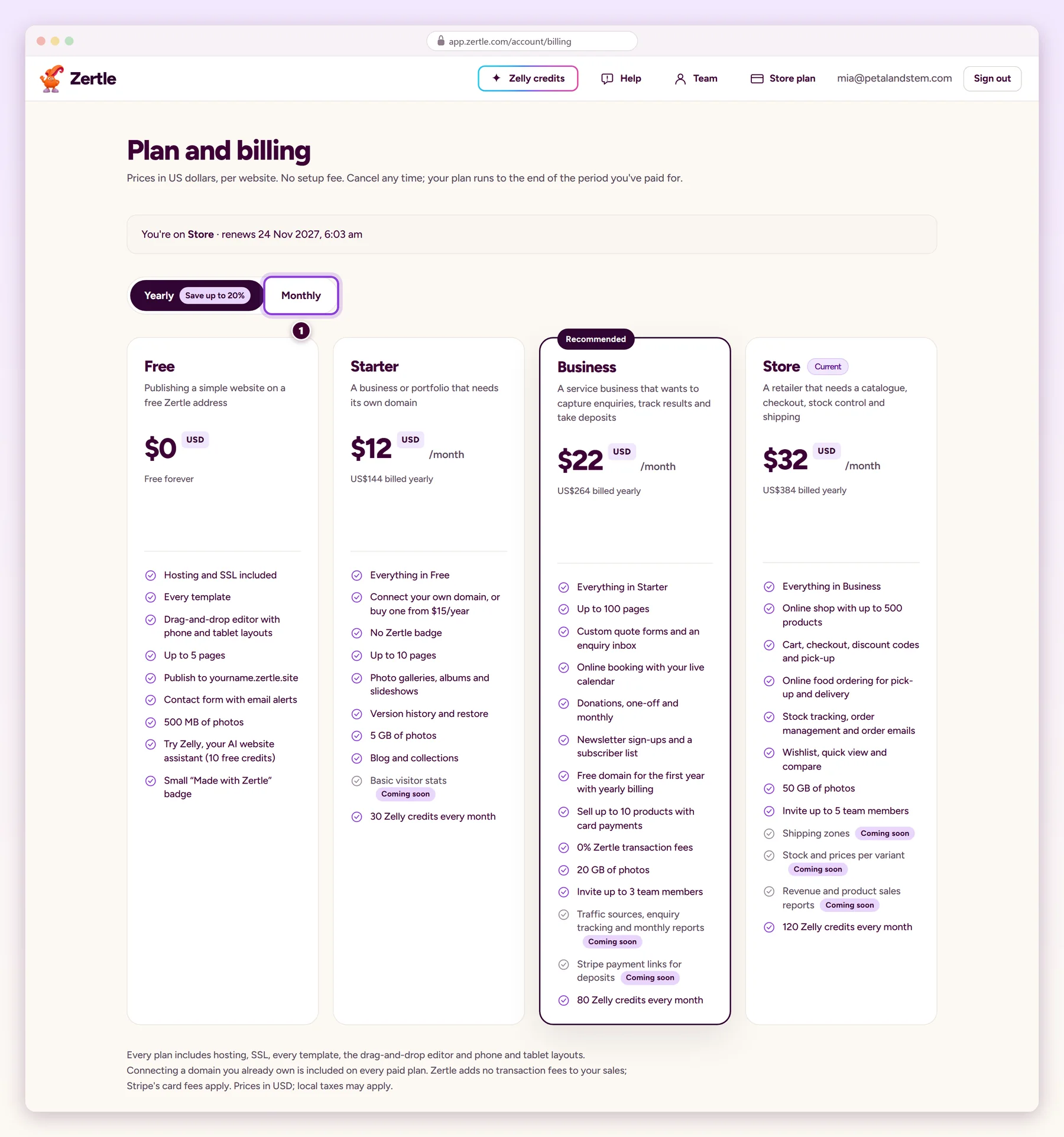
| Plan | Best for |
|---|---|
| Free | A simple website on a free zertle.site address. Up to 5 pages, every template, a contact form, and 10 Zelly credits to try. |
| Starter | A business or portfolio that needs its own domain: no Zertle badge, galleries, version history, blog and collections, and up to 2 team members. |
| Business | A service business: quote forms and an enquiry inbox, online booking, donations, newsletter sign-ups, up to 25 products with cart and checkout, and up to 10 team members. |
| Store | A retailer: up to 500 products, discount codes, shipping zones, prices and stock per option, sales reports, online food ordering, and up to 25 team members. |
| Elite | A growing business: up to 25,000 products and listings, 1,000 pages, emails from your own domain, email automations, prices in shoppers' own currencies, advanced analytics, Xero and QuickBooks (coming soon), 500 GB and up to 100 team members. |
See every feature on our pricing page.
Change or cancel
- Choose Switch to on any plan to change. You see exactly what you'll pay before anything changes.
- Moving up (a bigger plan, or monthly to yearly): it starts straight away and you pay only the difference. The unused part of your current plan comes off, so you never pay twice for the same time. For example, moving from yearly Starter ($144) to yearly Business ($264) half-way through your year costs about $60.
- Moving down (a smaller plan, or yearly to monthly): it starts straight away, and the unused value is kept as credit on your account. It comes off your next bills automatically.
- Switch to Yearly to save up to 20%.
- When you add something your plan doesn't include, the editor shows which plan you need, and the publish check asks you to upgrade before it goes live.
- Cancel any time. Your plan runs to the end of the period you've paid for.