Zelly is your website assistant. Describe what you want in your own words and Zelly makes the change. Undo reverses anything Zelly does.
Ask Zelly
- In the editor, choose Ask Zelly in the top bar (for the whole page), or select an element and choose Ask Zelly for help.
- Pick a suggestion, like "Make it shorter and punchier", or type what you want in your own words.
- Zelly makes the change. Don't like it? Undo it with Ctrl+Z.
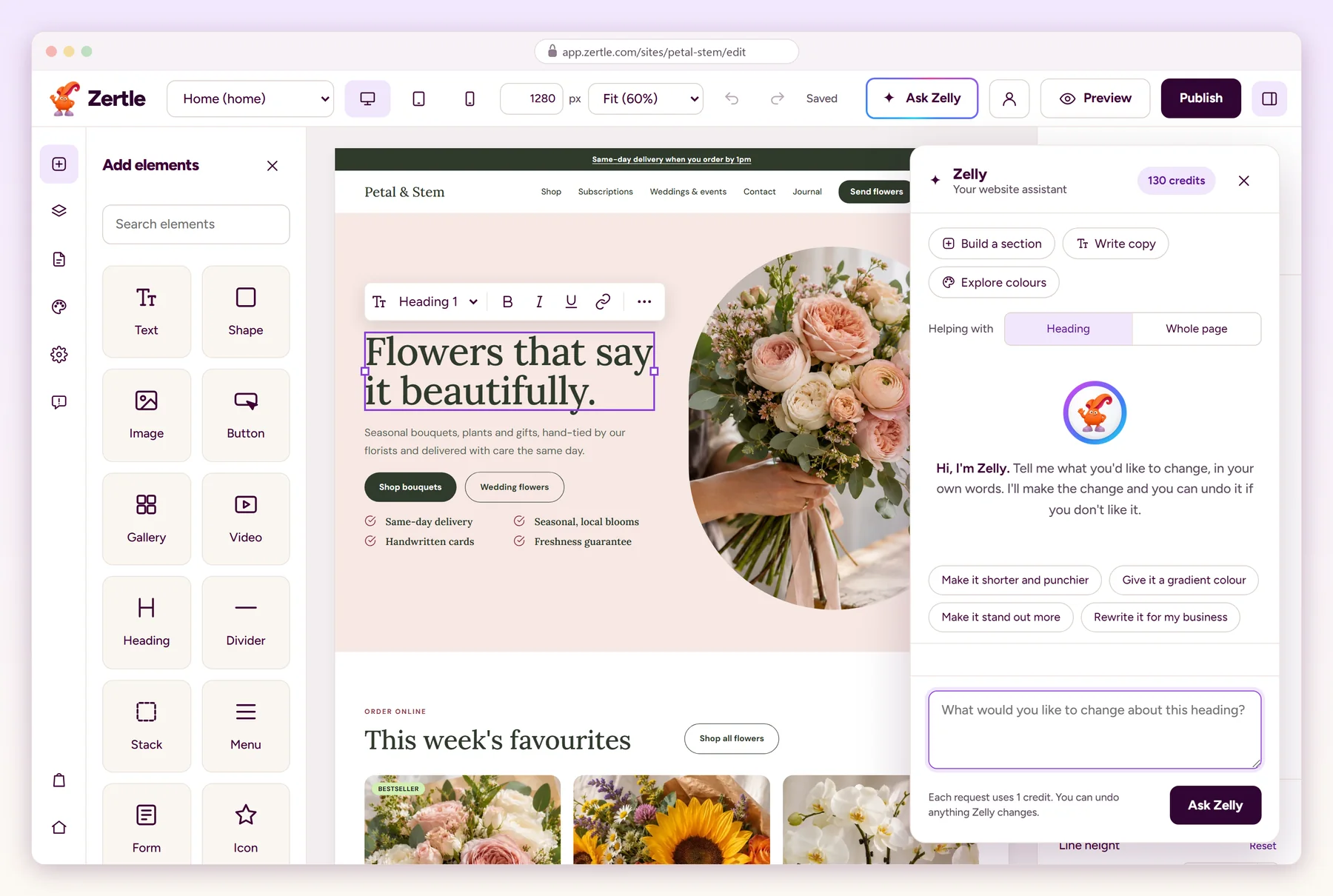
Things you can ask:
- Words: "Make this heading shorter", "Write a friendlier welcome", "Fix the spelling on this page".
- Look and feel: "Make this section look more premium", "Give the button a gradient", "Use warmer colours".
- Getting found: "Write search descriptions for my pages", "Describe this photo for screen readers".
- Build: a whole new section, written for your business.
Credits
Each request uses one credit. Your balance shows in the Zelly panel and under Zelly credits at the top of your dashboard.
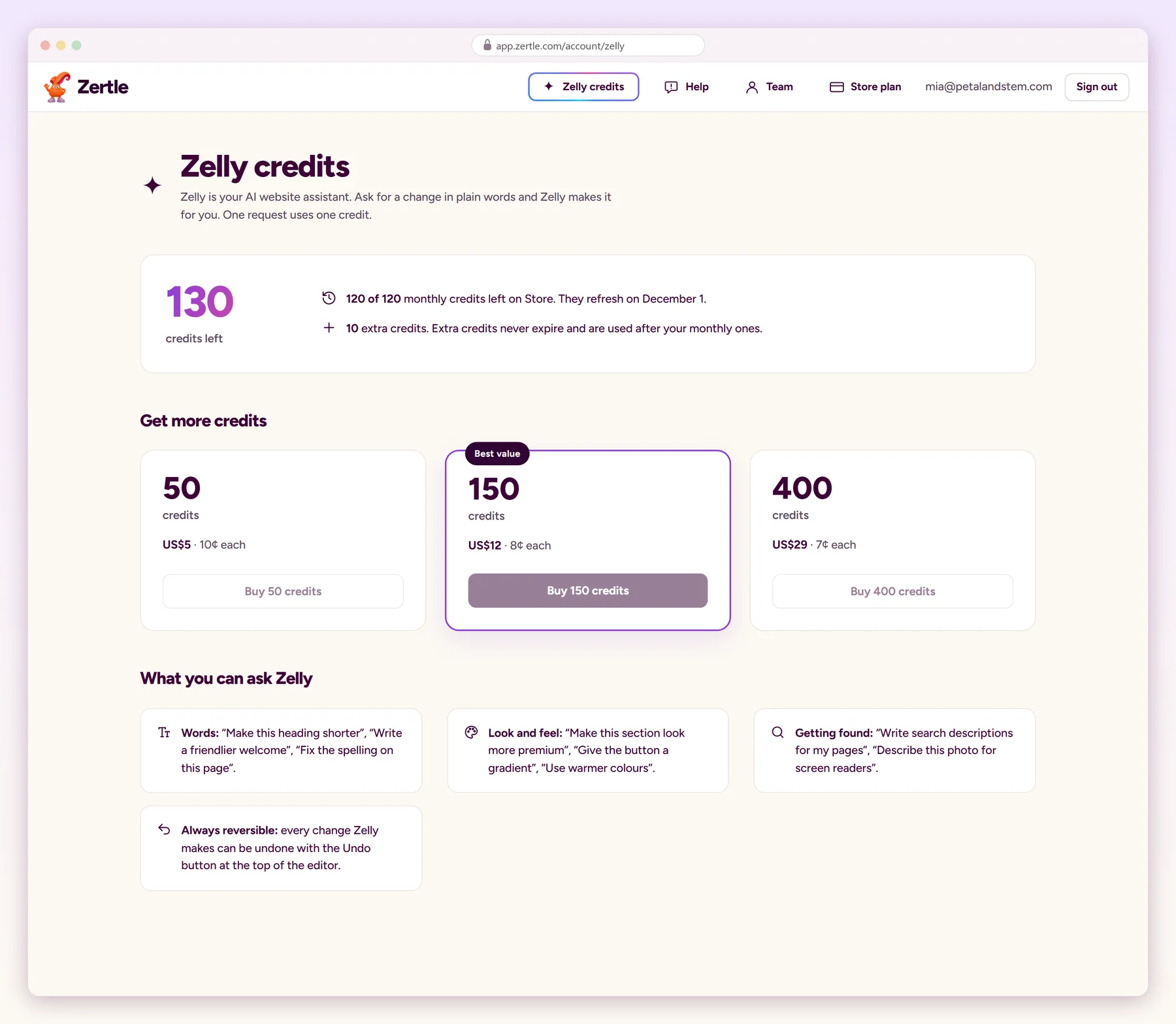
- Paid plans include credits every month (Starter 30, Business 80, Store 120, Elite 400). They refresh on the 1st.
- Extra credits you buy never expire, and are used after your monthly ones: 50 for US$5, 150 for US$12 or 400 for US$29.
- The Free plan includes 10 credits to try Zelly.