Choose Team at the top of your dashboard.
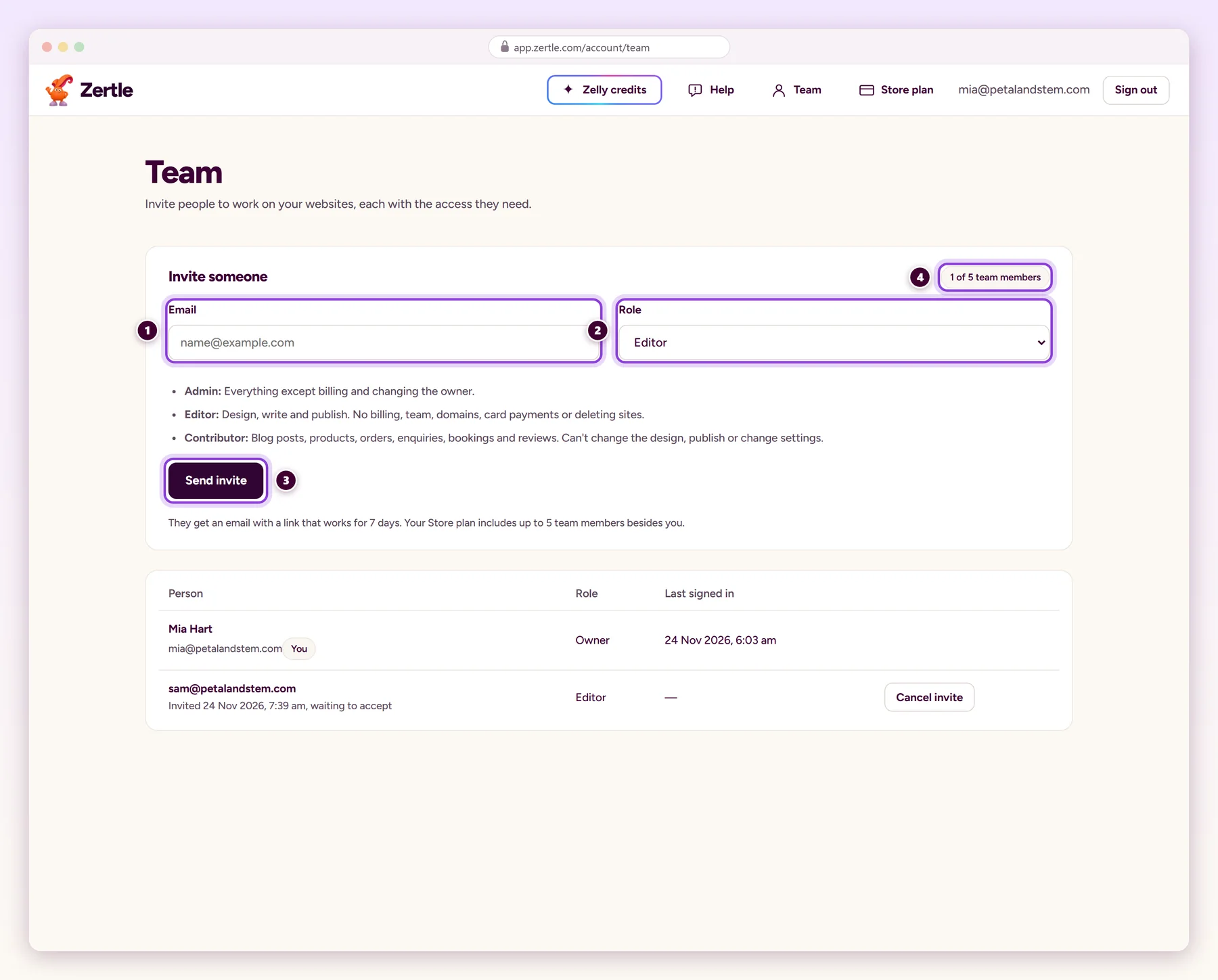
- Type their email and choose a role.
- Choose Send invite. They get an email with a link that works for 7 days. When they open it, they're signed straight in.
Invites waiting to be accepted show in the list, with Cancel invite.
How many people you can invite
| Plan | Team members (besides you) |
|---|---|
| Free | None. Upgrade to invite your team. |
| Starter | Up to 2 |
| Business | Up to 10 |
| Store | Up to 25 |
| Elite | Up to 100 |
The count at the top of Invite someone shows how many places you've used. Invites that are still waiting count too, so cancel any you no longer need. When your team is full, remove someone or cancel an invite to free a place, or upgrade for more.
Roles
| Role | Can do |
|---|---|
| Owner | Everything, including billing. |
| Admin | Everything except billing and changing the owner. |
| Editor | Design, write and publish. No billing, team, domains, card payments or deleting sites. |
| Contributor | Blog posts, products, orders, enquiries, bookings and reviews. Can't change the design, publish or change settings. |
Change someone's role or remove them any time. Removing someone signs them out everywhere.
← All account, team and billing guides