There are two ways to start a Zertle website: pick a template you like the look of, or Start with AI, where Zelly asks a few questions and writes a first draft from your own details. Either way, every word, photo, colour and layout can be changed afterwards, and nothing is public until you choose Publish.
Choose a template (optional)
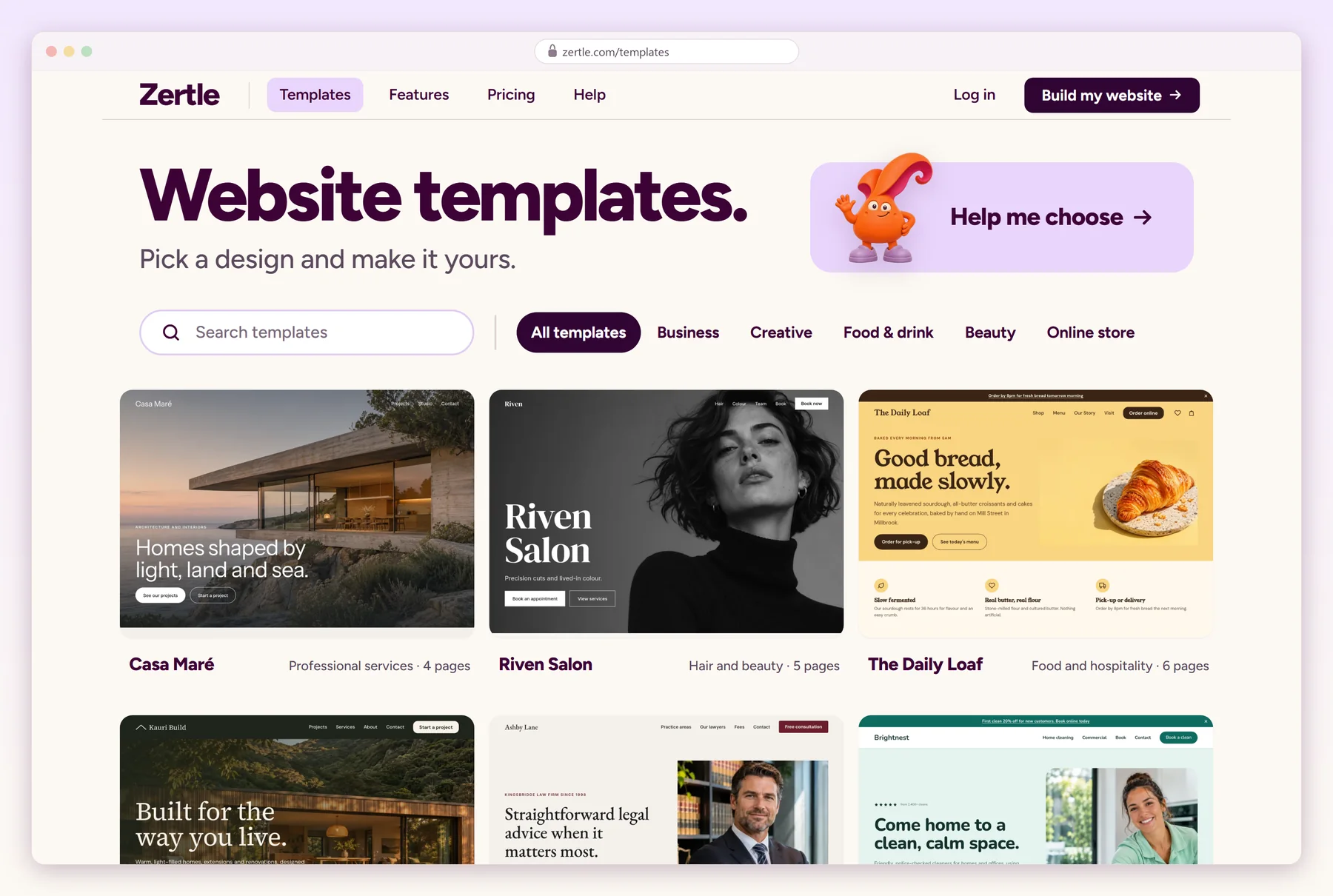
Browse the library at zertle.com/templates. Filter by industry or search for what you do, open any template to see every page, and choose Use this template when you find one you like.
Create your account
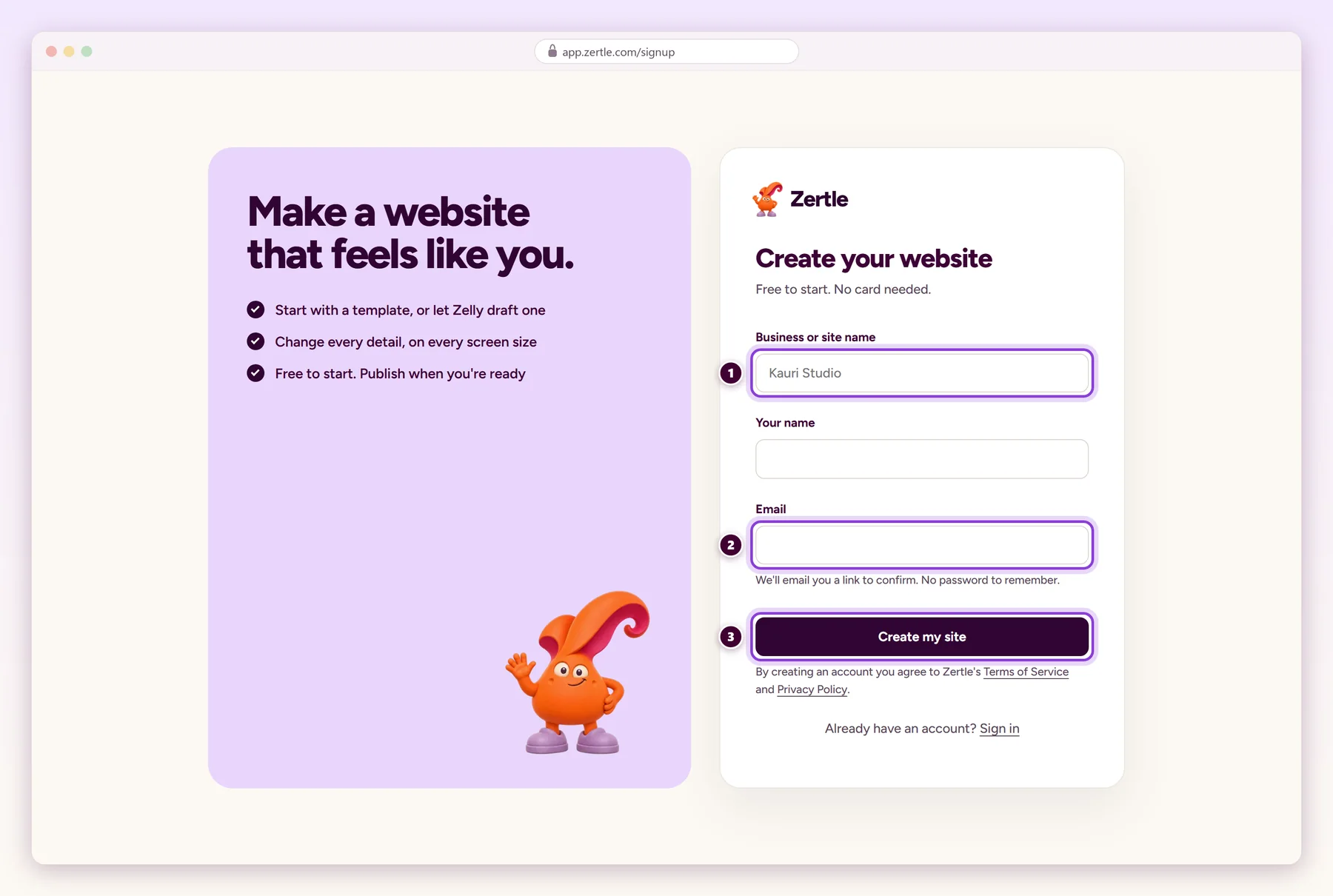
- Choose Build my website (or Use this template).
- Type your business or site name. You can change it later in Settings.
- Add your name (optional) and your email.
- Choose Create my site. We email you a sign-in link: open it on the same device and browser.
Start with AI
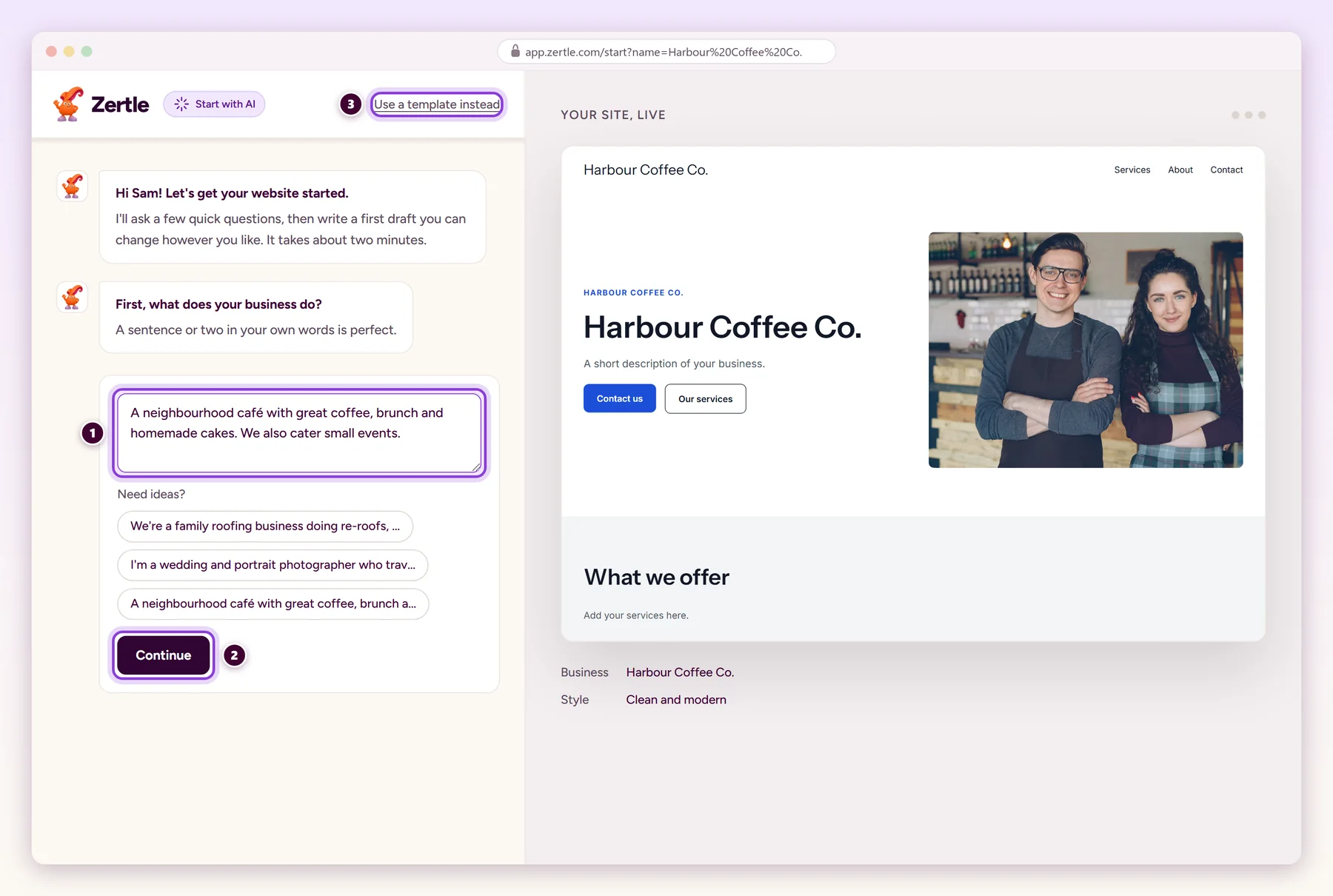
If you didn't pick a template, Zelly helps you start. It asks a few short questions, one at a time:
- What your business does, in a sentence or two (or tap one of the Need ideas? examples).
- What the website should do for you, like getting enquiries, taking bookings or selling online.
- What you offer: your main services or products.
- Where you're based, or the areas you serve.
- How customers should reach you.
- Which style feels most like you.
You then see your brief, can edit anything in it, and Zelly writes your site. Pick the look you like best and it opens in the editor. The preview on the right updates as you answer.
What happens next
Your site opens in the editor. It saves as you work, so you can close it and come back any time. When it looks right, publish it.
Make another site
From Your sites, choose New site. You can start from a template, a blank page or Start with AI. How many sites you can have depends on your plan.
← All getting started guides