Mechanics and auto repair
Book more cars into the workshop.
Let customers see your services and prices, then book a service, inspection or repair online, any time of day, straight into your calendar.

Everything a mechanic website needs.
Online service bookings
Customers pick a service and a time that suits your workshop.
Service menu and prices
Servicing, brakes, tyres, inspections and diagnostics with starting prices.
Opening hours
Clear hours, public holidays and drop-off times.
Fleet and business accounts
A page for fleet customers with an enquiry form.
Reviews
Show what customers say about your work and honesty.
Location and directions
A map, parking details and courtesy car information.
Pages for an auto workshop.
Torque & Tread includes everything a workshop site needs.
- Home with a booking button and key services
- Services and price list
- Book a service
- About the team and qualifications
- Contact, hours and directions
Bookings straight into your calendar.
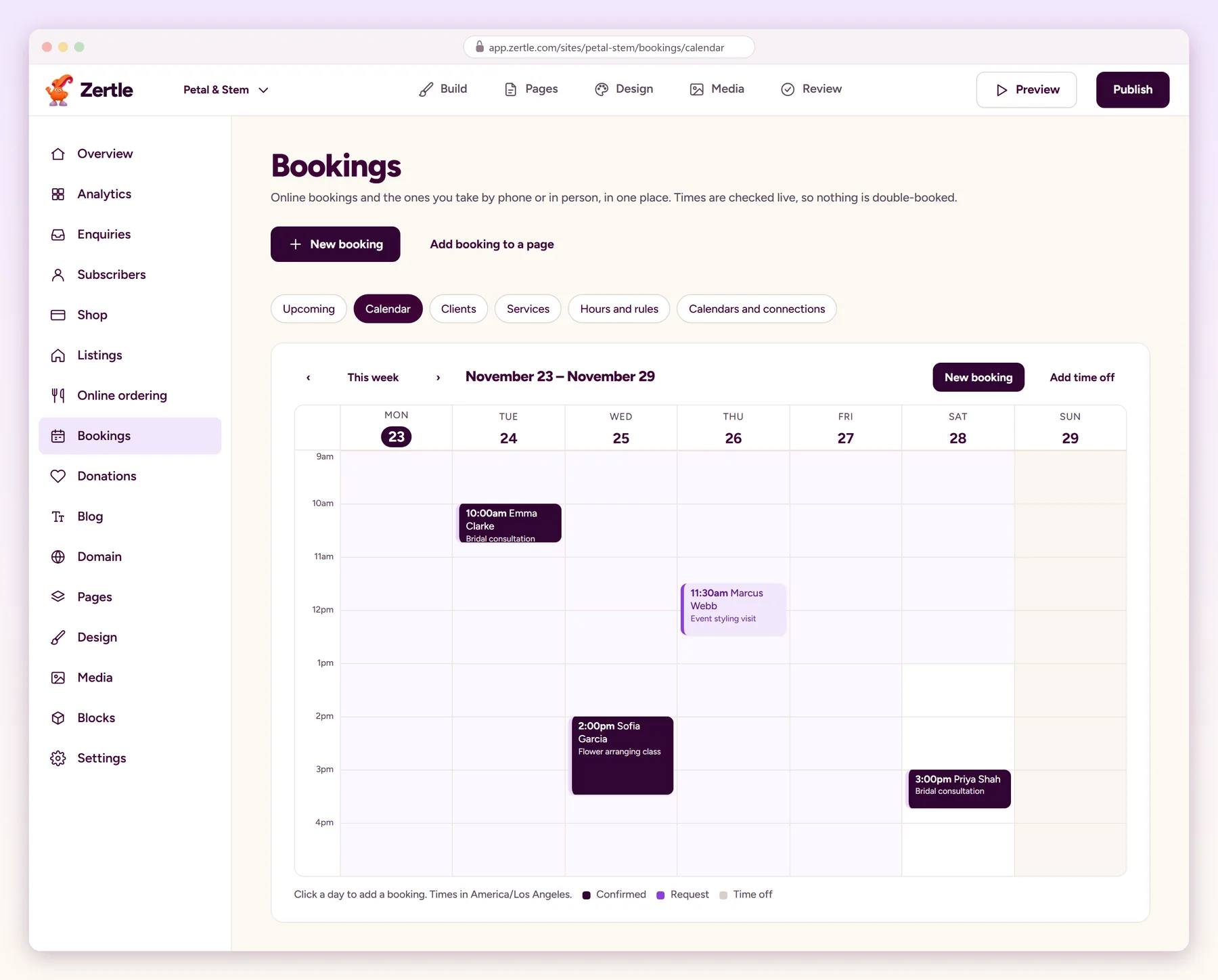
Set your services with how long each takes, your workshop hours and how many cars you can take at once. Customers book available times, and you can approve each booking or confirm automatically.
See the week ahead in your bookings calendar, with customer details and notes.
- Buffers between jobs and booking notice rules
- Email confirmations and reminders for customers
- Manage clients and their booking history
Guide
What customers look for in a workshop website.
Car owners want to know three things: can you do the job, how much will it roughly cost, and when can they drop the car off. A service menu with starting prices and an online booking button answers all three without a phone call.
Honesty is the most valued trait in a mechanic. Reviews that mention fair prices or being told what didn't need doing are gold, so ask happy customers for them and show them prominently.
Practical details matter more than you'd think: drop-off and pick-up times, whether you offer a courtesy car, payment options, parking and public transport nearby. Put them on the booking page so customers know what to expect.
Live in an afternoon.
- 1
Open Torque & Tread
Start from the mechanic template.
- 2
Add services and prices
Set durations and starting prices.
- 3
Set workshop hours
Choose days, times and capacity.
- 4
Publish
Customers can book straight away.
Mechanic website questions.
More in the help centre.
Can customers book a car service online?
Yes. Online booking is on Business, from $22 a month paid yearly. You choose services, hours and capacity, and approve bookings if you like.
Should a mechanic show prices on their website?
Showing starting prices for common services builds trust and reduces phone enquiries, while you can still quote larger repairs.
Can I send booking reminders to customers?
Yes. Customers get a confirmation email and a reminder before their booking.
Guides for your site.
Templates for mechanic websites.
All website templates
Fill tomorrow's workshop today.
Start from a template made for mechanics.