- Choose Analytics in your dashboard's menu.
- Choose a period at the top: 7 days, 30 days, 90 days or 12 months.
- Read the numbers at the top, then scroll down to see your top pages and where visitors came from.
Zertle counts visits without cookies or personal details, so you don't need a cookie banner for it.
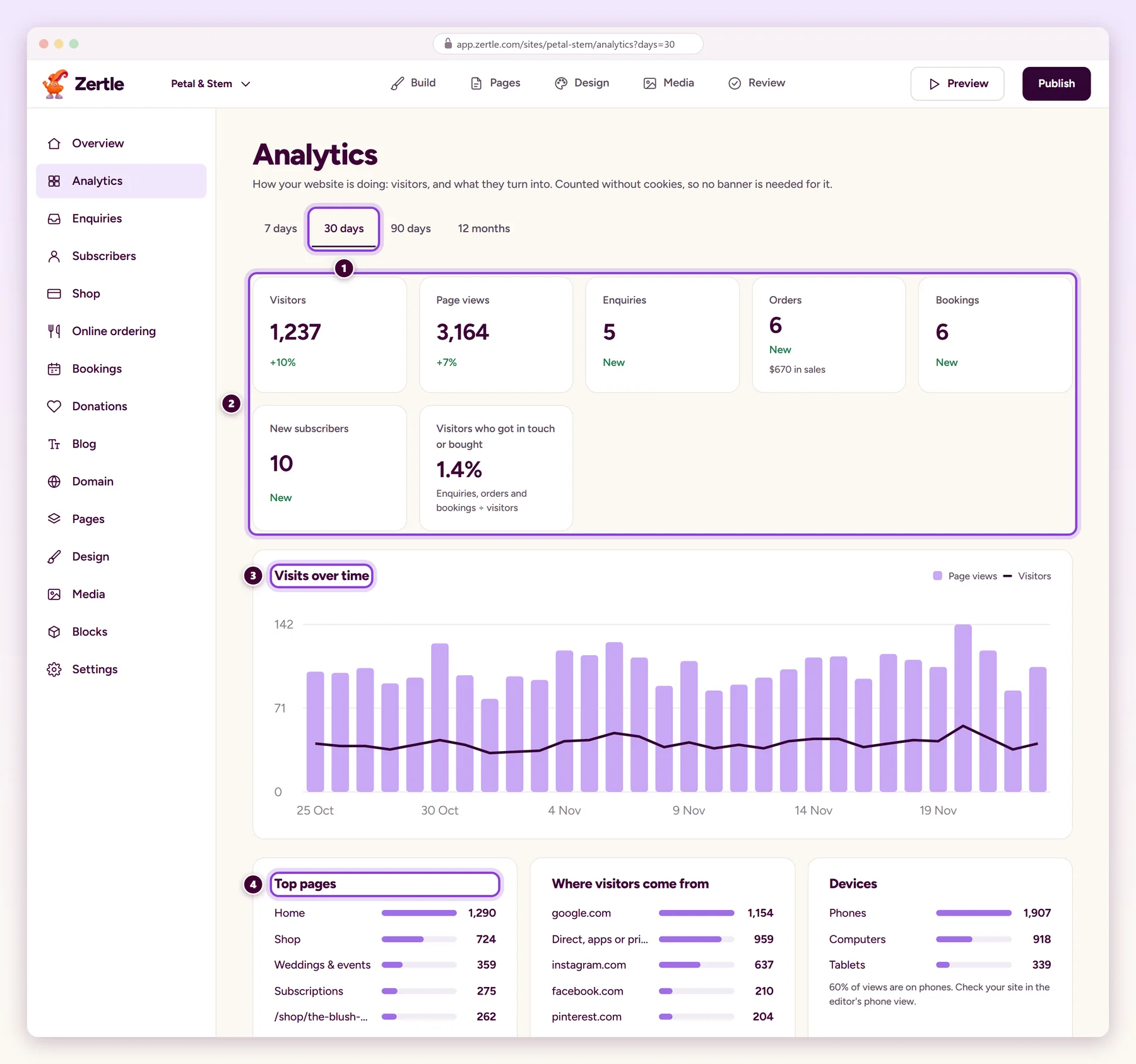
1. Choose a period
7 days, 30 days, 90 days or 12 months.
2. The headline numbers
The tiles at the top show your visitors, page views, what visits turned into (enquiries, orders and bookings), any sales, and your conversion rate: enquiries, orders and bookings divided by visitors. Each compares with the period before, so you can see if you're growing.
3. Visits over time
A chart of page views and visitors for each day. Spikes usually follow a social post, an email or an ad.
4. The details
| Section | What it tells you |
|---|---|
| Top pages | Which pages people view most. |
| Where visitors come from | The websites that sent them, like google.com or instagram.com. Direct, apps or private links means they typed your address, used a bookmark, or tapped a link in an app or message. |
| Devices | Phones, computers and tablets. If most views are on phones, check your phone layout. |
| Countries | Where your visitors are. |
Use it to improve your site
- A page with lots of views but few enquiries? Make its main button clearer, or add a short form.
- Lots of visits from Instagram? Make sure your Instagram link goes to the right page.
- Few visits from Google? See Get found on Google.