Everything people send through a Form on your site is emailed to you and kept in Enquiries.
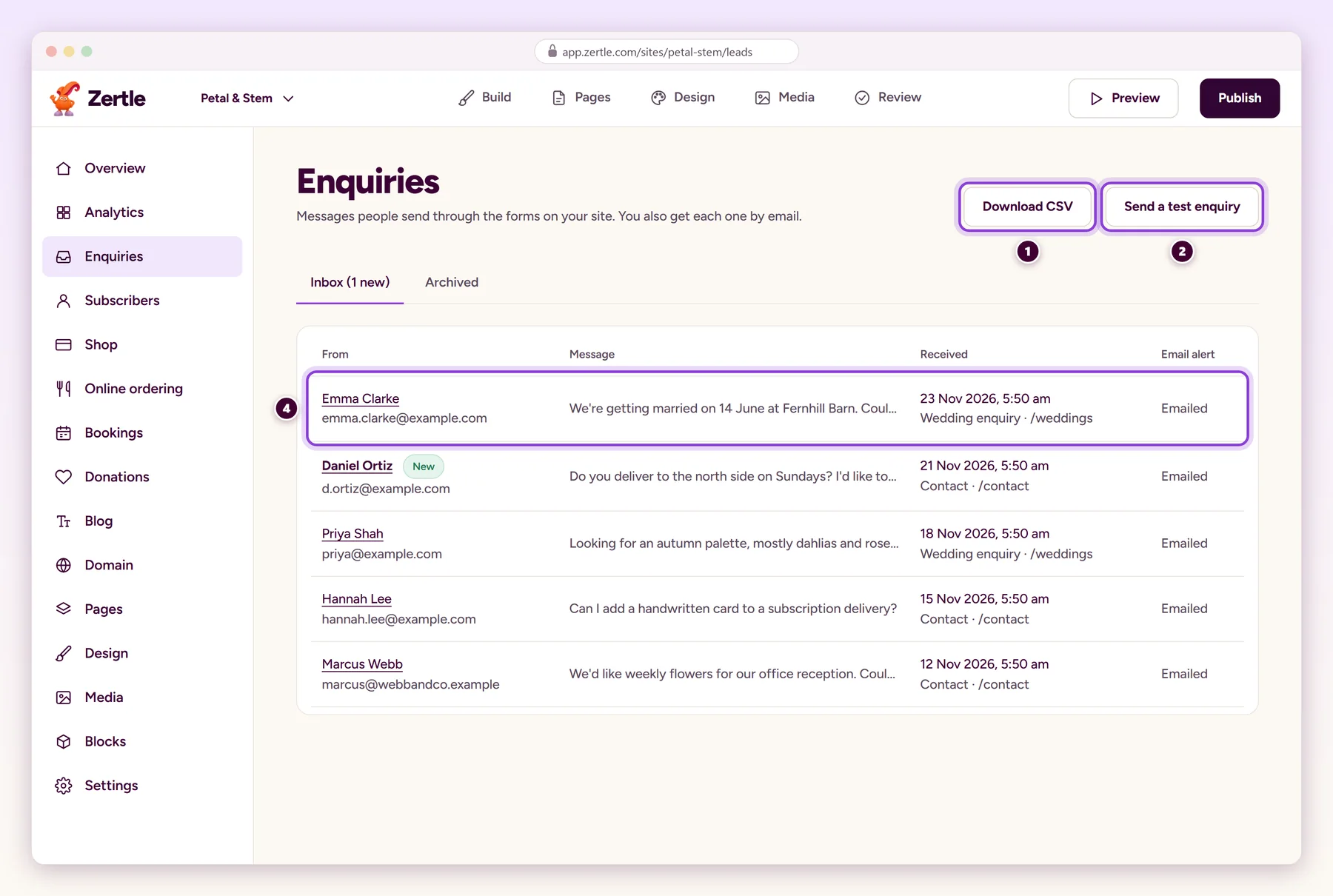
- Download CSV: every enquiry as a spreadsheet.
- Send a test enquiry: sends a test through your form so you can check the alert email arrives. Tests are marked so you know they're not real.
- Inbox and Archived: new enquiries show a count. Archive the ones you've dealt with to keep your inbox tidy.
- Each enquiry shows who it's from, the start of the message, when it arrived and whether the email alert was sent, plus its labels, files and who it's assigned to. Click it to open.
Use the filters above the inbox to see one label, or Assigned to me when you have a team.
Open an enquiry
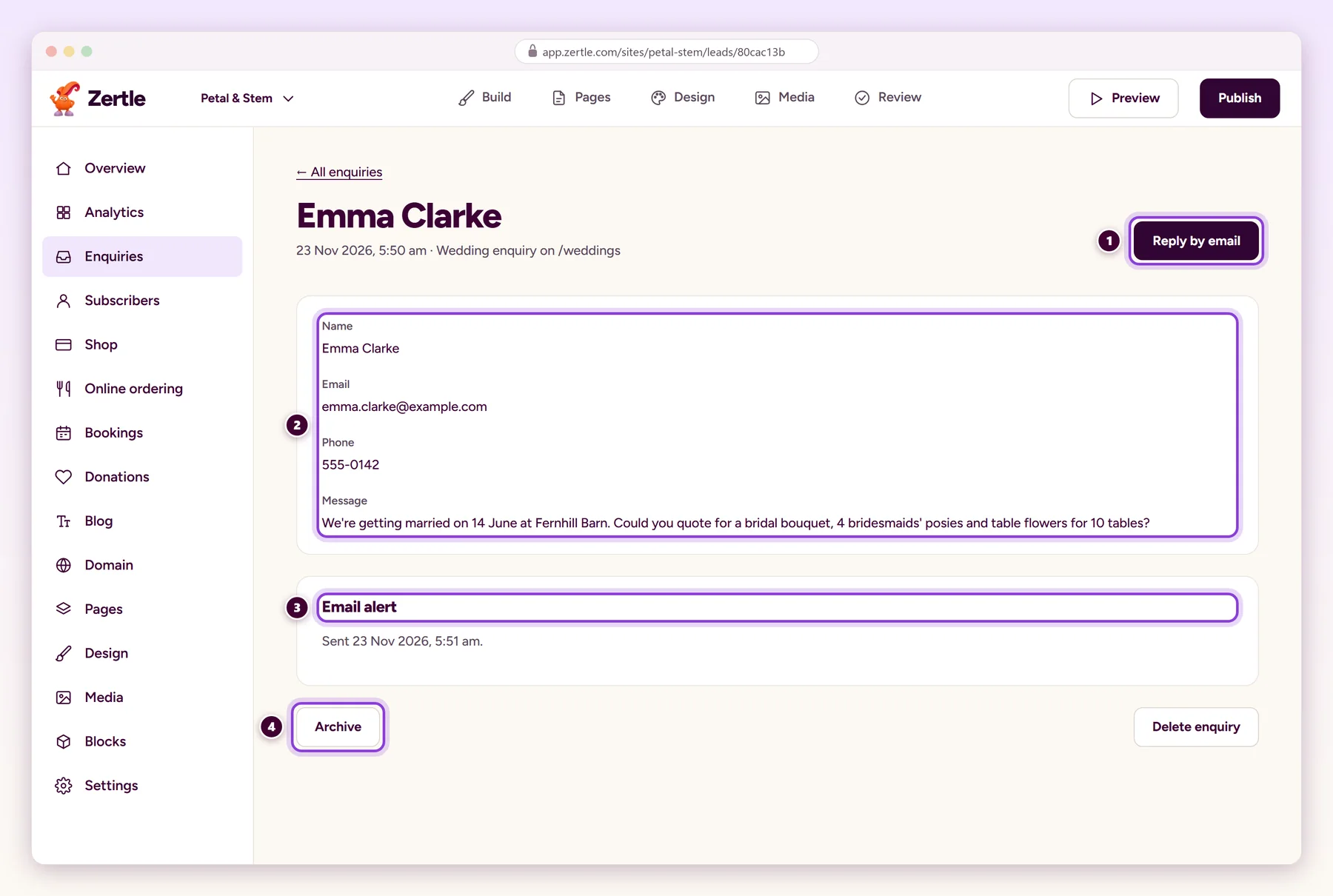
- Reply by email opens your email app with their address and the subject filled in.
- Every answer they gave, in form order, plus the page they sent it from.
- Email alert: whether the alert reached you. If it failed, you can send it again.
- Archive moves it out of your inbox. Delete enquiry removes it for good, with its files and notes.
Files, labels, assigning and notes
- Files: anything they uploaded, with a Download button. Only your team can download them.
- Labels: short words like "Quote sent" or "Follow up", separated by commas (up to 5). Click a label above the inbox to see only those enquiries.
- Assigned to: choose who on your team looks after it. They get an email with a link.
- Notes: private notes for your team, like "Called back on Friday". Only the person who wrote a note can delete it.
- Automatic reply: if the form sends a thank-you email, you can see whether it went.
How long uploaded files are kept
Files people upload are deleted automatically 12 months after the enquiry arrives. The enquiry and its answers stay, so download anything you need before then. To change this, go to Uploaded files at the bottom of Enquiries and choose 6 months, 12 months, 24 months or Keep forever. The setting covers every website on your account.
Uploaded files count toward your plan's storage, which the same card shows. When your storage is full, enquiries still arrive without their files, and you'll see a notice so you can free up space or upgrade.
← All your dashboard guides