- Choose Settings in your dashboard's menu.
- Change your site's name, free address or description.
- Choose Save settings.
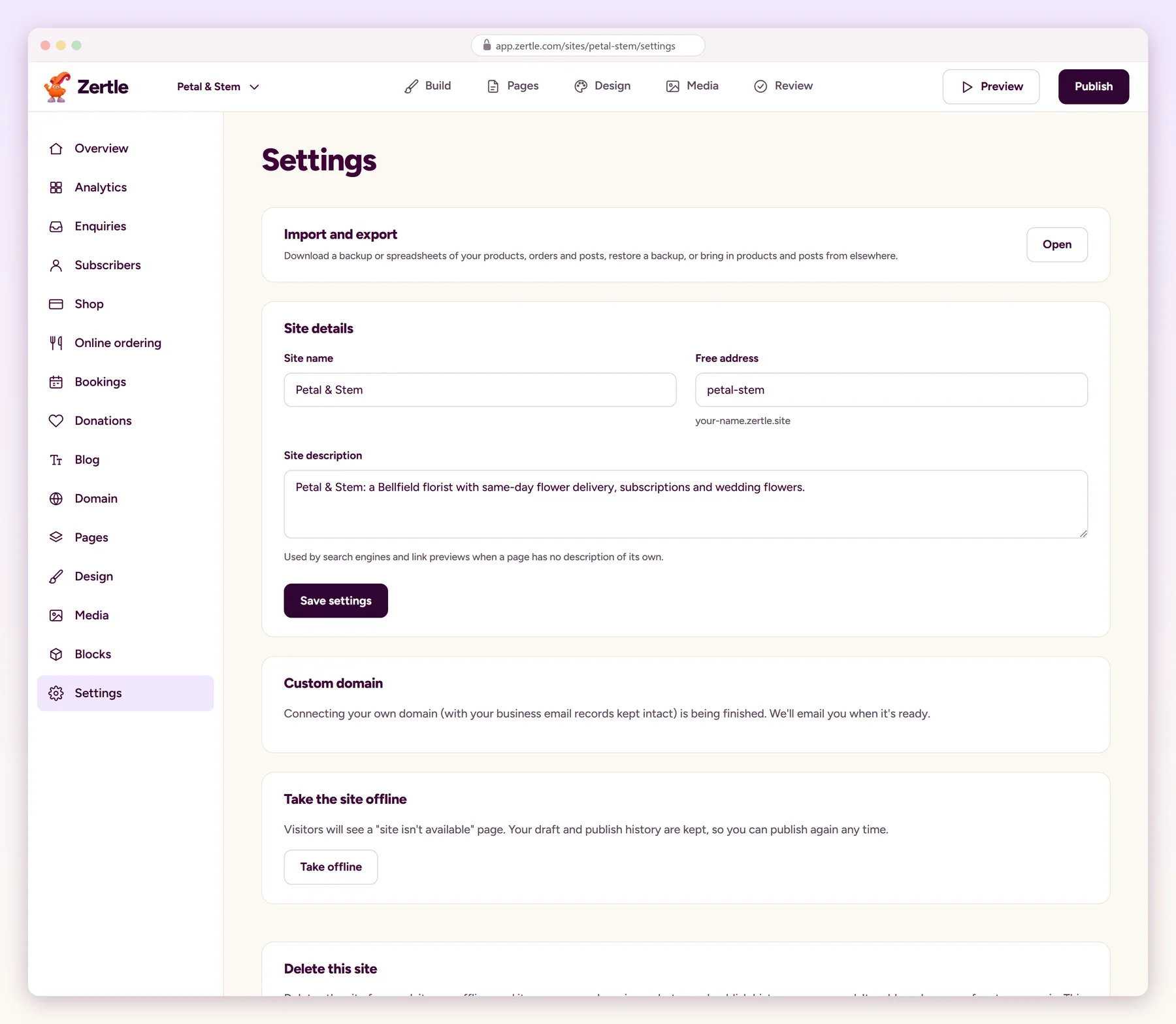
Site details
| Setting | What it does |
|---|---|
| Site name | Your business or site name, used across Zertle and as the default logo text. |
| Free address | Your free web address, like yourname.zertle.site. Change the first part to anything that's free. |
| Site description | Used by search engines and link previews when a page has no description of its own. |
Choose Save settings.
Import and export
Download a backup or spreadsheets, restore a backup, or bring in products and posts. See Back up, import and export.
Custom domain
Use your own address, like yourbusiness.com. See Use your own domain.
Take the site offline
Take offline shows visitors a "site isn't available" page. Your draft and publish history are kept, so you can publish again any time.
Delete this site
Deletes the site for good: it goes offline and its pages, saved versions, photos and publish history are removed. Its address becomes free for anyone to use. Type the site's name to confirm, then choose Delete site permanently. This can't be undone, so download a backup first.
← All your dashboard guides