Comments let readers share their thoughts and questions under your posts, and let you answer them.
Add comments to your posts
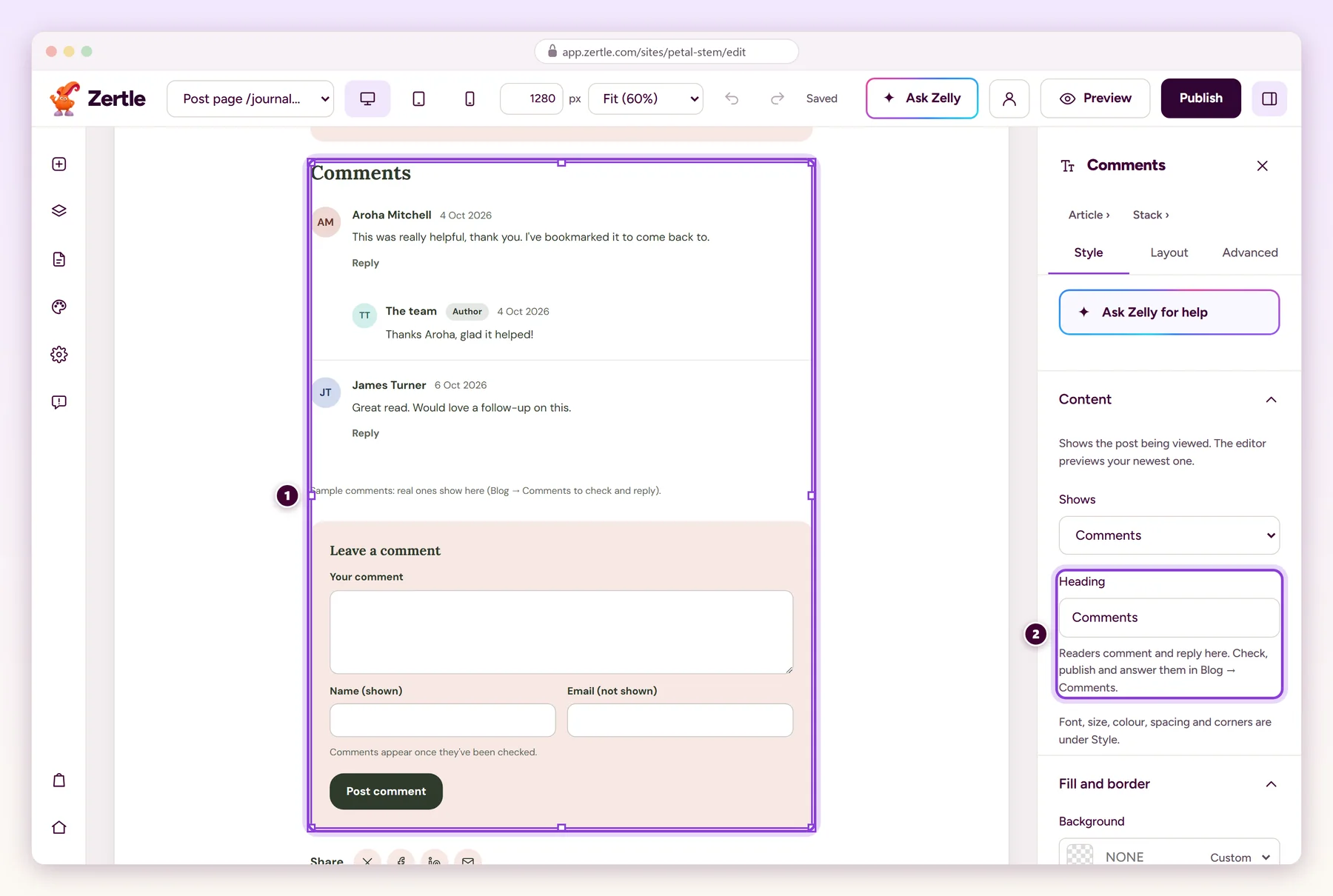
- In the editor, open Pages and choose Post page (the design for every post).
- Click the post's content to select it, then choose Add elements (the + at the top of the left-hand bar) and click Comments. It's added just after the content.
- Change the Heading if you like.
- Publish your site. Every post now has a comment form, and the comments readers have left.
What readers see
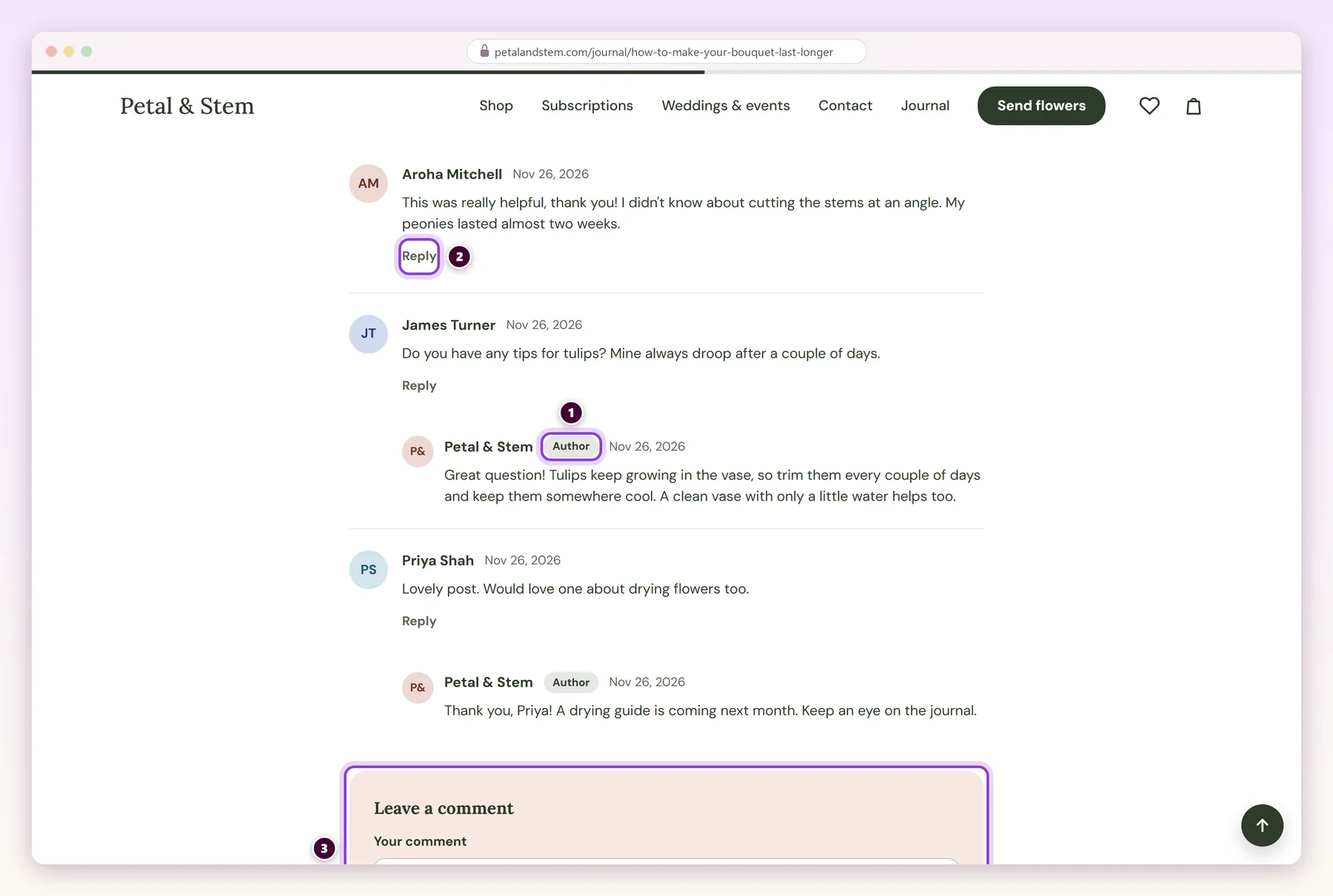
Readers write their comment and add their name (shown) and email (never shown). They can reply to any comment, and replies show underneath it. Your own replies are marked Author.
Check, publish and reply
- Open Blog on your dashboard and choose your blog.
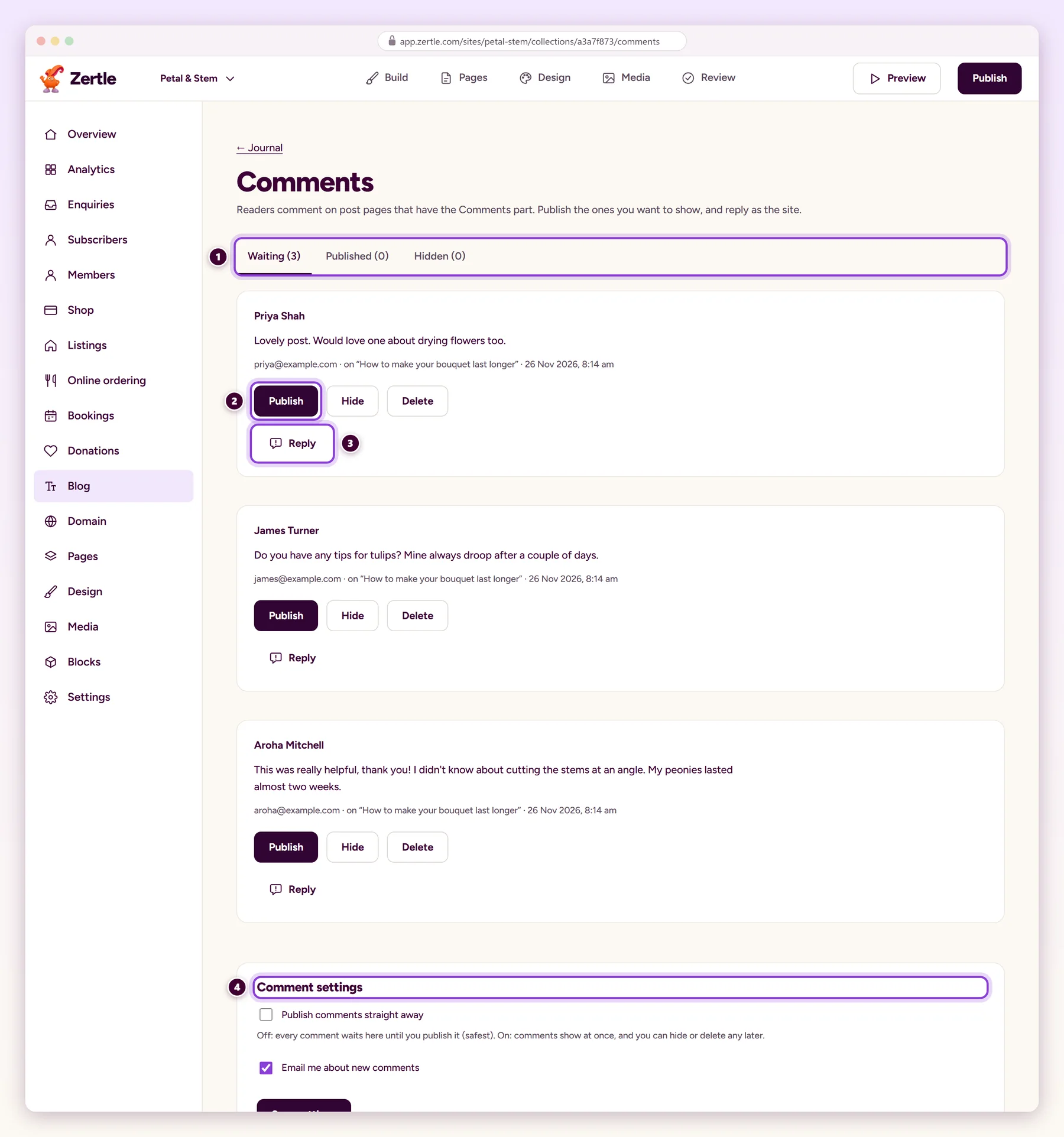
- Choose Comments. The button shows how many are waiting.
- Check each comment and choose Publish, Hide or Delete.
| Button | What it does |
|---|---|
| Publish | Shows the comment under the post. |
| Hide | Takes it off your site. You can publish it again later. |
| Delete | Deletes it for good. |
| Reply | Write an answer. It shows under the comment, with your site's name and the Author mark. Replying to a waiting comment publishes it too. |
Reply to a comment
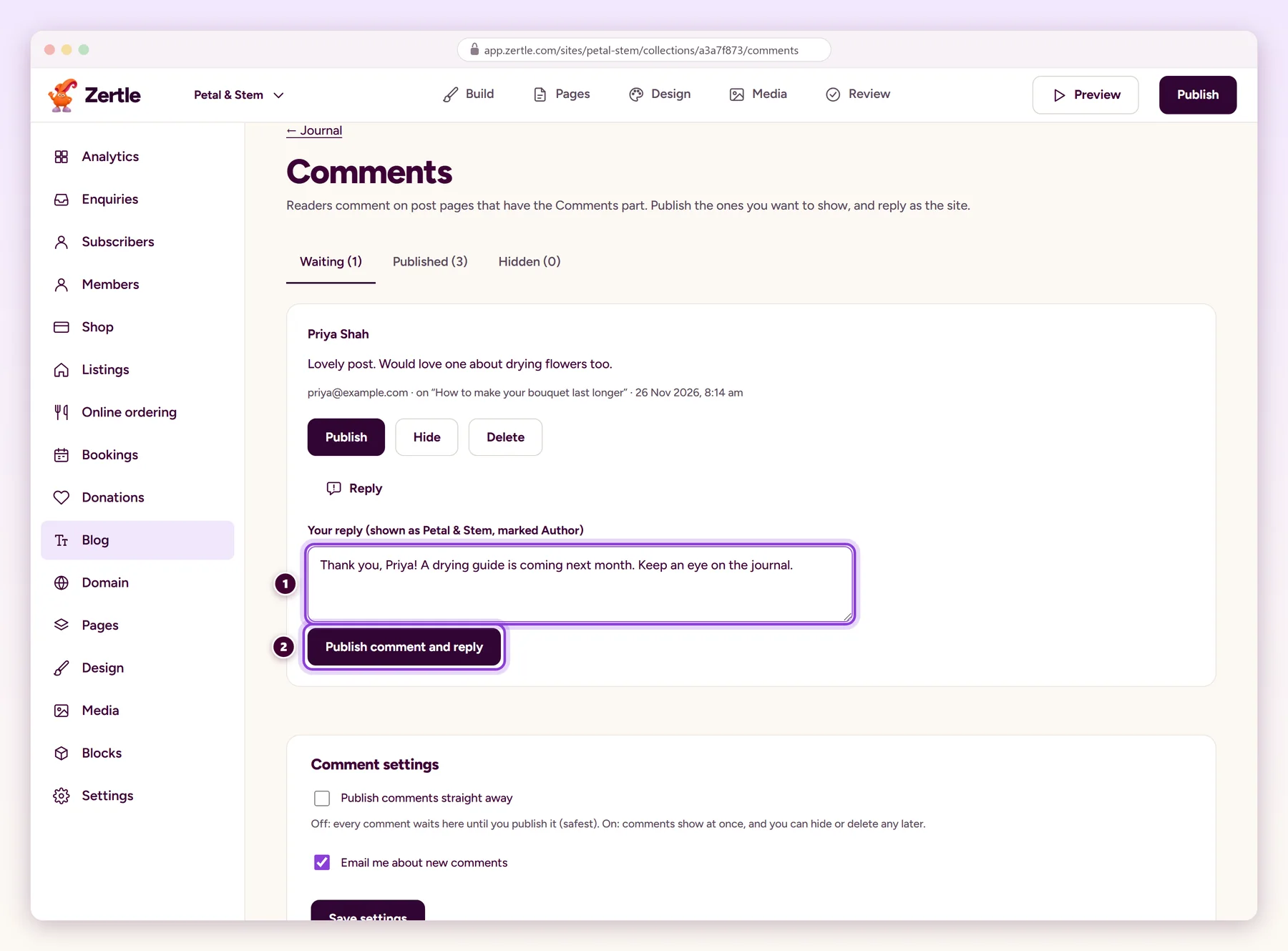
- Choose Reply under the comment.
- Write your answer.
- Choose Post reply (or Publish comment and reply if the comment is still waiting).
You can also see each commenter's email address, so you can get in touch privately.
Comment settings
At the bottom of the Comments page:
| Setting | What it does |
|---|---|
| Publish comments straight away | Off (safest): every comment waits until you publish it. On: comments show at once, and you can hide or delete any later. |
| Email me about new comments | Sends you an email when comments arrive, so you don't need to keep checking. |
Keeping out spam
Zertle stops most spam for you: comments with more than two links are turned away, as are robots that fill in forms too fast, the same comment sent twice, and too many comments from one place. Checking comments before they show (the starting setting) catches the rest.
Good to know
- Comments show on your live posts straight away after you publish them. You don't need to publish your site again.
- Comments are up to 2,000 characters.
- Links in comments are marked so search engines don't follow them.