Services
Open Bookings → Services. Each service is a row you can open to edit.
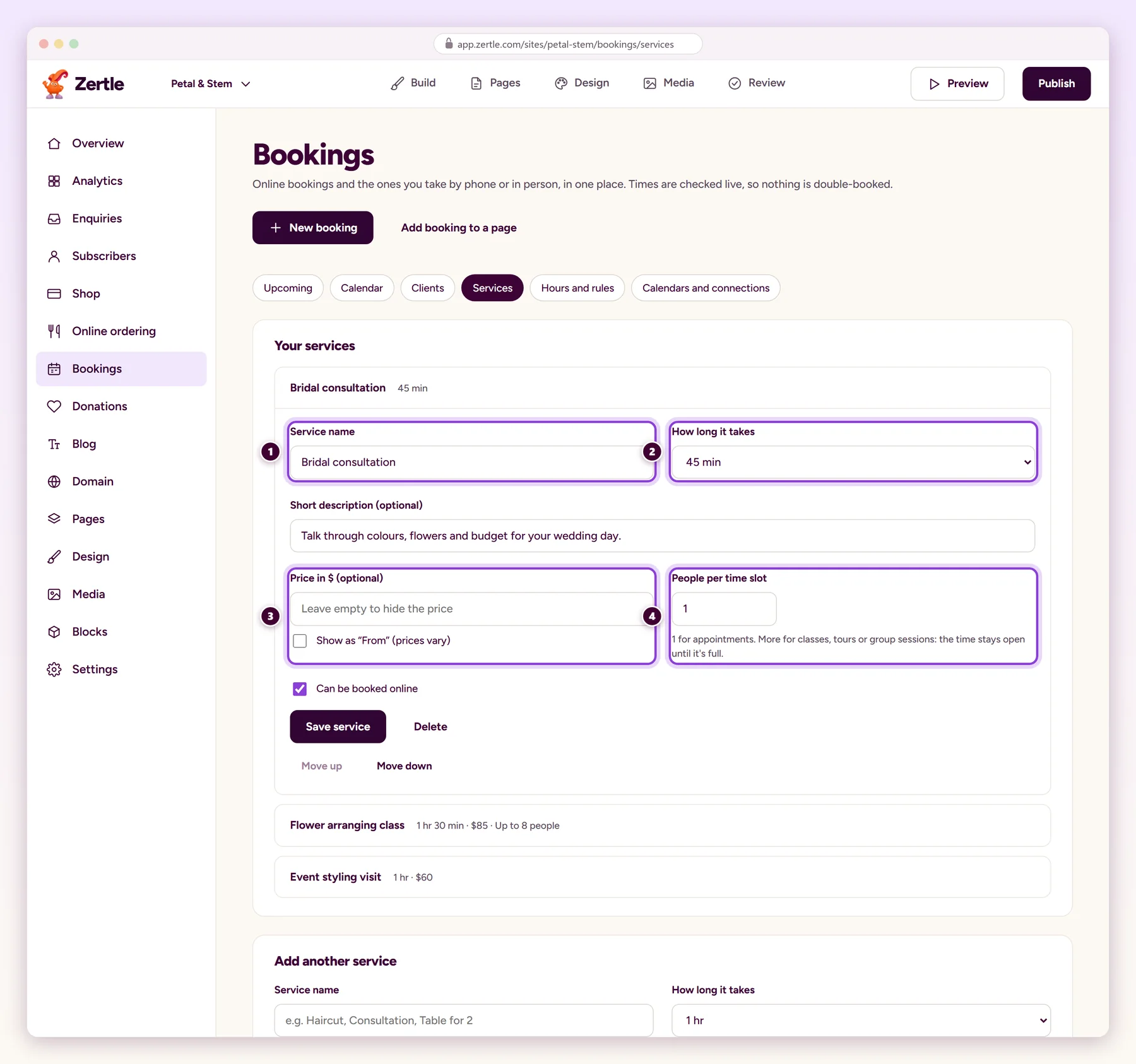
| Setting | What it does |
|---|---|
| Service name | Like "Bridal consultation" or "Haircut". |
| How long it takes | From 10 minutes to 8 hours. |
| Short description | Optional. Shown when customers choose. |
| Price | Optional. Leave empty to hide the price. Tick Show as "From" if prices vary. |
| People per time slot | 1 for appointments. More for classes, tours or group sessions: the time stays open until it's full. |
| Can be booked online | Untick to keep a service for bookings you add yourself. |
Choose Save service. Use Move up and Move down to set the order, and Add service for more. New services can be booked straight away, without publishing.
Hours and rules
Open Bookings → Hours and rules.
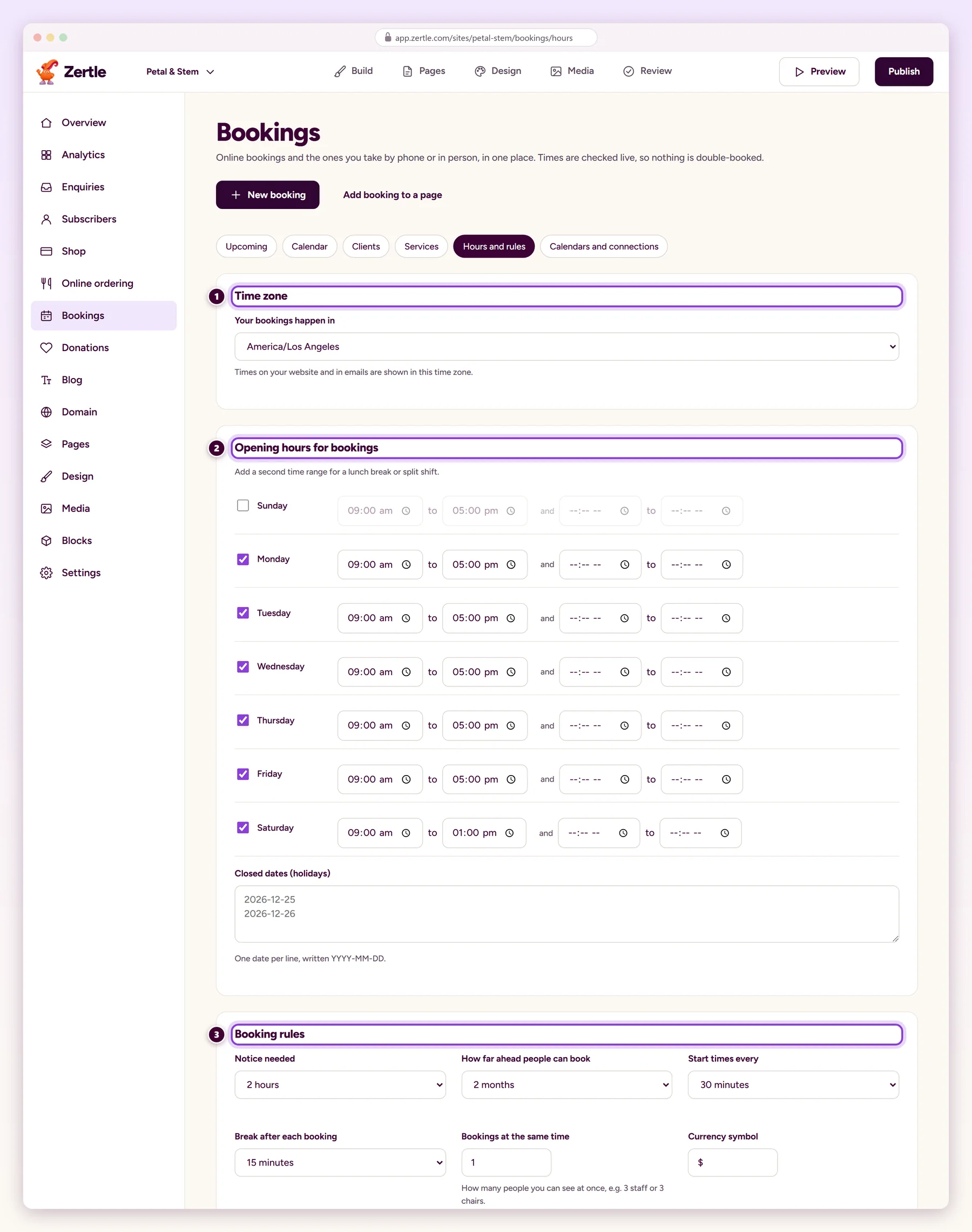
- Time zone: where your bookings happen. Times on your website and in emails use it.
- Opening hours for bookings: tick each day you take bookings and set the times. Add a second time range for a lunch break or split shift. Add Closed dates (holidays), one per line, written YYYY-MM-DD.
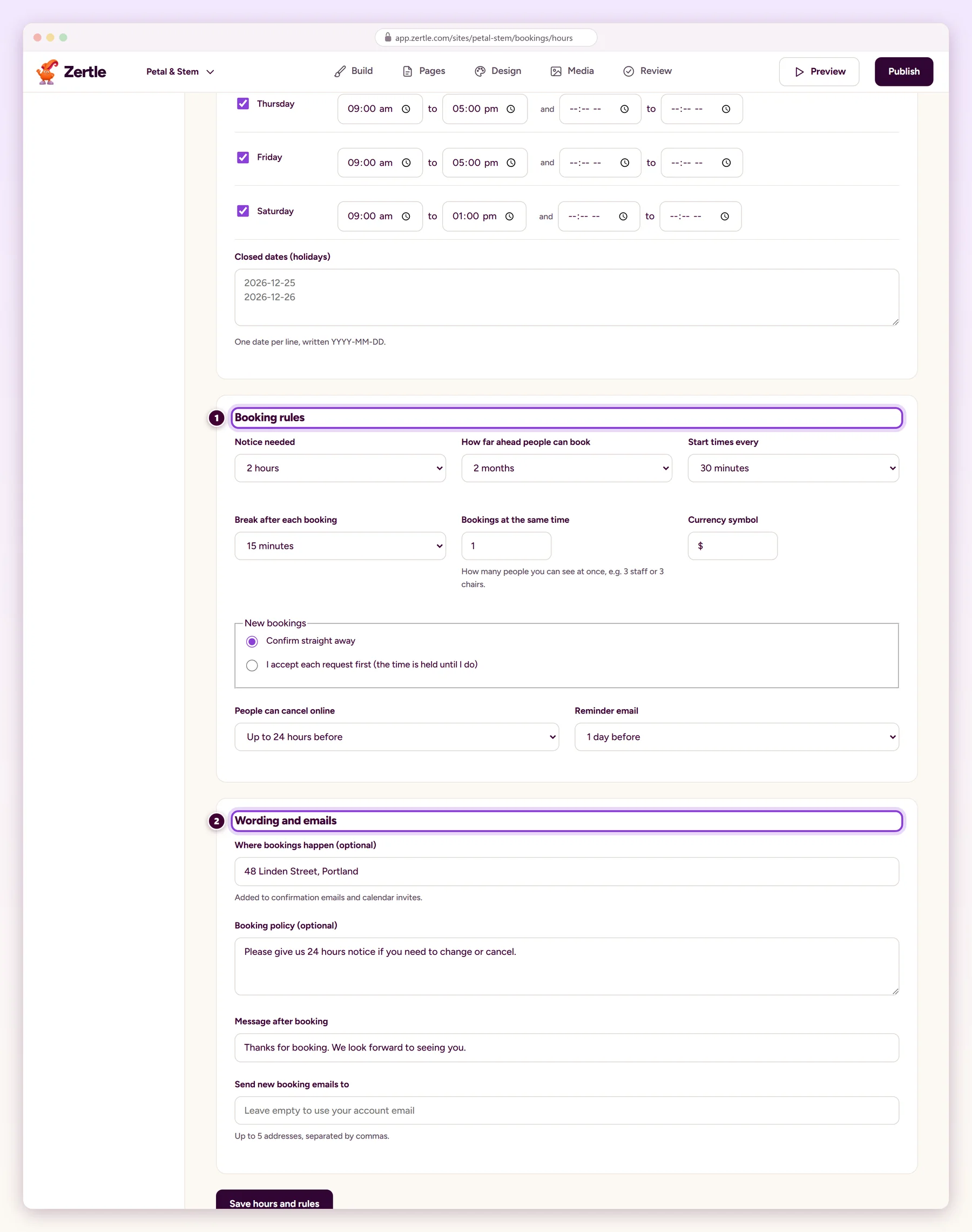
| Rule | What it does |
|---|---|
| Notice needed | How soon people can book, from none to a week ahead. |
| How far ahead people can book | From 1 week to 1 year. |
| Start times every | The length of the service, or every 10, 15, 20 or 30 minutes, or hourly. |
| Break after each booking | Time to tidy up or travel between bookings. |
| Bookings at the same time | How many people you can see at once, like 3 staff or 3 chairs. |
| Currency symbol | Shown with prices. |
| New bookings | Confirm straight away, or I accept each request first (the time is held until you do). |
| People can cancel online | Any time before, or up to 2, 12, 24 or 48 hours or a week before. |
| Reminder email | Don't send, or 2 hours, 1 day or 2 days before. |
Wording and emails
- Where bookings happen: an address, or "Online by video call". Added to confirmations and calendar invites.
- Booking policy: like "Please give 24 hours' notice if you can't make it".
- Message after booking: what customers see once they've booked.
- Send new booking emails to: up to 5 addresses, separated by commas. Leave empty to use your account email.
Choose Save hours and rules. Changes work straight away.
← All bookings, ordering, giving and members guides