Take one-off and monthly gifts on your website, paid securely by card. Donors get a receipt by email straight away.
- Connect card payments with Stripe in Shop settings (one connection for your shop, ordering and donations). See Take card payments.
- Add a Donate element to a page (or Fundraising goal for just a progress bar).
- Optionally, set up campaigns with goals in Donations.
- Publish.
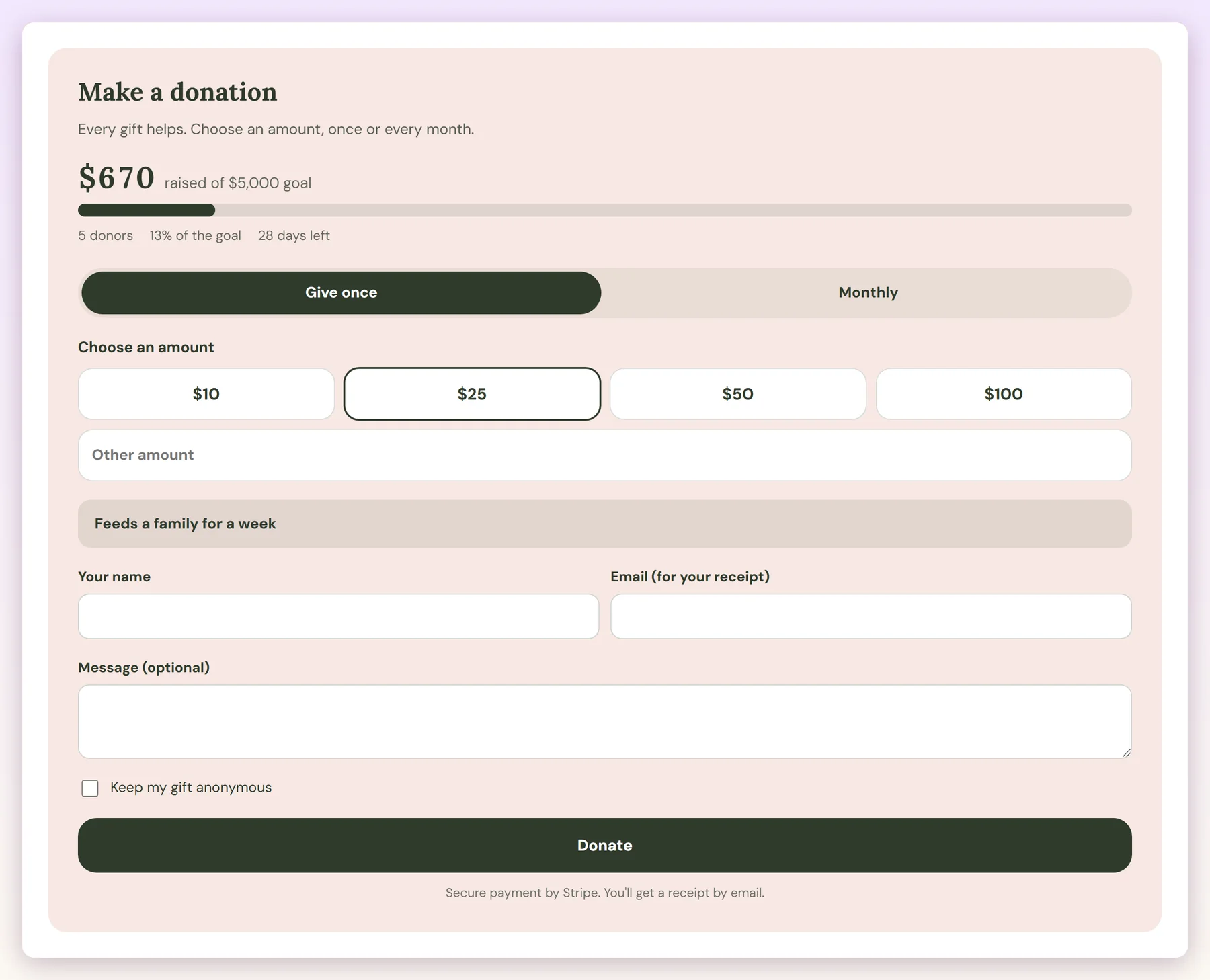
The Donate element
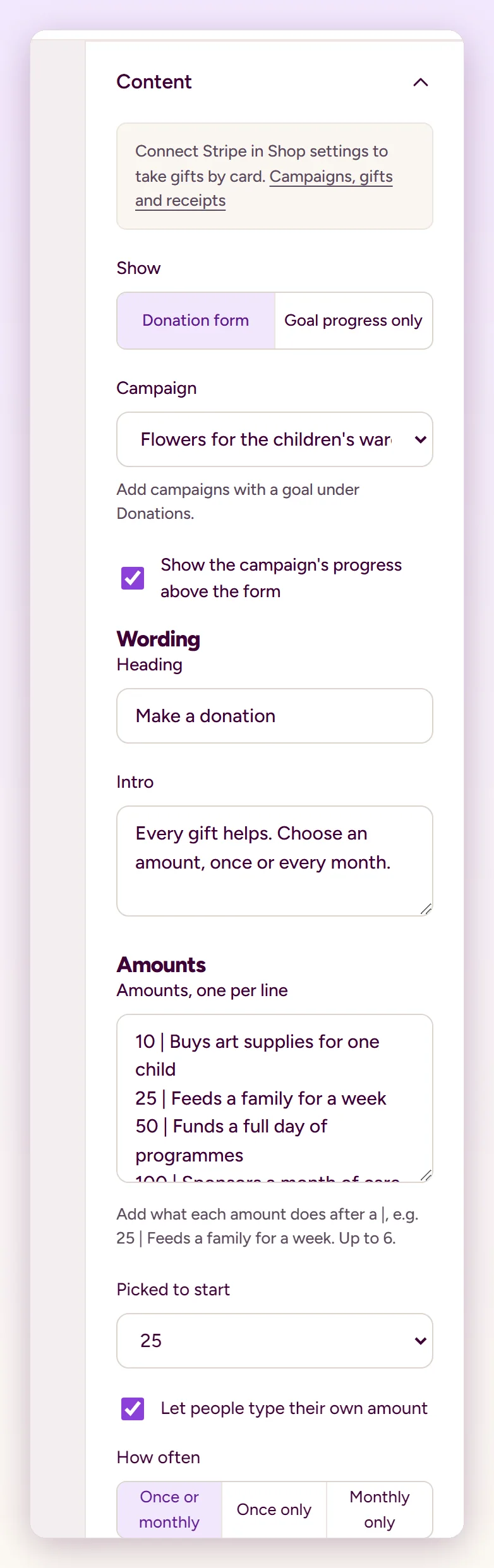
| Setting | What it does |
|---|---|
| Show | Donation form or Goal progress only. |
| Campaign | General donations, or one of your campaigns. |
| Show the campaign's progress above the form | The raised amount, goal, donors and days left. |
| Heading and Intro | The words. |
| Amounts | One per line, up to 6, with an optional note on what each amount does (see below). |
| Picked to start | The amount chosen when the form loads. |
| Let people type their own amount | An "Other amount" box. |
| How often | Once or monthly, Once only or Monthly only, and which is selected to start. |
| Button text | The amount is added automatically, like "Donate $25 monthly". |
| Other ways to give | Links to PayPal, GoFundMe, JustGiving, Patreon, Ko-fi and more. |
| Card colour and Highlight colour | The form's background, and the colour of the chosen amount, progress bar and button. |
For Amounts, add what each amount does after a bar, like 25 | Sends flowers to one family. The note shows when that amount is chosen.
The Donations dashboard
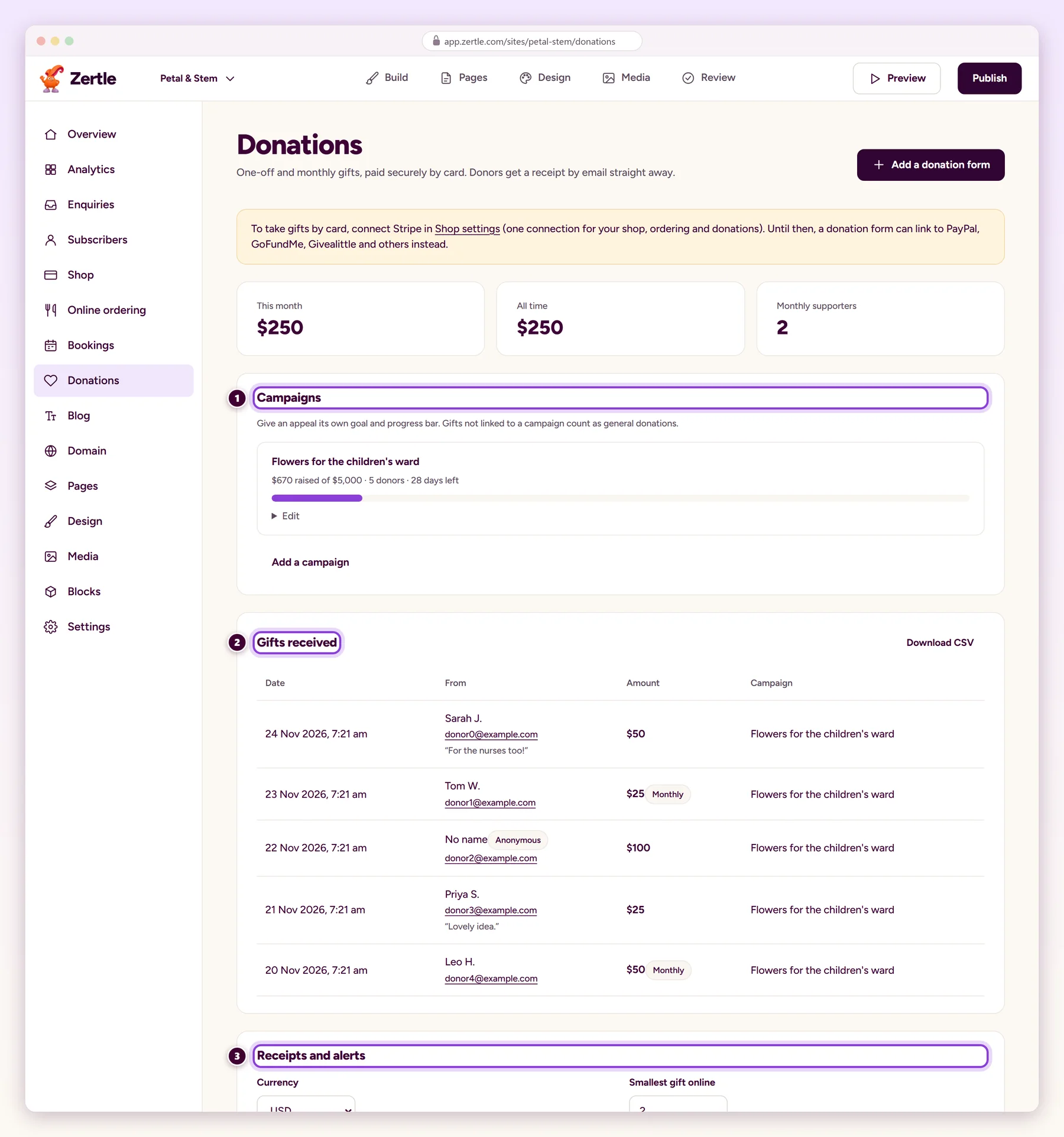
Campaigns
Give an appeal its own goal and progress bar. Choose Add a campaign: a name, a goal, a short description, money raised elsewhere (cash, bank transfers or events, added to the total) and an optional end date. Gifts not linked to a campaign count as general donations.
Gifts received
Every gift with its date, donor, amount (marked Monthly for monthly gifts), message and campaign. Download CSV for your records.
Receipts and alerts
| Setting | What it does |
|---|---|
| Currency | The currency gifts are made in. |
| Smallest gift online | The minimum amount. |
| Thank-you message | Shown after giving and in the receipt email. |
| Receipt details | Your charity or registration number and any tax wording your country needs. |
| Send new donation emails to | Leave empty to use your account email. |