Getting found
Email is still one of the best ways to bring customers back. How to grow a list, what to send, how often, and simple rules that keep people opening your emails.
The Zertle team4 min read
Social media reach goes up and down, search rankings take time, but an email list is yours. The people on it asked to hear from you, and a short, useful email reliably brings them back to your website and your business.
The best time to start a list was a year ago; the second best is today. Add a sign-up form in a few places on your website:
Give people a reason to join: early access to new products, a seasonal guide, tips, or a welcome offer. "Join our newsletter" on its own is easy to ignore.
Good small business emails are short and useful. Some ideas:
Consistency beats frequency. A monthly email you send every month builds more trust than a weekly email that stops after three weeks. Put a date in your calendar and write a few emails ahead when you have time.
Anti-spam and privacy rules differ between countries, so check the rules where you and your subscribers are. Mention your newsletter in your privacy policy, too; our free privacy policy generator can help.
Always send yourself a test first. Check it on your phone, click every link, read the subject line out loud. Then send, or schedule it for a time your customers are likely to read it, such as a weekday morning or Sunday evening.
On Zertle's Business plan, add a Newsletter element or pop-up to your site and subscribers appear in your dashboard. Write branded campaigns with photos and featured products, send yourself a test, then send or schedule. Business includes 2,500 campaign emails a month, Store 10,000 and Elite 25,000, and every email has a one-click unsubscribe link. Elite adds automatic welcome, after-purchase and win-back emails and sending from your own domain. Read more about email marketing on Zertle or the email campaigns guide.
If you don't know where to start, use this structure every month and just change what goes in it:
Most small business emails work best at 150 to 300 words. People read them on phones, between other things, so short wins.
Watch what happens after each email: more visits to your website, bookings, orders or replies. Over a few months you'll see which kinds of email your customers respond to. Do more of those, and keep the list healthy by never emailing people who didn't sign up.
Once or twice a month suits most small businesses. Send more only if you have genuinely useful news each time.
Offer a clear reason to join, place forms where visitors already are, and mention your newsletter in-store, on receipts and on social media.
It varies by industry and how you measure it. Focus on what you can control: a list of people who asked to hear from you, useful emails and honest subject lines.
Ready to start your list? Start free on Zertle and add a sign-up form to your site.
BUILD IT WITH ZERTLE
Pick a template, drag and drop your words and photos into place, and publish. It's free to start.
DRAG. DROP. DONE.
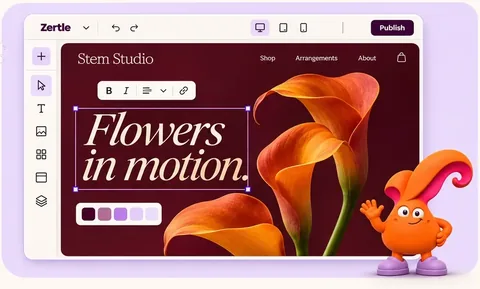
Zertle's drag-and-drop editor lets you move and change anything, with phone layouts, hosting and SEO tools included.
DRAG. DROP. DONE.
Move and change anything with Zertle's drag-and-drop editor. Phone layouts, hosting and SEO tools included, free to start.
KEEP EXPLORING
Designs for restaurants, trades, salons, shops, clubs and more.
Illustrated, step-by-step guides to every part of Zertle.
Bookings, shops, blogs, forms and everything else you can add.