Choose what your site lists when you set up your listings pages, or any time in Listings → Settings → What do you list?. The fields on each listing, the filters and tabs visitors see, the words on your site and the structured data for search engines all follow your choice.
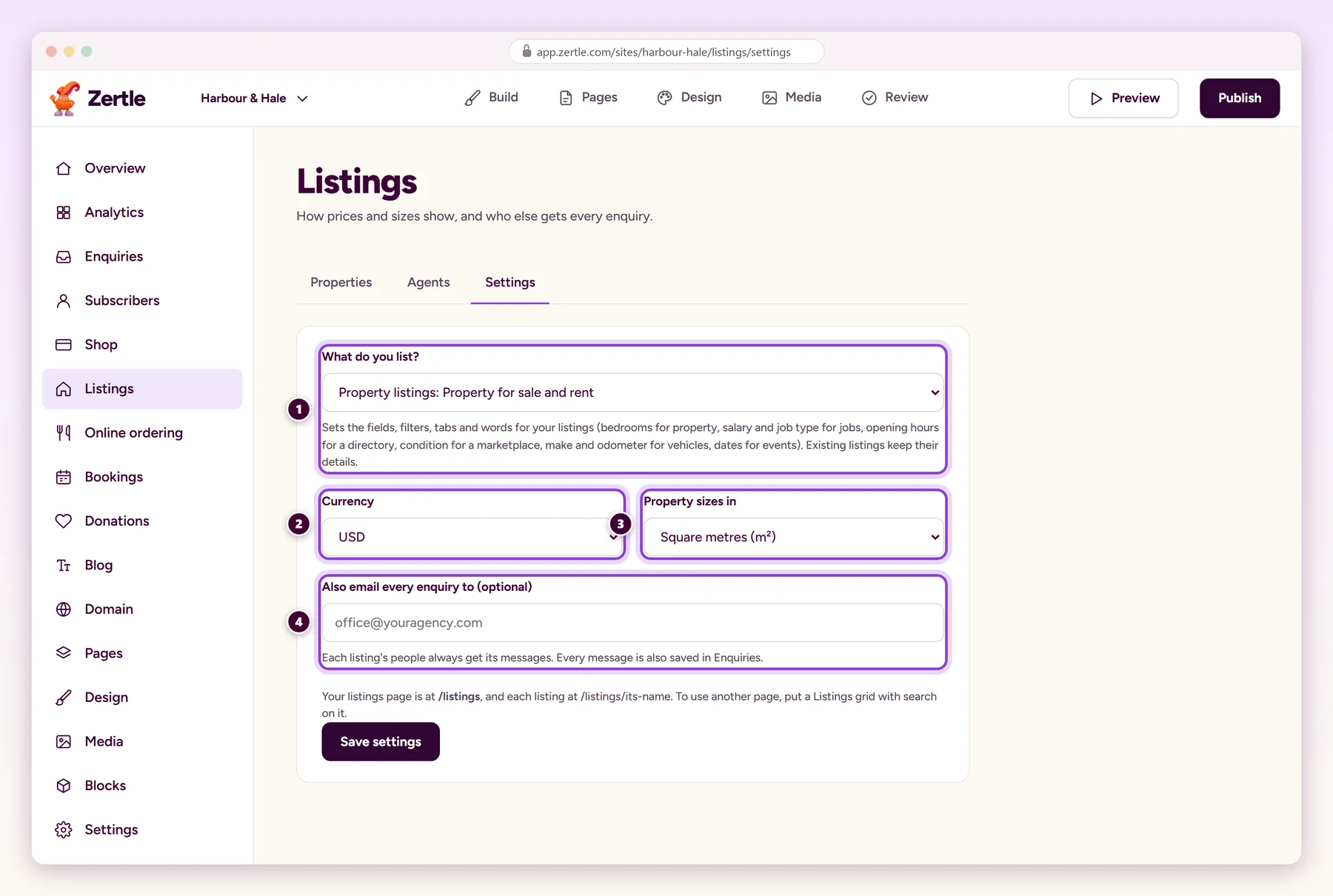
- Choose Listings in your dashboard's menu, then Settings.
- Under What do you list?, choose your kind of listing.
- Save your settings, then publish your site.
Property
For real estate agents and property managers. See Add and edit a listing for every property field.
| Part | What you get |
|---|---|
| Fields | Price or price words, rent per week or month, address (or just the suburb), bedrooms, bathrooms, car spaces, land and floor area, year built, features, floor plans, video, 3D tour, open homes and auction, rental details. |
| Tabs and filters | All, Buy, Rent and Sold. Type, bedrooms, bathrooms and price range. |
| Statuses | For sale or For rent, Under offer, Sold, Leased. |
| On each page | Photo mosaic, floor plans, open homes with Add to calendar, repayment calculator, agents. |
Jobs
For job boards, recruiters and employers with lots of roles.
| Part | What you get |
|---|---|
| Fields | Job title, category, company, job type (full-time, part-time, contract, casual, internship), workplace (on-site, hybrid, remote), experience, salary from and to, pay period, closing date, apply link and company website. |
| Tabs and filters | All, Full-time, Part-time, Contract and Remote. Category, job type, workplace, experience and salary. |
| Statuses | Hiring, Interviewing, Filled, Closed. Filled and closed jobs leave the main list. |
| On each page | Company logo, salary, key facts, Apply now (your own link, or the application form with a CV link and cover note), closing date, recruiter. |
Business directory
For local directories, chambers of commerce and community guides.
| Part | What you get |
|---|---|
| Fields | Business name, category, address, price range, phone, email, website, opening hours (one line each), year established, amenities. |
| Filters | Category, area and price range. Sort A to Z. |
| On each page | Visit website, tap-to-call and Directions buttons, opening hours, map and a message form. |
Marketplace
For classifieds, buy-swap-sell groups and second-hand shops.
| Part | What you get |
|---|---|
| Fields | Item name, category, For sale or Wanted, price (0 shows Free, empty shows Make an offer), condition, brand, delivery, quantity and size. |
| Tabs and filters | All, For sale, Wanted and Free. Category, condition, delivery, area and price. |
| Statuses | For sale (or Wanted), Reserved, Sold. |
| On each page | Photos, condition and delivery facts, Message the seller and the seller's details. |
Vehicles
For car yards and dealers, and boat, bike and caravan sellers.
| Part | What you get |
|---|---|
| Fields | Headline, body type, price, make, model, year, odometer, fuel, transmission, engine, drive, colour, seats, registration or VIN, features, test drive times. |
| Tabs and filters | For sale and Sold. Make, body type, year, odometer, fuel, transmission and price. |
| On each page | Photo slider, specifications, Book a test drive, finance calculator and the sales team. |
Events
For what's-on guides, venues, councils and clubs.
| Part | What you get |
|---|---|
| Fields | Event name, type, ticket price (0 shows Free), venue, ages, format (in person or online), tickets link, capacity, and every date and session. |
| Tabs and filters | All, This week, Free and Past events. Type, area, ages and price. Sorted by the next date. |
| Statuses | Tickets on sale, Few tickets left, Sold out, Finished. Past dates hide automatically. |
| On each page | Dates with Add to calendar, venue map, Get tickets (your link) or a registration form, and the organiser. |