The people behind your listings
The second tab in Listings is named for your kind of listing: Agents for property, Recruiters for jobs, Contacts for a directory, Sellers for a marketplace, Sales team for vehicles and Organisers for events.
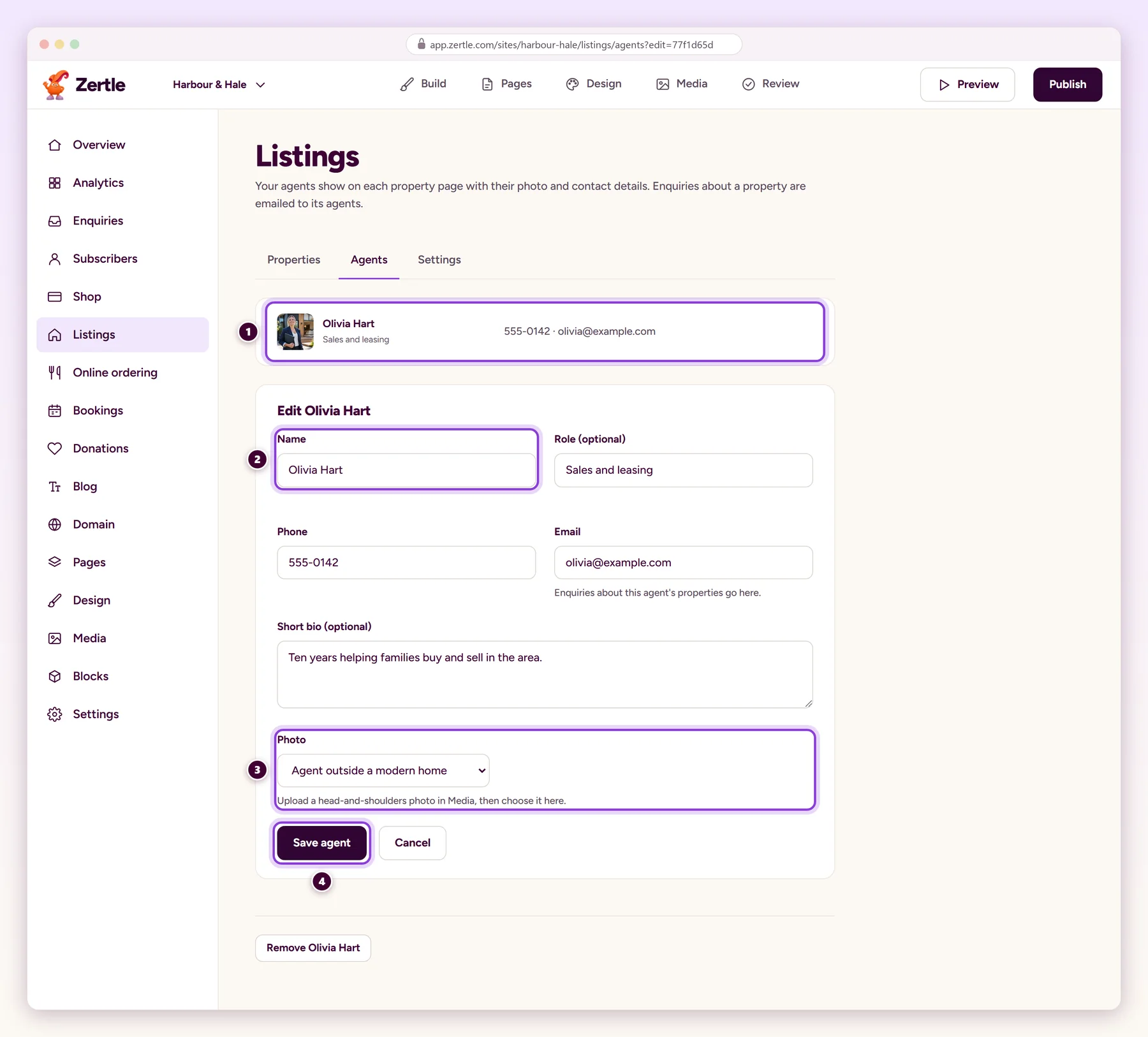
- Type their name, role, phone and email, and an optional short bio.
- Choose a photo from Media (a head-and-shoulders photo works best). Without one, their initials show.
- Choose Add agent. Choose an agent in the list to edit or remove them.
On each property, tick its agents. They show on the property page with a tap-to-call phone button and an Email button.
Enquiries
Every listing page can have an enquiry form. For jobs it becomes an application form (with a link to a CV or LinkedIn profile and a cover note), and for events a registration form. Visitors give their name, phone, email and message, and can tick what they'd like to know (price information, open home times, rates and fees, similar properties).
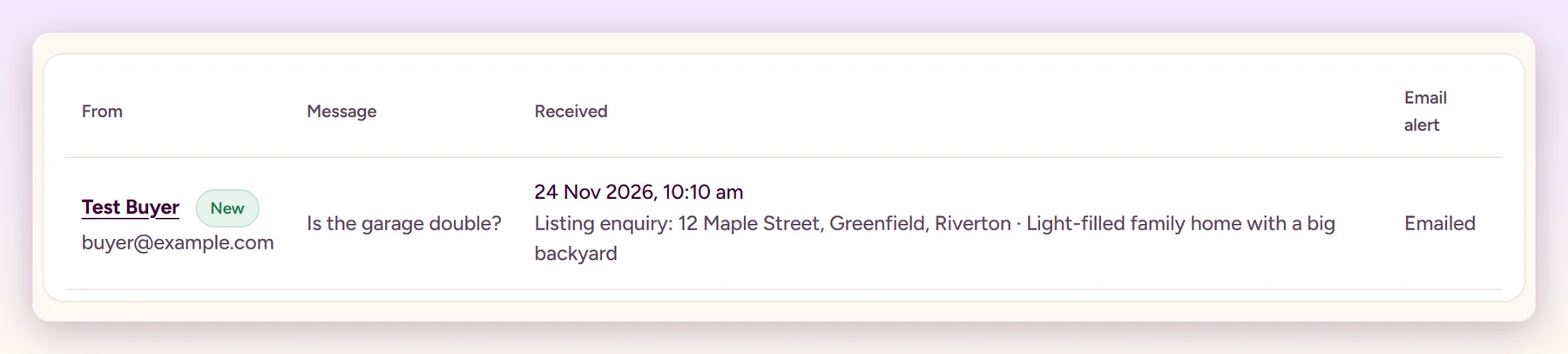
- Each enquiry is saved in Enquiries, titled with the property's address.
- It's emailed to the property's agents. When a property has no agents, it goes to your account email.
- To copy every enquiry to an office address too, add it in Listing settings.
Listing settings
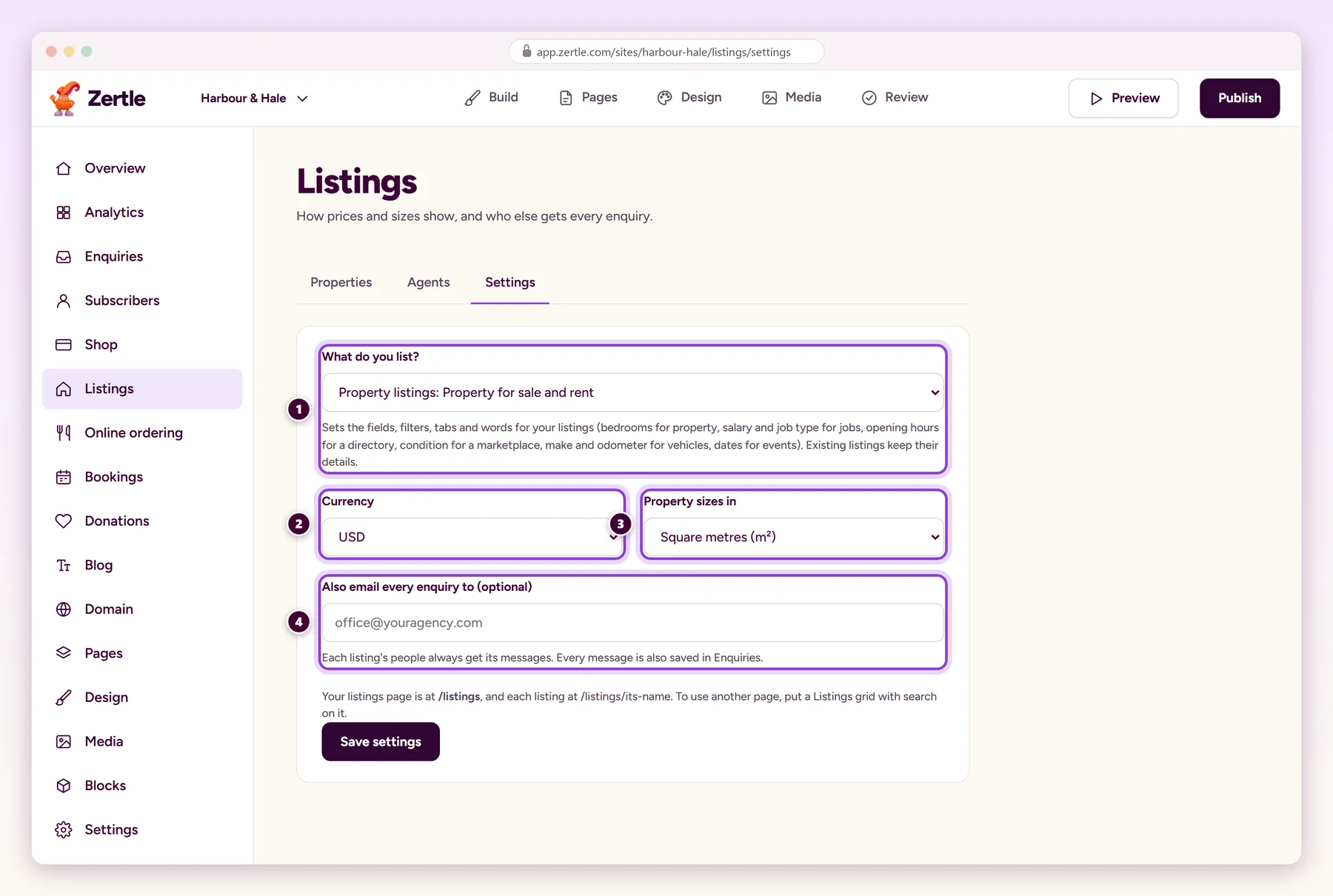
Open Listings → Settings.
| Setting | What it does |
|---|---|
| What do you list? | Property, jobs, business directory, marketplace, vehicles or events. See Listing types. |
| Currency | The currency prices show in. |
| Sizes in | Square metres or square feet, for land and floor areas. |
| Also email every enquiry to | An office address that gets a copy of every enquiry. |
Your listings page address is shown at the bottom. To use a different page for your listings, put a Property listings grid with search on it.
← All listings guides