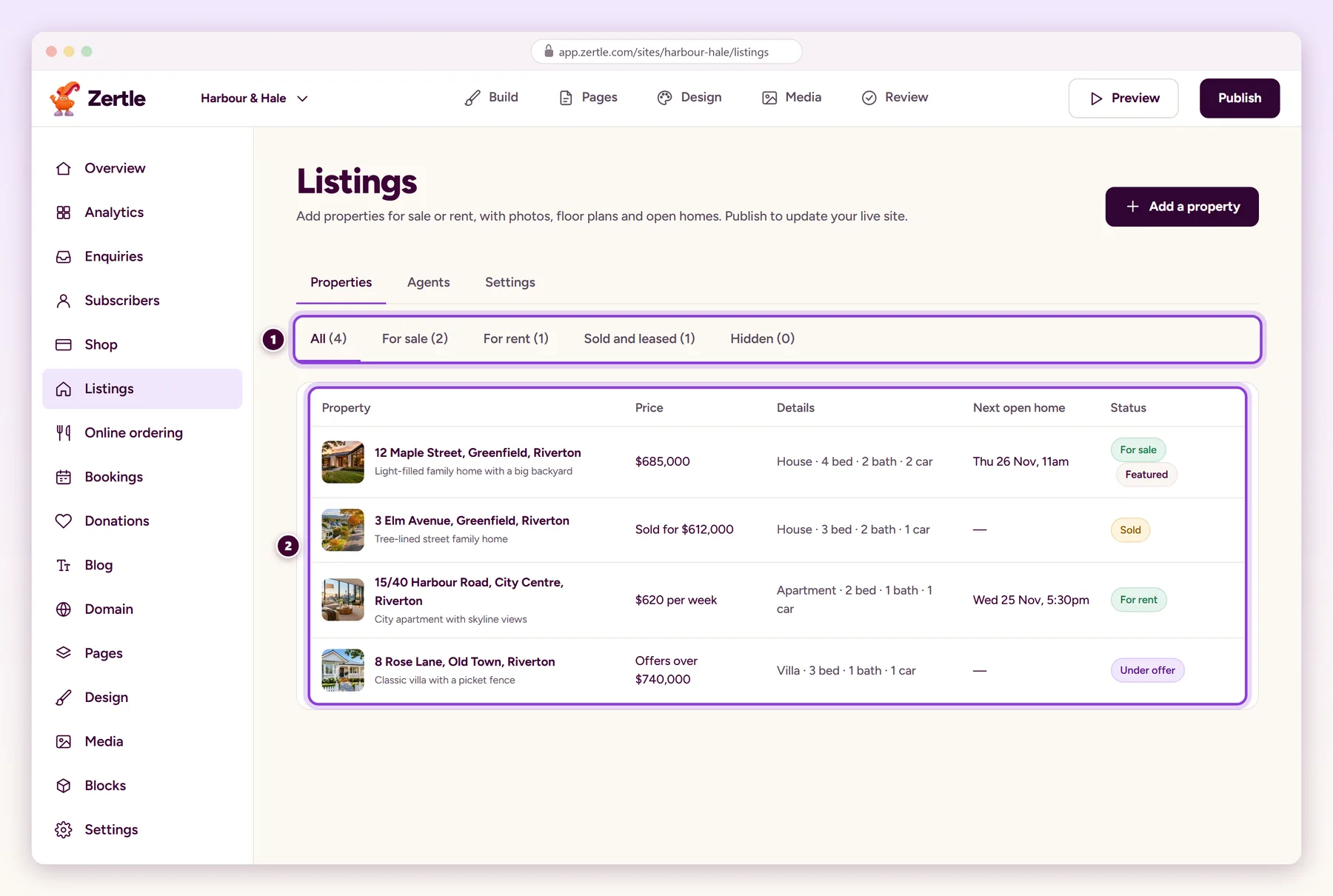
Open Listings and choose Add (it names what you list, like Add a job), or choose a listing to edit it. The form shows the fields for your kind of listing (see Listing types); the examples below are for property. Fill in what you have: anything left empty simply doesn't show. Choose Save property at the bottom, then publish to update your live site.
The basics
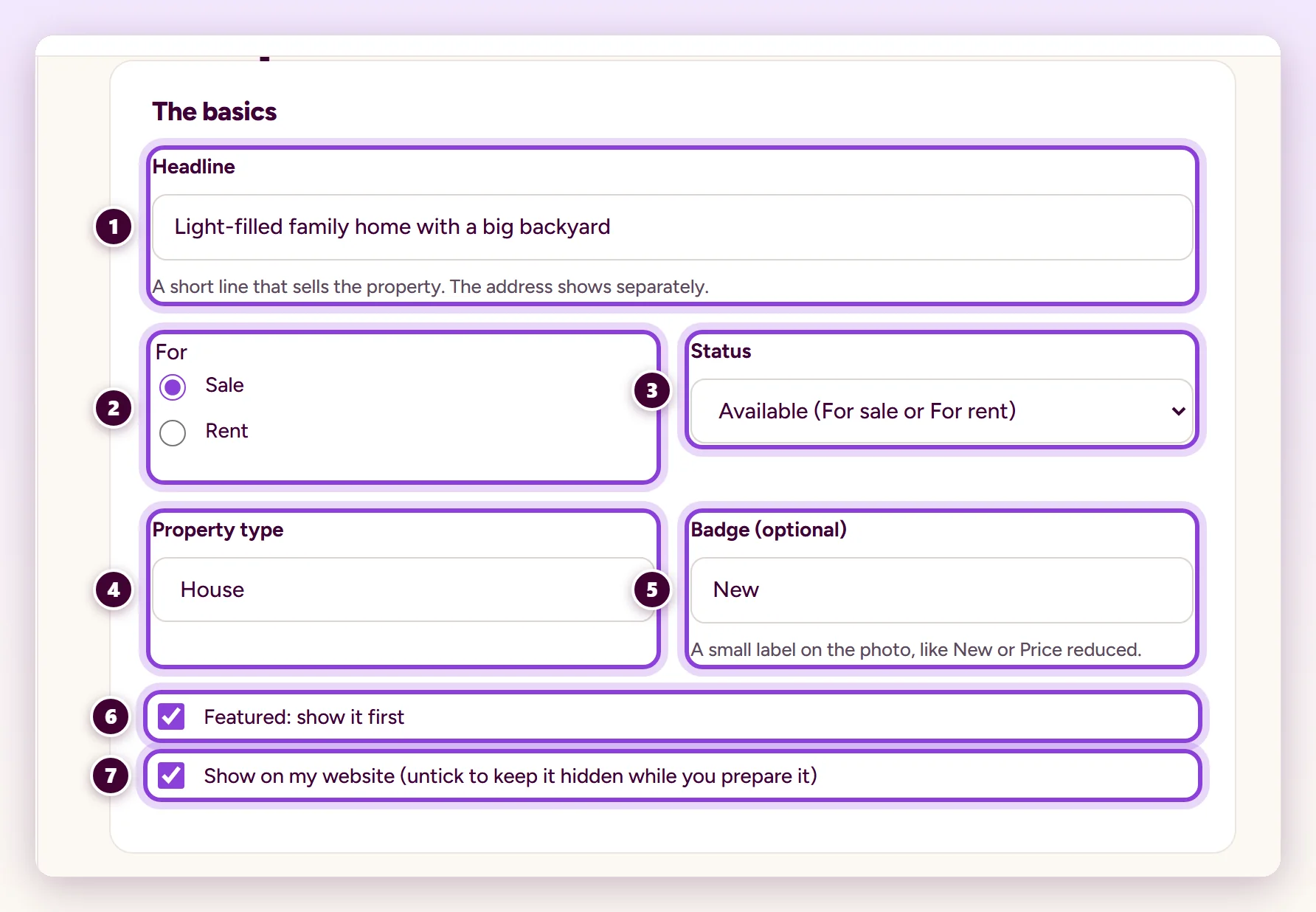
| Setting | What it does |
|---|---|
| Headline | A short line that sells the property, like "Sunny family home with a big backyard". It's the main heading on the property page. |
| For | Sale or Rent. Decides which tab it appears under and how the price reads. |
| Status | Available, Under offer (Application pending for rentals), Sold or Leased. Sold and leased properties move to the Sold tab. |
| Property type | House, Apartment, Townhouse, Unit, Villa, Land, Rural, Commercial, Retirement living or Other. Visitors can filter by it. |
| Badge | A small label on the photo, like New, Price reduced or Open home. |
| Featured | Shows the property first. |
| Show on my website | Untick to keep it hidden while you get it ready. Hidden properties show in the editor but not on your live site. |
Price
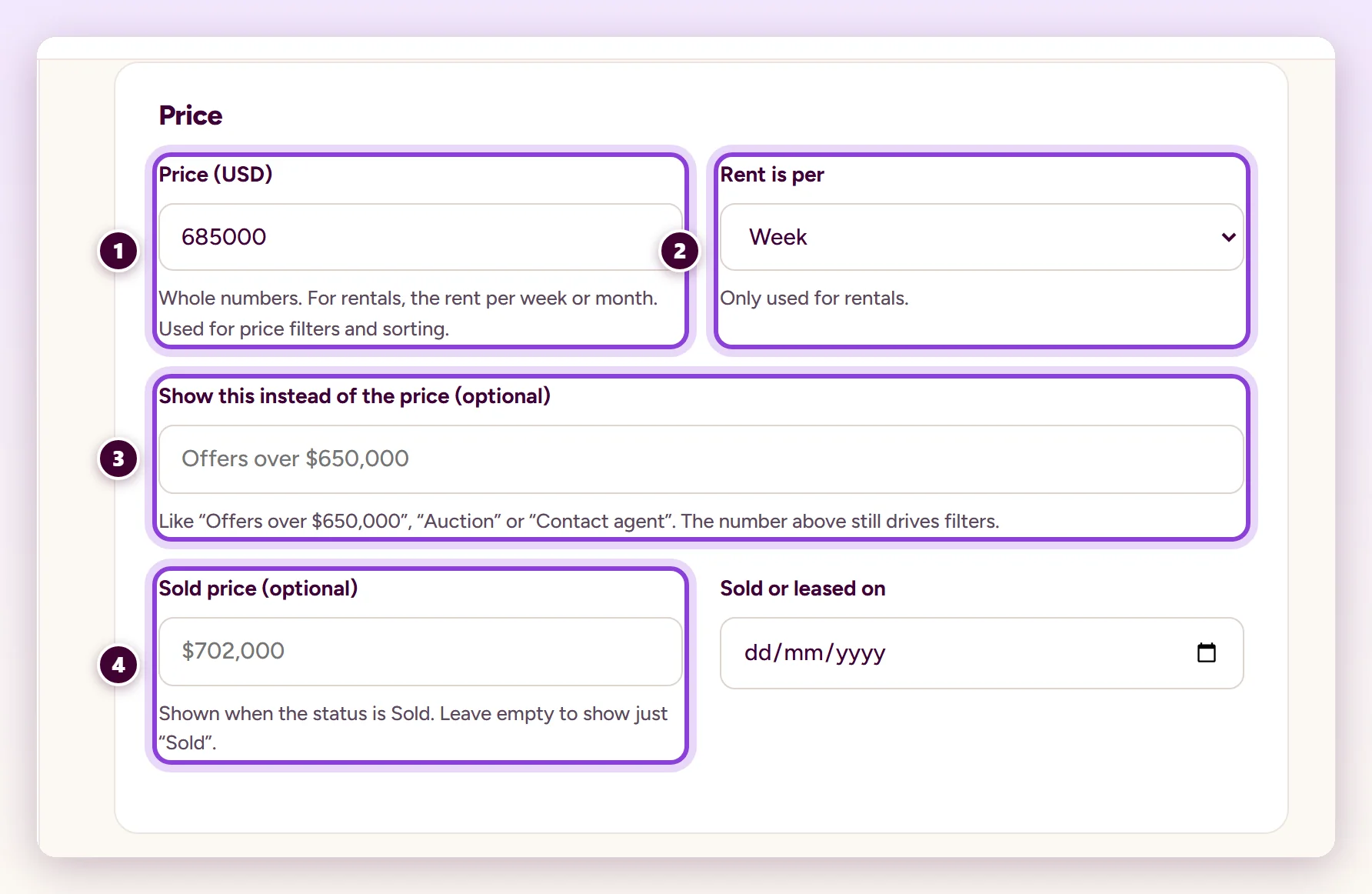
- Price is a whole number, like 685000 (or the weekly or monthly rent). It drives the price filters and sorting.
- Show this instead of the price replaces the number on your site with your own words, like "Offers over $650,000", "Auction" or "Contact agent". Filters still use the number.
- Sold price shows as "Sold for $702,000" once the status is Sold. Leave it empty to show just "Sold".
Location
Add the street address, suburb, town or city, region and postcode. Tick Hide the street address to show only the suburb and town, with a map of the area instead of the exact spot.
Key facts
Bedrooms, bathrooms, car spaces, land area, floor area and year built. They show as icons on cards and the property page, and bedrooms and bathrooms power the filters. Choose square metres or square feet in Listing settings.
Description and features
- Summary: one or two sentences, shown at the top of the property page, in search results and when the page is shared.
- Full description: leave an empty line between paragraphs. Long descriptions get a Read more button.
- Features: tick the ones that apply (pool, garage, heating, close to schools…) and add your own, separated by commas.
Photos, floor plans, video and tour
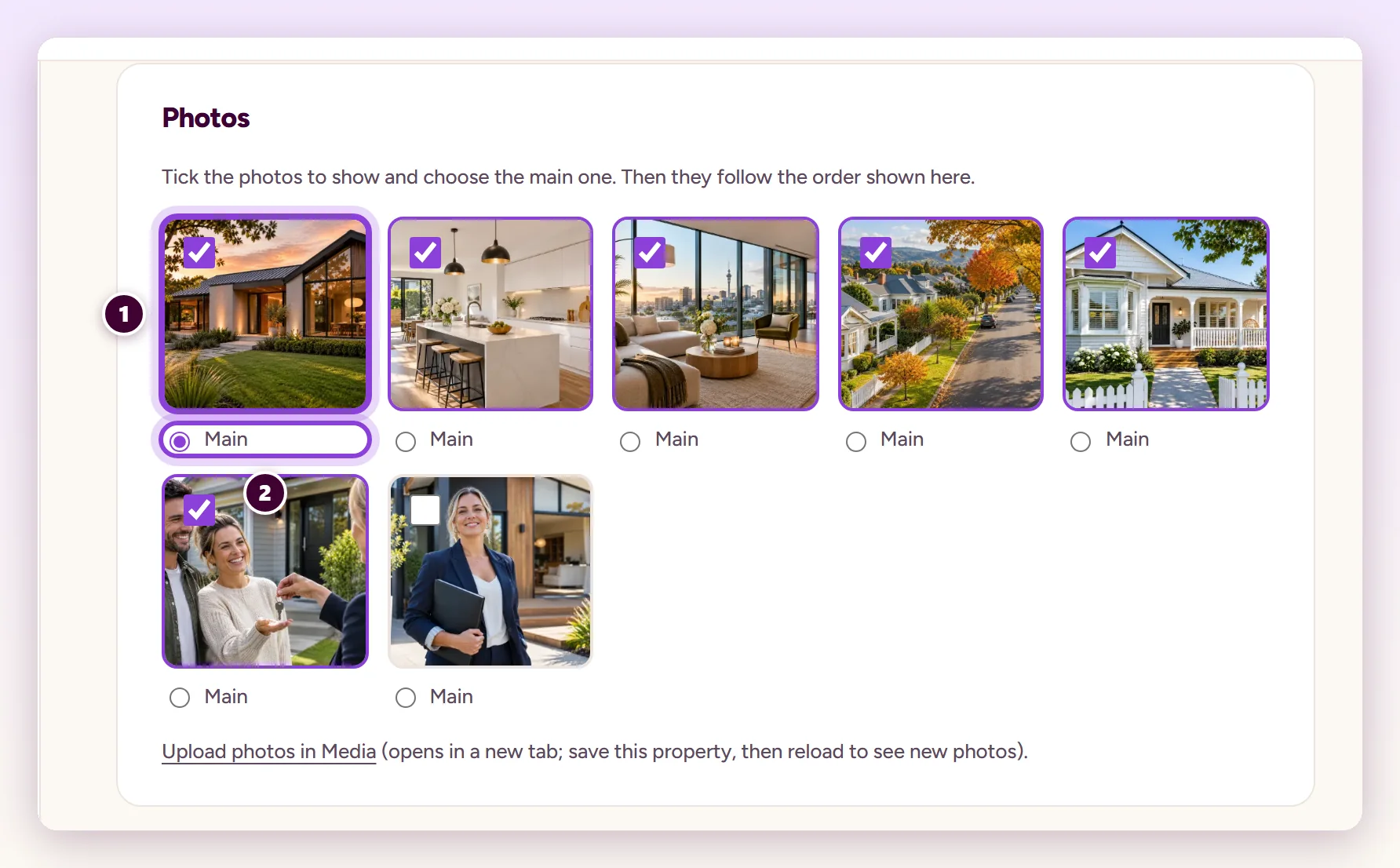
- Upload photos in Media first (it opens in a new tab), then reload this page.
- Tick the photos to show and choose Main under the one that leads.
- Under Floor plans, video and 3D tour, tick the floor plan images, and paste a YouTube or Vimeo link and a 3D tour link (Matterport, iGUIDE or any https address).
The video only loads when a visitor presses play, so it never slows the page.
Open homes and auction
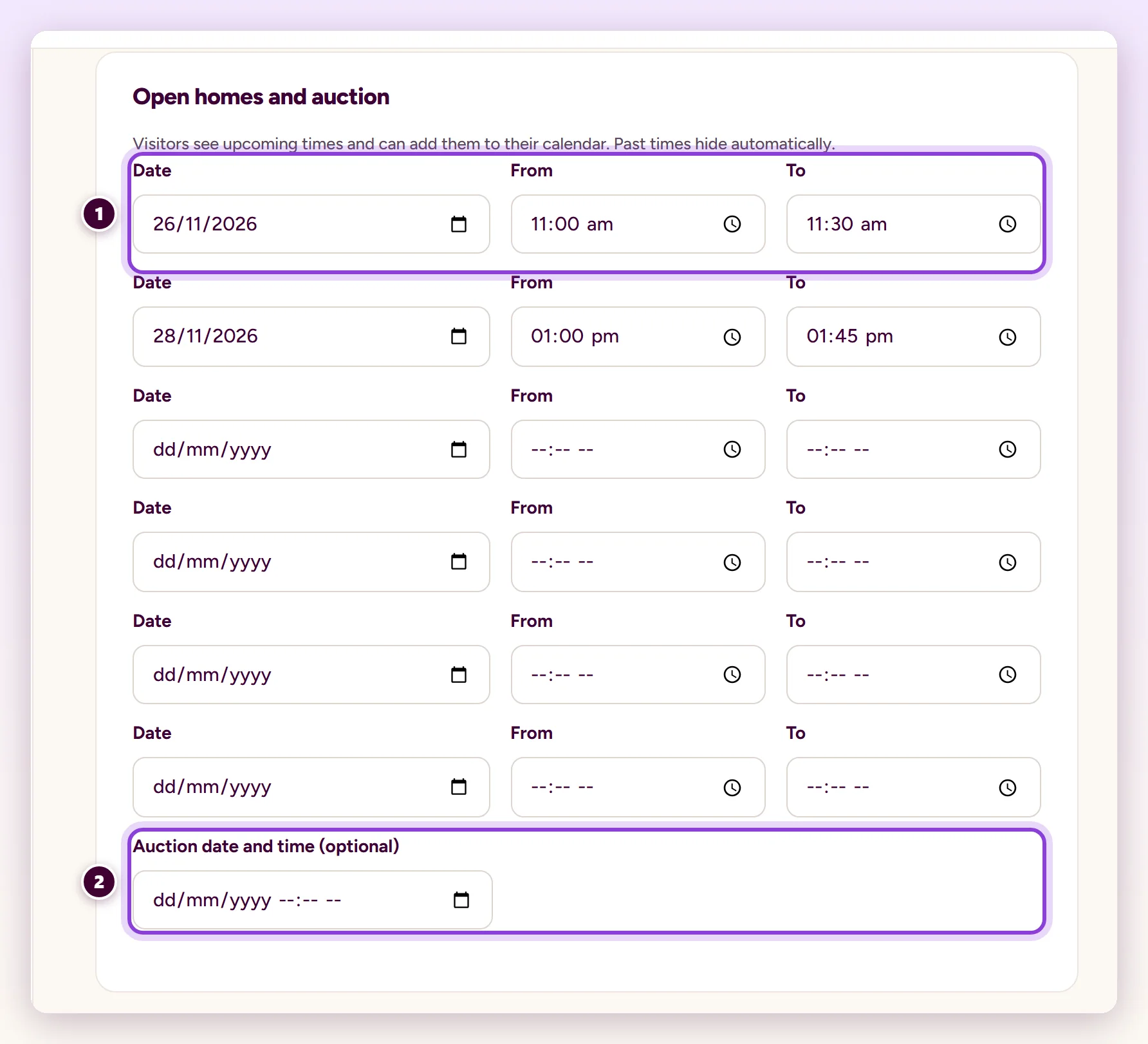
Add up to six open home times. Visitors see upcoming ones on cards ("Open Sat 14 Dec, 11am") and on the property page with Add to calendar. Past times hide automatically.
Rentals and agents
- For rentals, add Available from, Bond or deposit, Pets and Furnished. They appear in the property details.
- Tick the agents for this property. Their details show on the page and enquiries go to them.
Duplicate and delete
At the bottom of a property, Duplicate makes a hidden copy (handy for similar apartments), and Delete this property removes it. Publish to update your live site.
← All listings guides