Listings turn your website into a searchable listing site like the big portals, on your own domain. It works for six kinds of listing: property, jobs, a business directory, a marketplace (items for sale), vehicles and events. Each kind brings its own fields, filters, tabs and page parts (see Listing types).
Visitors search and filter your listings, save their favourites, open a full page for each one and send an enquiry (or a job application) straight to the right person.
Set it up in four steps
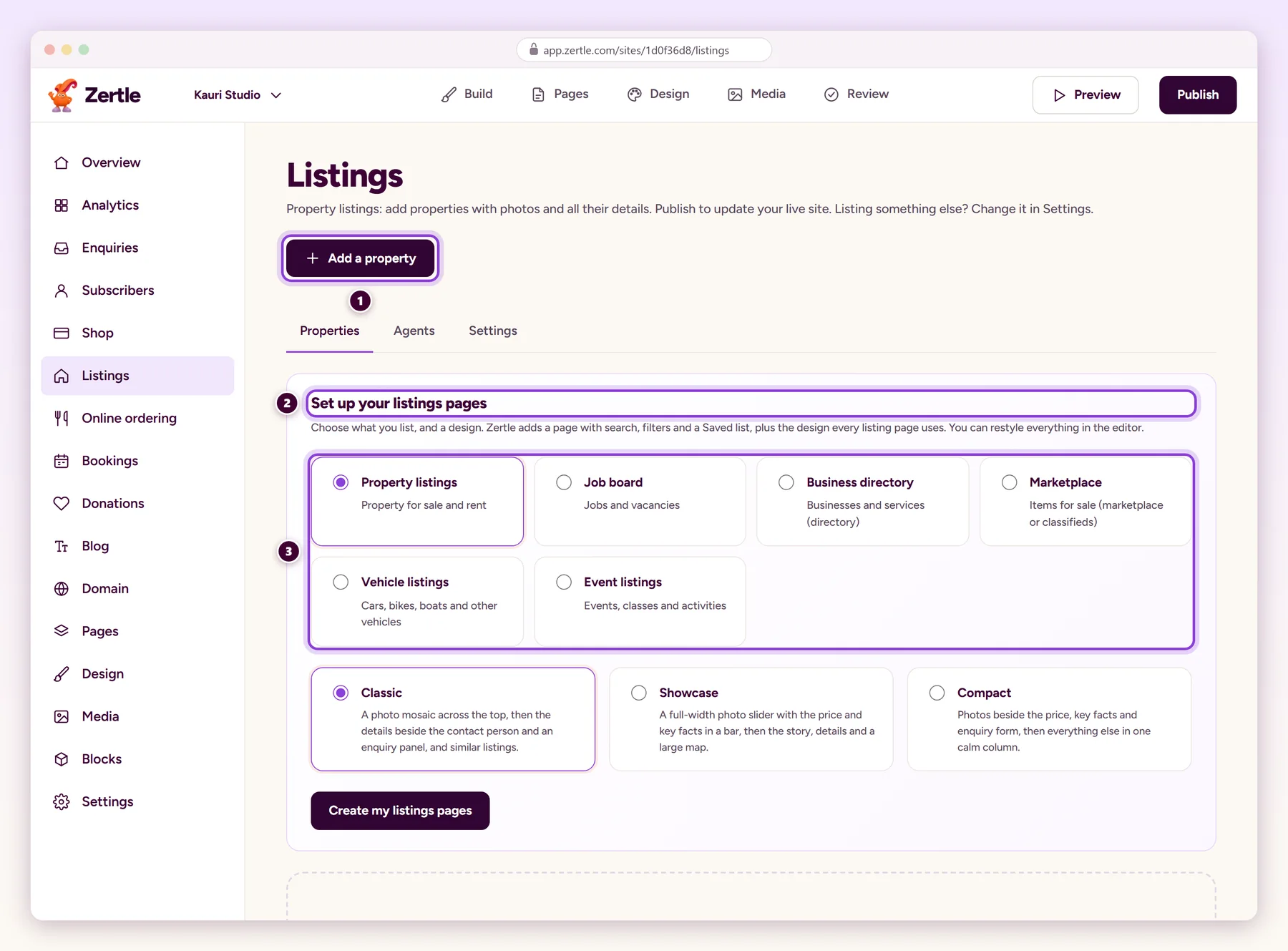
- Open Listings in your site's menu.
- Under Set up your listings pages, choose what you list and a design, then choose Create my listings pages. Zertle adds a page with search and filters (like Jobs or Properties), plus a Listing page design that every listing uses.
- Add the people behind your listings (agents, recruiters, sellers or organisers) under the second tab (see People, enquiries and settings).
- Choose Add and fill in the details (see Add and edit a listing), then publish.
What visitors get
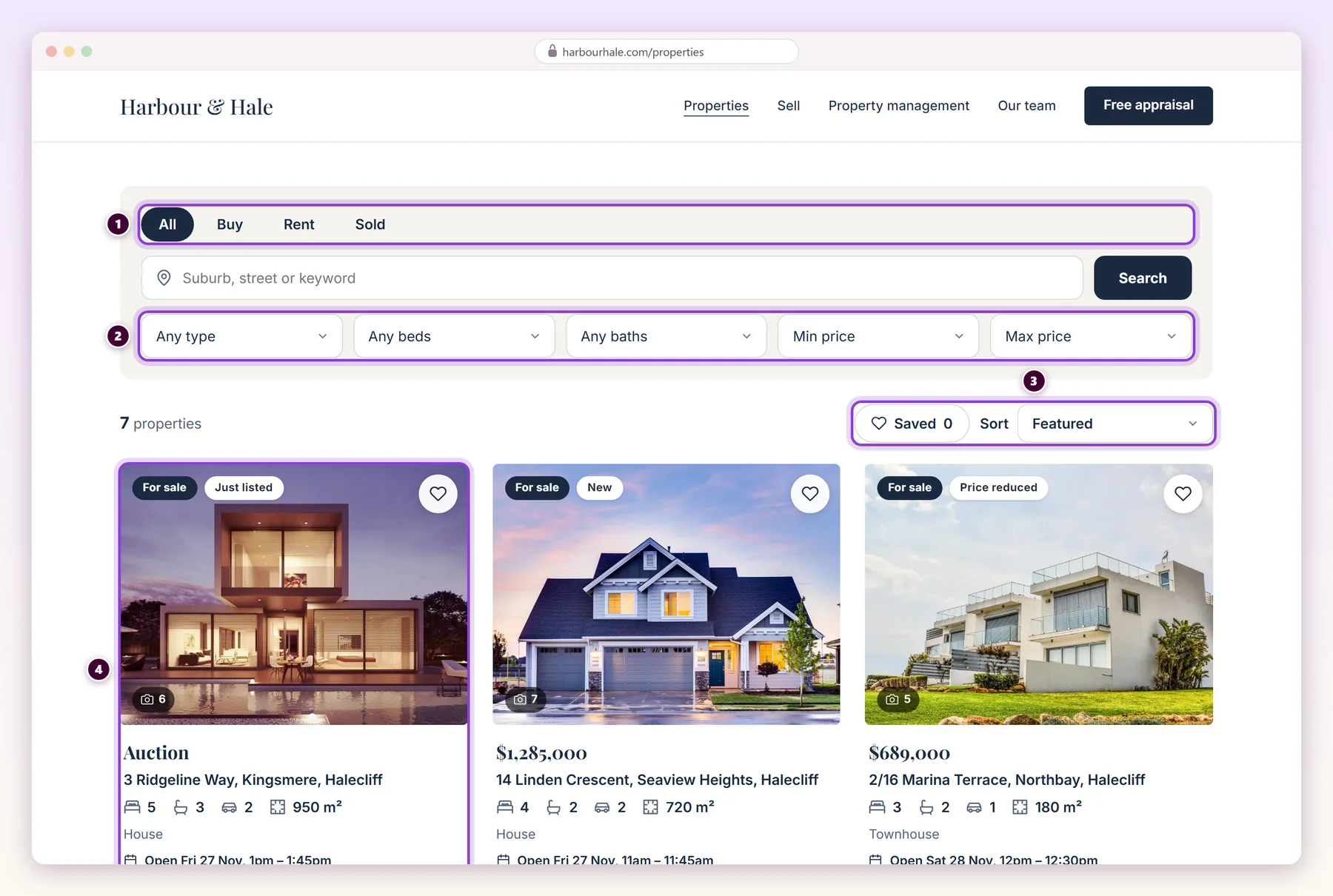
- Search and filters: tabs (like Buy, Rent and Sold, or Full-time and Remote), a keyword search and filters for each kind, with sorting.
- Saved listings: a heart on every listing. Saved ones are kept in the visitor's browser and shown together with Saved.
- Listing pages: photos with a full-screen viewer, key facts, the description, a details table, map, video, the right buttons (Apply now, Get tickets, Visit website…), the contact person, an enquiry form and similar listings.
- Found in search engines: every listing has its own address, a search description and the structured data search engines expect (real estate listings, job postings, local businesses, products, vehicles and events), and is in your sitemap and site search.
How many listings you can publish
| Plan | Listings |
|---|---|
| Free and Starter | Try listings in the editor. Publishing them needs Business. |
| Business | Up to 25 |
| Store | Up to 500 |
| Elite | Up to 25,000 |
Sold, filled, leased or past listings count while they're on your site. Delete old ones you no longer show to free up space.
← All listings guides