Builders and construction companies
Let your projects build your reputation.
Homeowners choose builders on trust. Show your finished projects, explain how you work from first meeting to handover, and make it easy to start a conversation.

Everything a builder website needs.
Project portfolio
A case study for each build with photos, scope, timeframe and what the client said.
Your process
A step-by-step timeline from design to handover so clients know what to expect.
Services
New homes, renovations, extensions, commercial fit-outs and maintenance.
Detailed enquiries
Ask about project type, budget range, timing and plans, with file uploads.
Team and credentials
Introduce your team, memberships and guarantees.
News and updates
Share progress on current builds to show you're busy and trusted.
Pages for a building company.
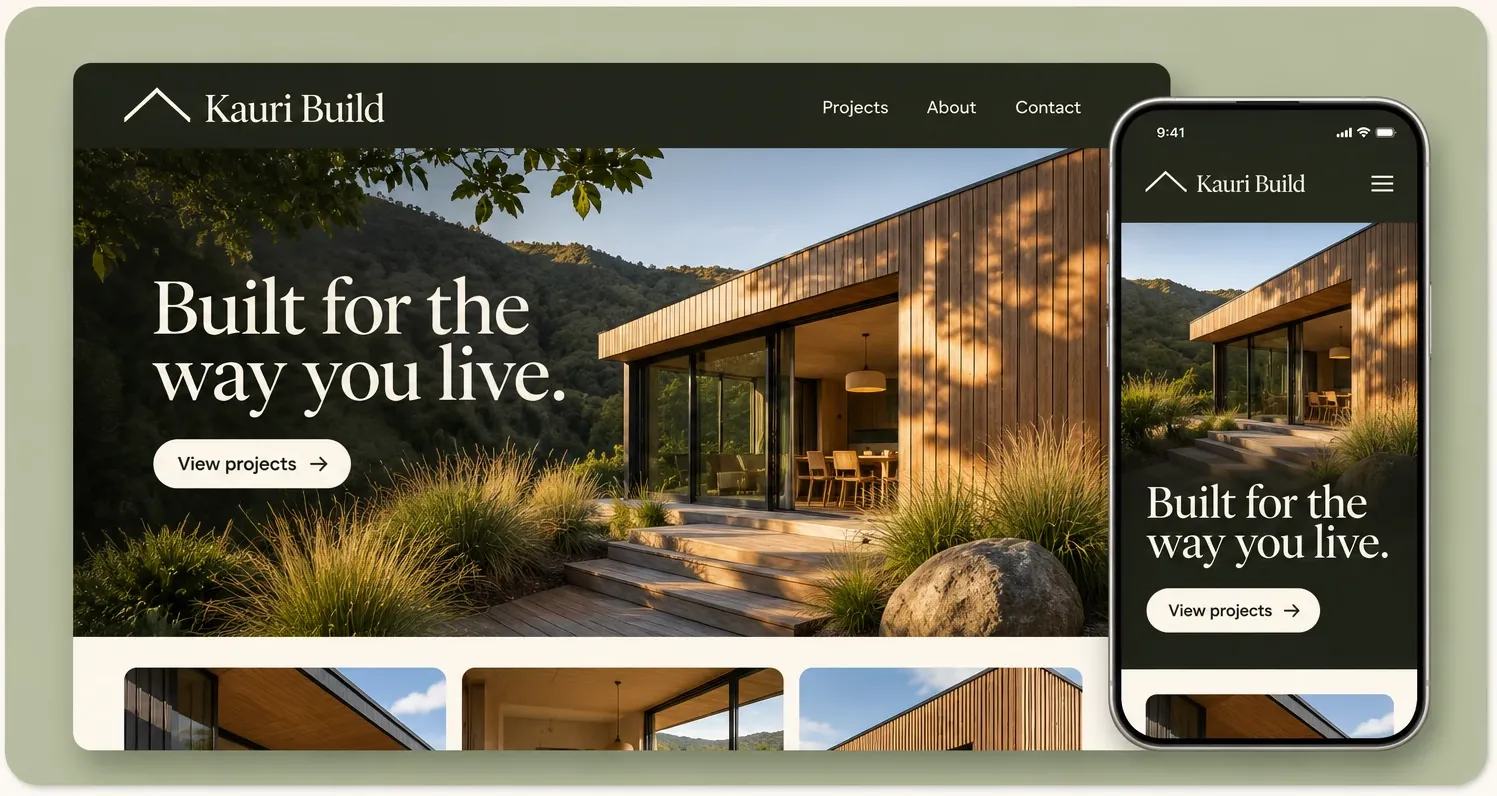
Kauri Build includes the pages people look for before calling a builder.
- Home with a hero project and your strengths
- Projects with a page for each build
- Services and your building process
- About with team and memberships
- Contact with a detailed project enquiry form
Projects that sell your work.
Use a collection for projects so each build gets its own page with a cover photo, gallery, scope and testimonial. Design the project page once and every project follows it.
Your home page can show the latest projects automatically, so your site always looks current.
- Galleries, albums and before-and-after sliders
- Filter projects by type, such as new homes or renovations
- Each project page has its own search title
Guide
How builders turn visitors into projects.
Building clients spend months deciding, so your website is a long conversation rather than a quick sale. Lead with your best finished project, then make it easy to browse more, filtered by new homes, renovations or extensions, so people find work like the job they're planning.
Each project page should tell a short story: the brief, the challenge, how you solved it, how long it took and what the client said. A few sentences and ten great photos beat a wall of thumbnails.
Explain your process in plain steps from first meeting to handover, including how you price and how you communicate during the build. Uncertainty is what stops people calling a builder, and a clear process removes it.
Live in an afternoon.
- 1
Start from Kauri Build
Open the builder template.
- 2
Add three of your best projects
Photos, scope and a client quote.
- 3
Explain your process
Edit the timeline steps.
- 4
Publish and share
Go live and send the link to past clients.
Builder website questions.
More in the help centre.
What should a builder's website show?
Finished projects with good photos, the kinds of work you do, your process, your team, memberships and guarantees, testimonials and a simple way to discuss a project.
Can clients upload plans with their enquiry?
Yes. Custom forms on Business can take plans, drawings or photos as file uploads. Files are checked and stored privately.
How do I add a new project to my builder website?
Add a new item to your projects collection with photos and details. It gets its own page and appears in your project list automatically.
Do builders need a blog?
It's optional, but short updates on current builds, materials and design ideas help people find you on Google and show you're active.
Guides for your site.
Templates for builder websites.
All website templates
Show what you build.
Start from a template made for builders.