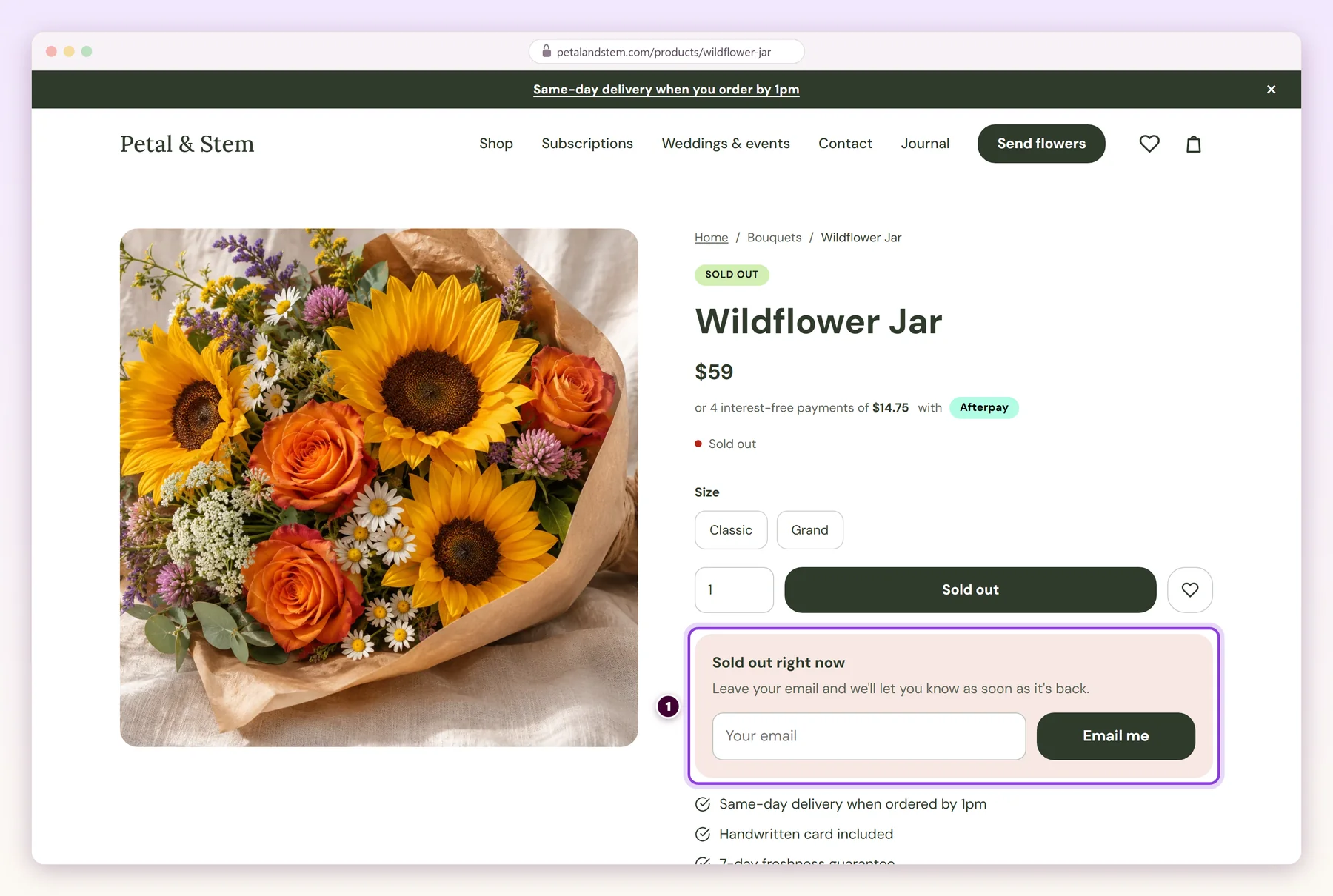
When a product (or one size or colour of it) sells out, its product page shows a small form: Sold out right now. Leave your email and we'll let you know as soon as it's back. When you add stock again, everyone who asked is emailed automatically, with a link straight to the product.
Turn it on
It's on for every product that tracks stock. To track stock, open the product in Shop → Products and fill in Stock. Products without a stock number never sell out, so they never show the form.
To turn it off:
- In the editor, open Pages and choose Product page.
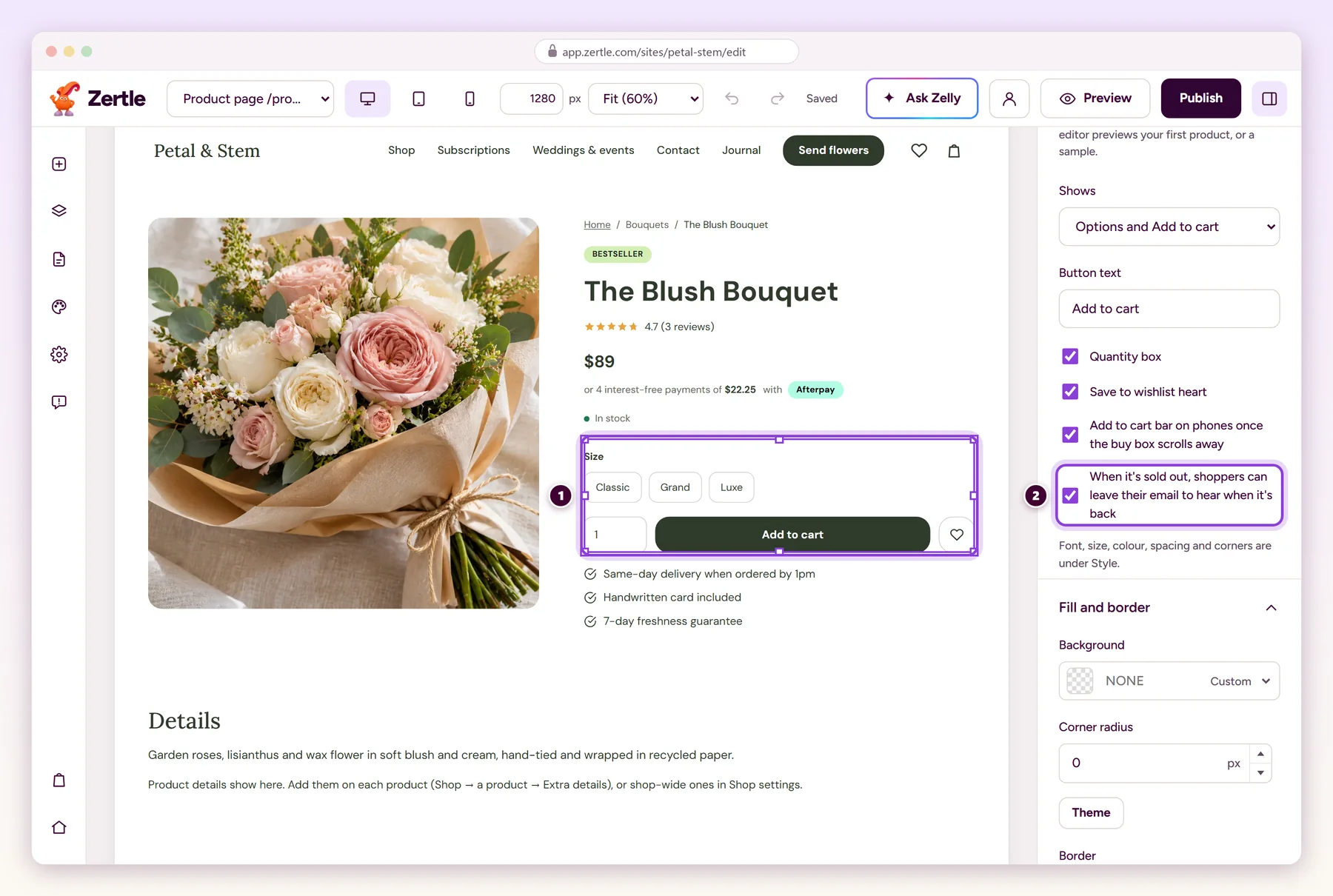
- Click the Buy box (the size choices and Add to cart button) to select it.
- In the panel on the right, untick When it's sold out, shoppers can leave their email to hear when it's back.
- Publish your site.
See who's waiting
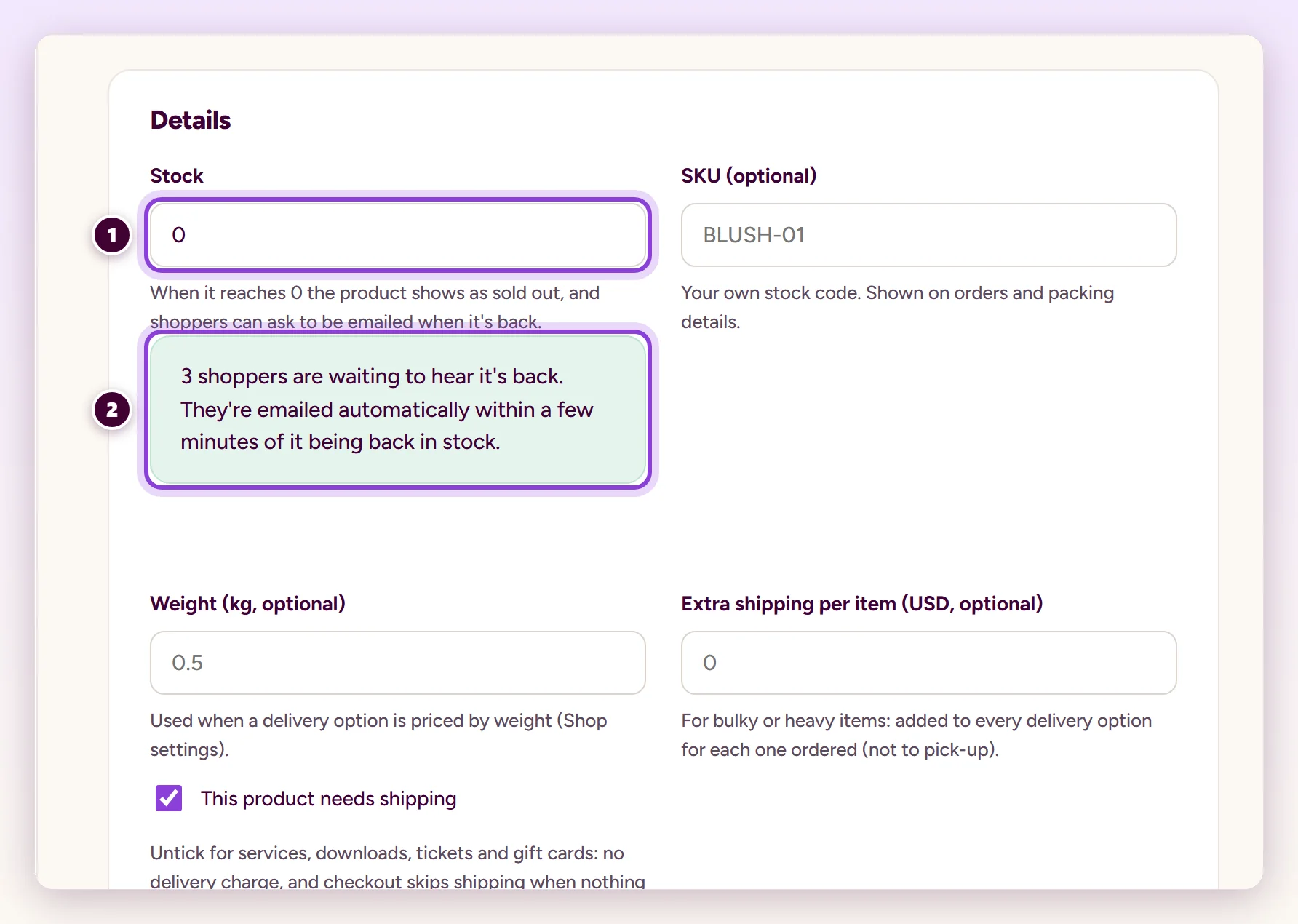
Open a sold-out product in Shop → Products. Under Stock, you'll see how many shoppers are waiting.
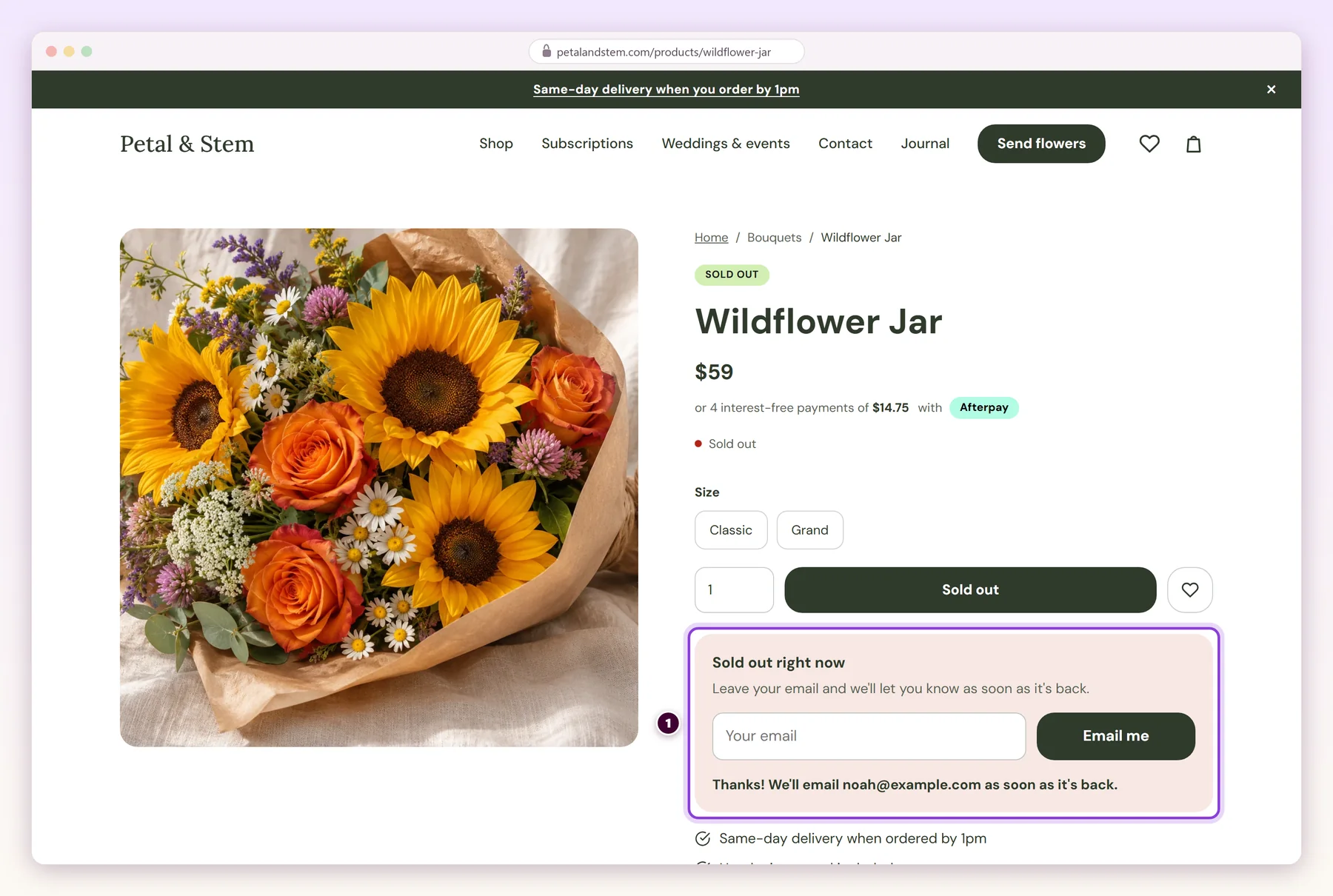
When a shopper leaves their email, they see a thank-you message straight away:
When emails are sent
- Add stock to the product (or to the size or colour that sold out) and save it.
- Within a few minutes, everyone waiting is emailed once, under your shop's name, with the product's photo and a link straight to it.
- Each shopper only hears about the size or colour they asked for.
You don't need to publish your site again: the emails go as soon as there's stock.
Good to know
- Shoppers can only ask once per product, size or colour.
- Requests older than 90 days are cleared, so nobody gets an email about something they've long forgotten.
- Back in stock emails are part of the shop plans.