Zertle's shop is built in: no plugins or extra apps. Here's the whole setup.
- Add your products in Shop on your dashboard: name, price, photos, options and stock. See Add and edit products.
- Show them on your site: add a Product grid to any page, and a Cart & wishlist icon set to your menu. See Product grid and shop icons.
- Design your product pages once, and every product uses that design. See Design your product pages.
- Set up delivery and payments in Shop settings: shipping, pick-up, bank transfer, card payments with Stripe, discount codes and order alerts. See Shop settings.
- Publish. Products appear on your live shop each time you publish.
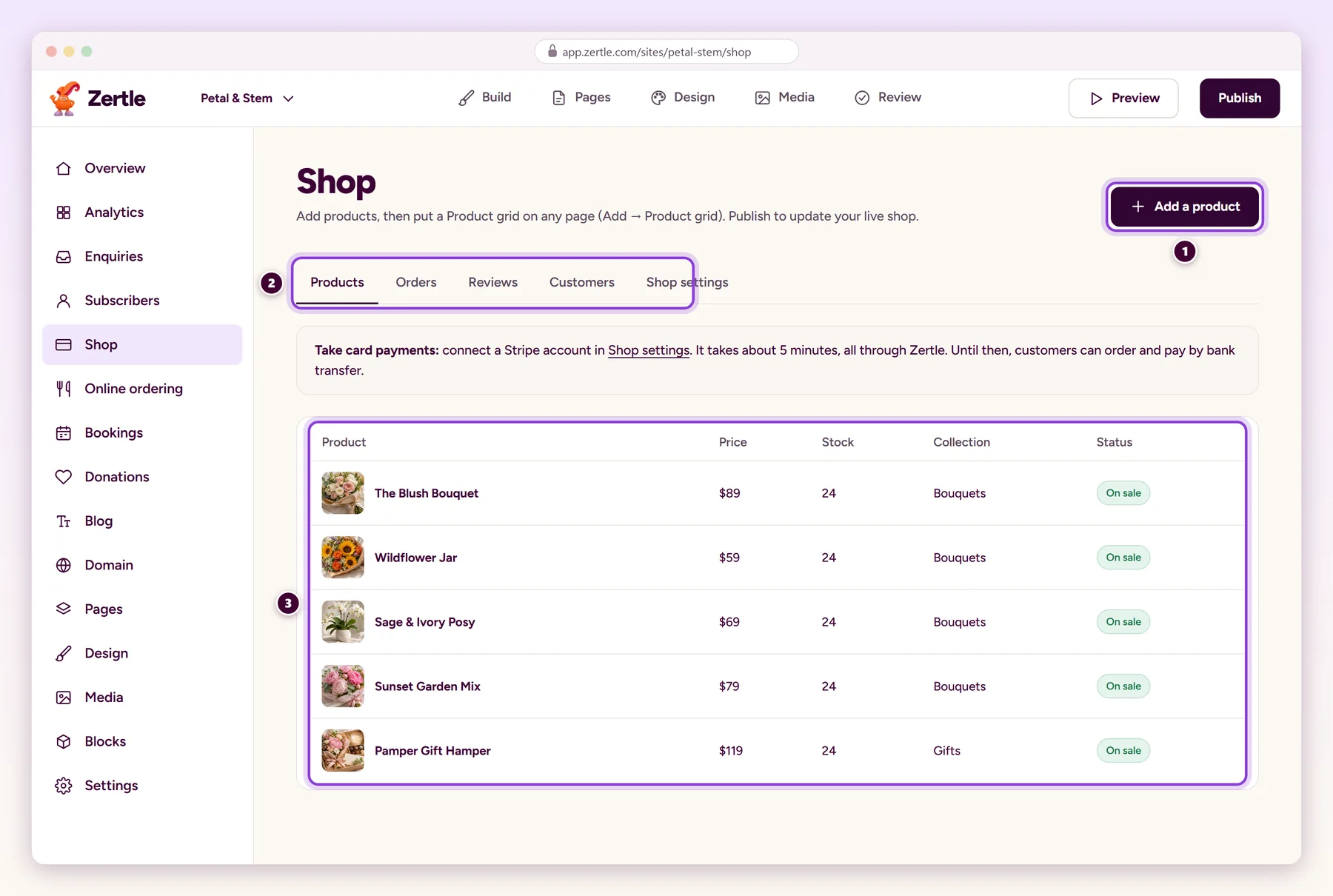
The Shop dashboard
| Tab | What's there |
|---|---|
| Products | Every product, with price, stock, collection and whether it's on sale or hidden. |
| Orders | Every order. See Orders and customers. |
| Reviews | Product reviews waiting for you to check. See Product reviews. |
| Customers | Everyone who's ordered, and what they've spent. |
| Shop settings | Delivery, payments, discounts, alerts, size guides and more. |