Customers can add up to 3 photos when they write a review. A photo of the product in someone's home is one of the most convincing things a shopper can see.
How customers add photos
- On a product page, the customer chooses Write a review.
- Under Photos, they choose Add photos and pick up to 3 pictures from their phone or computer. They can remove one before sending.
- They choose Send review.
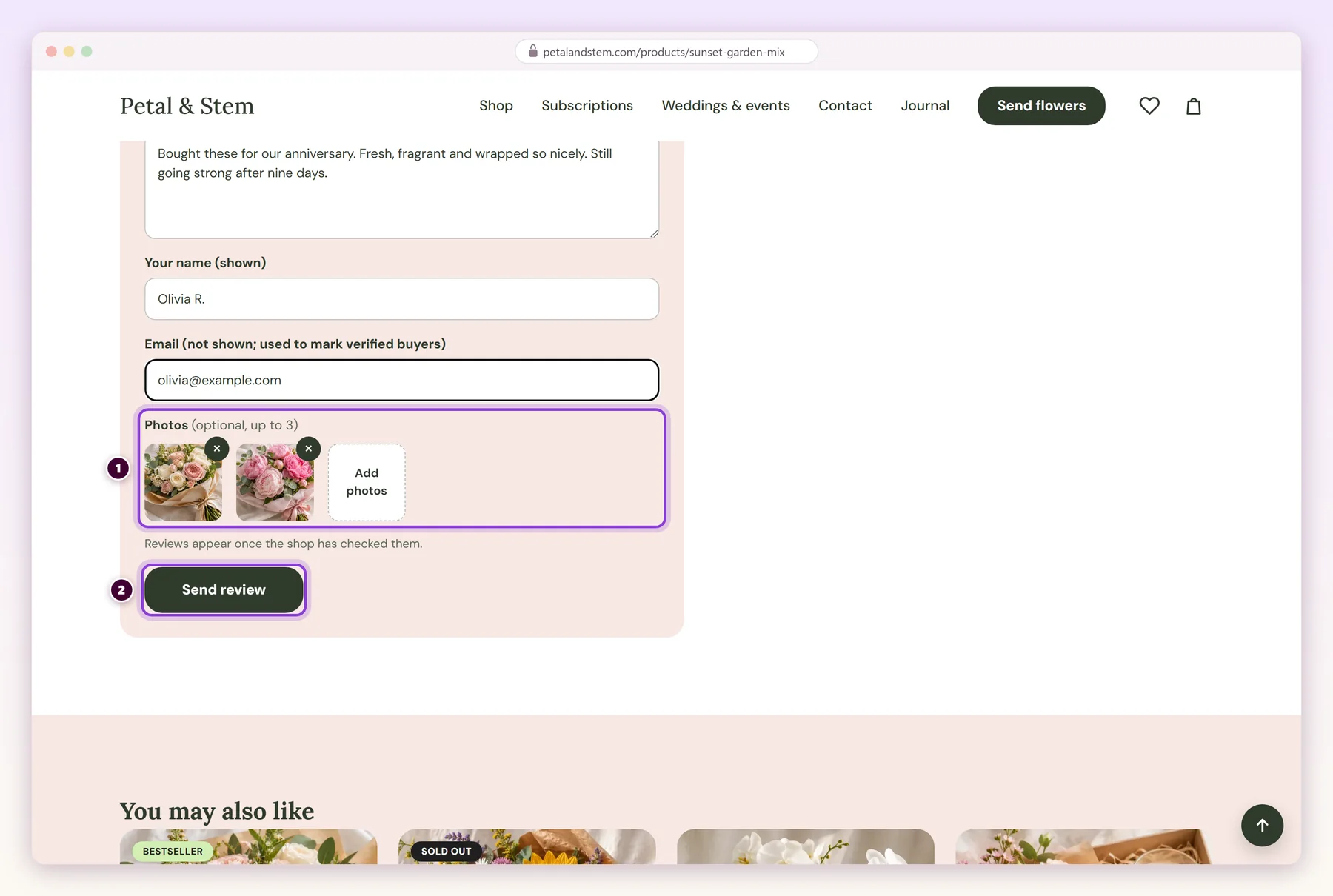
Photos are shrunk on the customer's device before they're sent, so uploads are quick even on a phone, and your pages stay fast.
Check photos before they show
Photos arrive with the review in Shop → Reviews, shown as small pictures under the review's words. Nothing shows on your site until you publish the review.
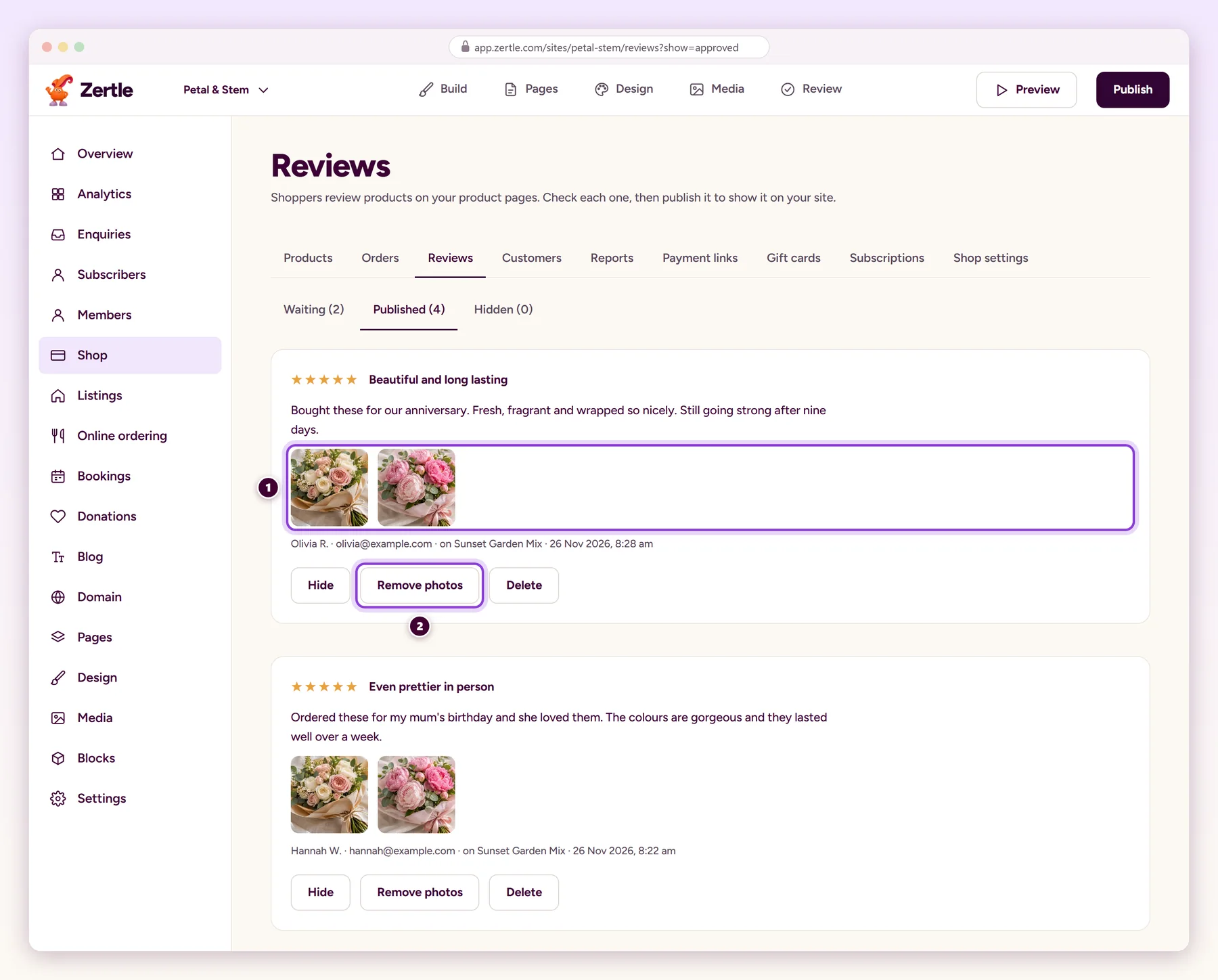
| Button | What it does |
|---|---|
| Publish | The review and its photos show on the product page. |
| Remove photos | Keeps the review's words and deletes its photos. Use it for a blurry or unsuitable picture. |
| Hide | Takes the review and its photos off your site. You can publish it again later. |
| Delete | Deletes the review and its photos for good. |
If you've set reviews to Publish automatically, the photos go live with the review. You can still remove them at any time.
On your product page
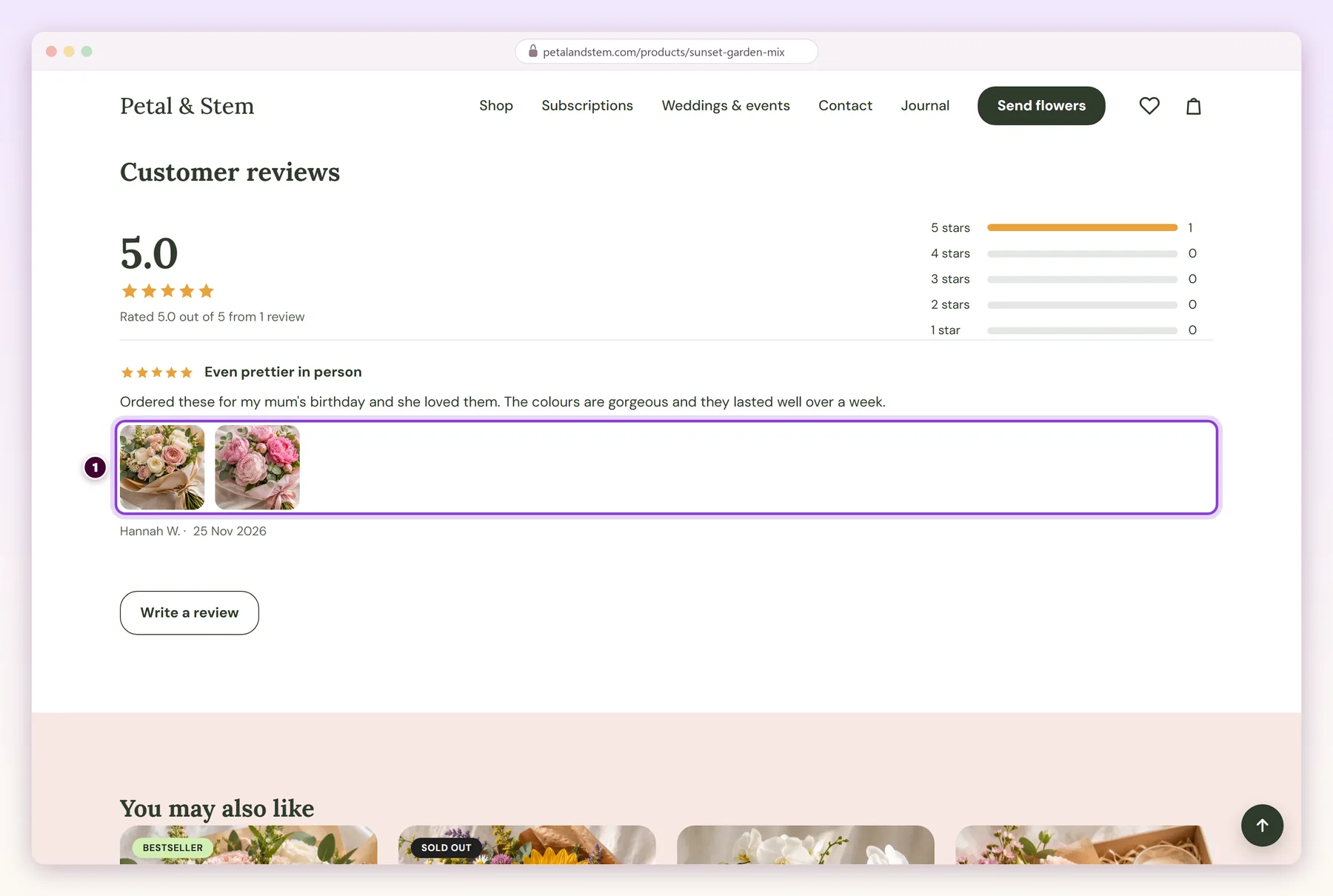
Published photos show as small squares under the review. Shoppers can tap one to see it full size.
Good to know
- Customers can use the photos on their phone or computer (JPG, PNG or WebP). Each is saved as a small, fast WebP picture.
- Photos from hidden or waiting reviews can't be opened by anyone else, even with a direct link.
- Only publish photos that genuinely show your product, and remove any that show people who might not want to be seen.