Payment links let a customer pay you a set amount by card, Apple Pay or Google Pay, without a shop. They're handy for deposits, invoices and booking fees.
Before you start
Connect Stripe in Shop settings. See Take card payments with Stripe. The money goes straight to your Stripe account; Zertle never holds it.
Create a link
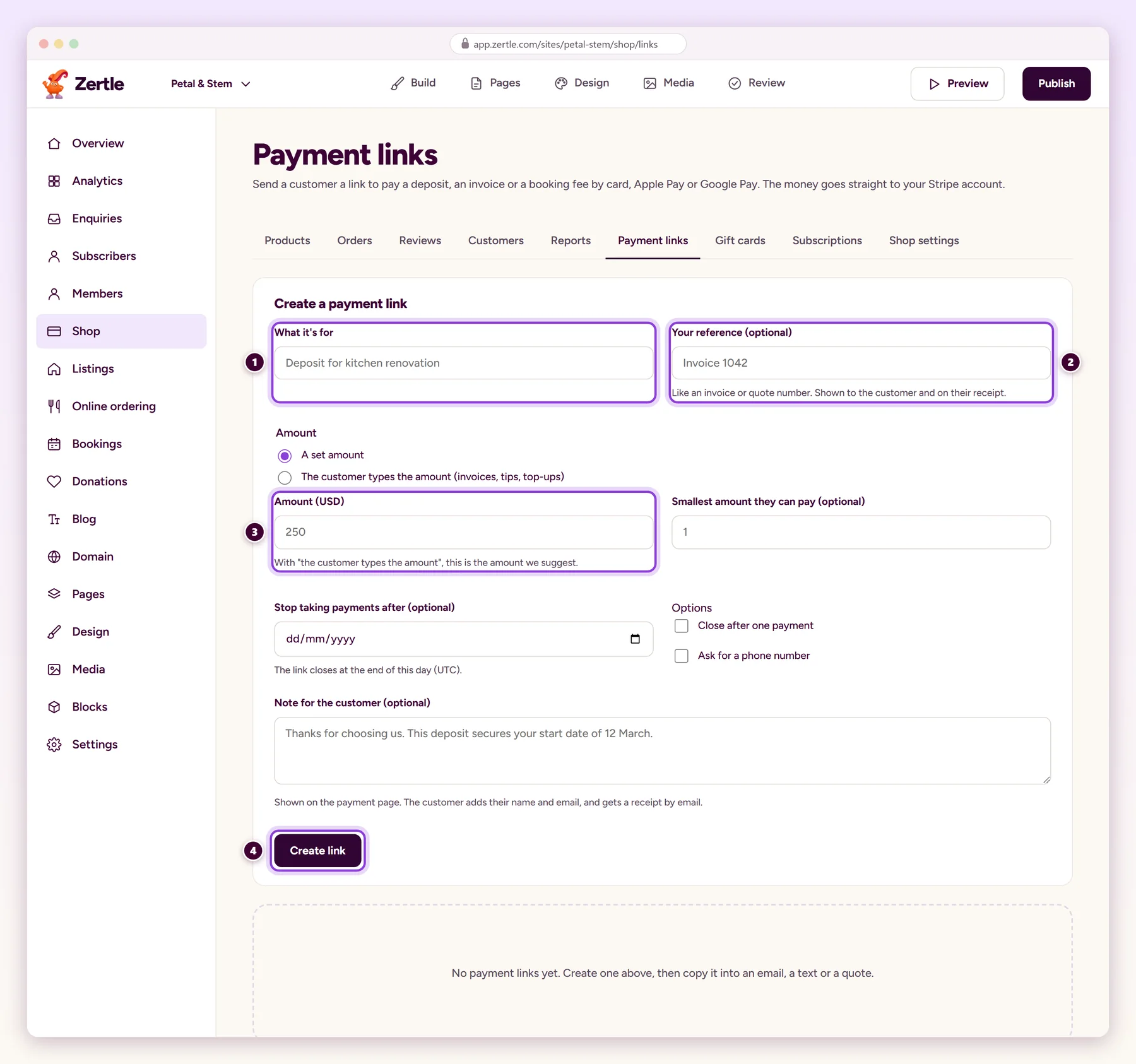
- Open Shop on your dashboard, then Payment links.
- Fill in What it's for (like "Deposit for kitchen renovation") and, if you like, Your reference (like an invoice number).
- Choose A set amount, or The customer types the amount for invoices, tips and top-ups (with a smallest amount they can pay).
- Optional: Stop taking payments after a date, Close after one payment, and Ask for a phone number.
- Add a Note for the customer if you like, such as what the deposit secures.
- Choose Create link, then copy the link from the list and paste it into an email, a text or a quote.
What your customer sees
A simple page on your own website with what it's for, the amount and your note. They add their name and email, choose Pay, and pay on Stripe's secure payment page. They get a receipt by email, and you get an email saying they've paid.
Manage your links
| Action | What it does |
|---|---|
| Close | Stops new payments. The link shows as closed. Reopen turns it back on. |
| Delete | Removes a link that hasn't been paid yet. Paid links are kept so you have the records. |
| Recent payments | Who paid, how much, for what and when. |
A link can be paid more than once, which suits a fixed booking fee. Close it when you're done. Refunds are made in your Stripe dashboard.
← All online shop guides