Every product uses one product page design. Change it once and every product page updates.
- In the editor, open Pages and choose Design your product pages (or Open product page design if you have one).
- Pick Classic, Gallery focus, Editorial, Minimal or a Blank canvas.
- Edit it like any page. The canvas shows your first product as an example.
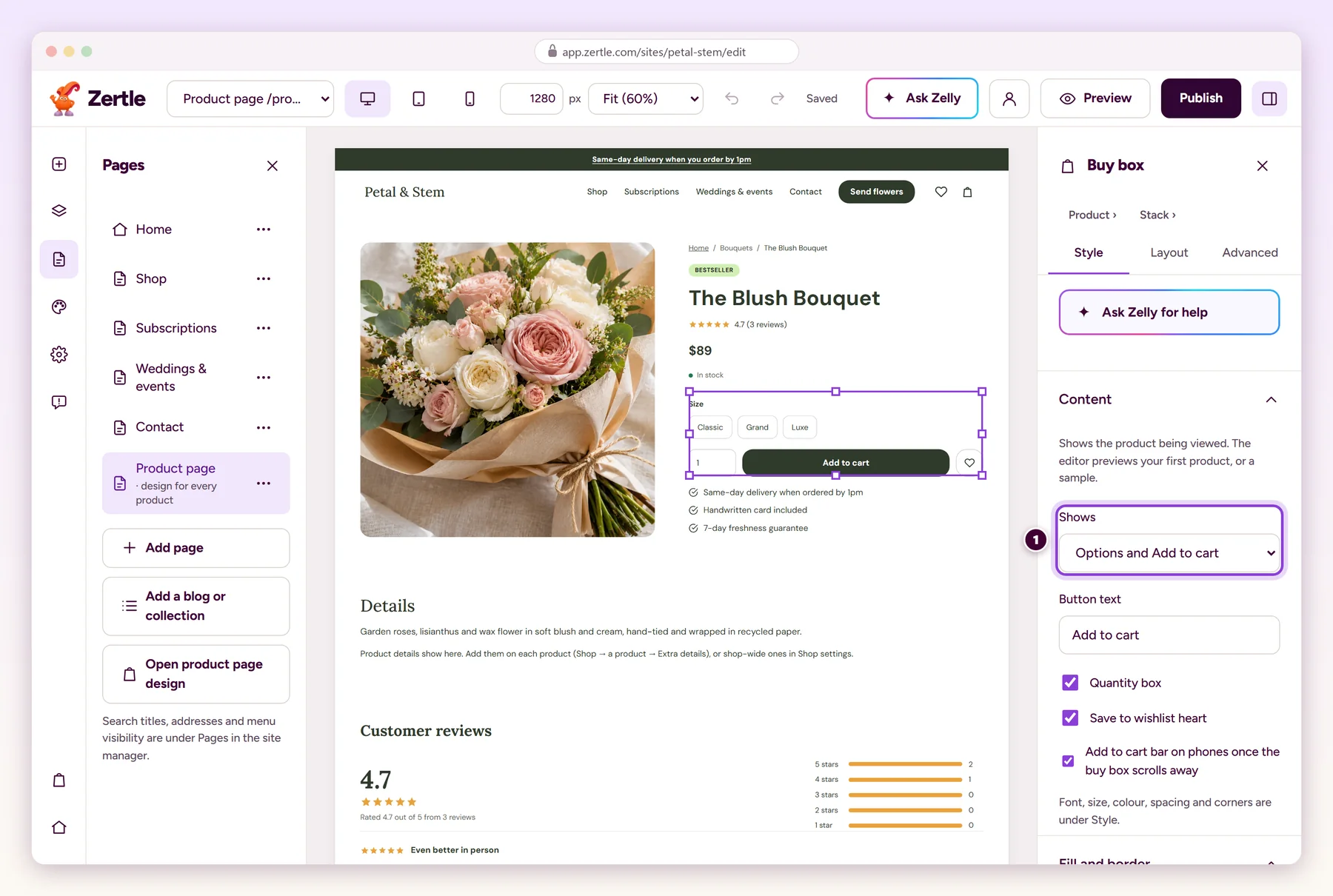
Product parts
Each part fills in with the product's own details. Add more from Add elements → Product part, then choose what it Shows:
| Part | What it shows |
|---|---|
| Photos | The product's photos, with a full-screen viewer. Choose the photo layout: main photo with thumbnails below or beside, a photo grid, or all photos stacked. |
| Name | The product name. |
| Price | The price, was price and "Sale ends in…". |
| Badge | New, Sale and your own badges. |
| Description | The product's description. |
| Options and Add to cart | The buy box: options, quantity, wishlist heart, and a sticky Add to cart bar on phones once the buy box scrolls away. |
| Stock level | "Only 3 left" and sold out. |
| Breadcrumb | Shop › Collection › Product. |
| Delivery and returns lines | Up to 5 short lines with ticks, like "Free delivery over $100". |
| Star rating | The product's average rating. |
| Customer reviews | Reviews, and the form for writing one. |
| Details, care and shipping | The product's Extra details and your shop-wide sections, as accordions, tabs or a list. |
| Related products | More from the same collection. |
Put any normal element around them too: a promo card, testimonials or a newsletter sign-up.
← All online shop guides