Pay later services let shoppers spread the cost over a few payments, while you're paid the full amount up front. The service (Afterpay, Klarna, Affirm or Zip) takes the risk: if a shopper misses a payment, that's between them and the service, not you.
Zertle works with these through your own Stripe account, so there are no extra sign-ups or contracts.
Step 1: Turn it on in Stripe
- Make sure your shop takes card payments. See Take card payments with Stripe.
- Sign in to your Stripe account. In your Stripe dashboard, go to Settings → Payment methods.
- Turn on the pay later service you want, like Afterpay / Clearpay or Klarna. Stripe may ask a question or two first.
From then on, shoppers who can use it see it as a way to pay at checkout.
Step 2: Show the message on your product pages
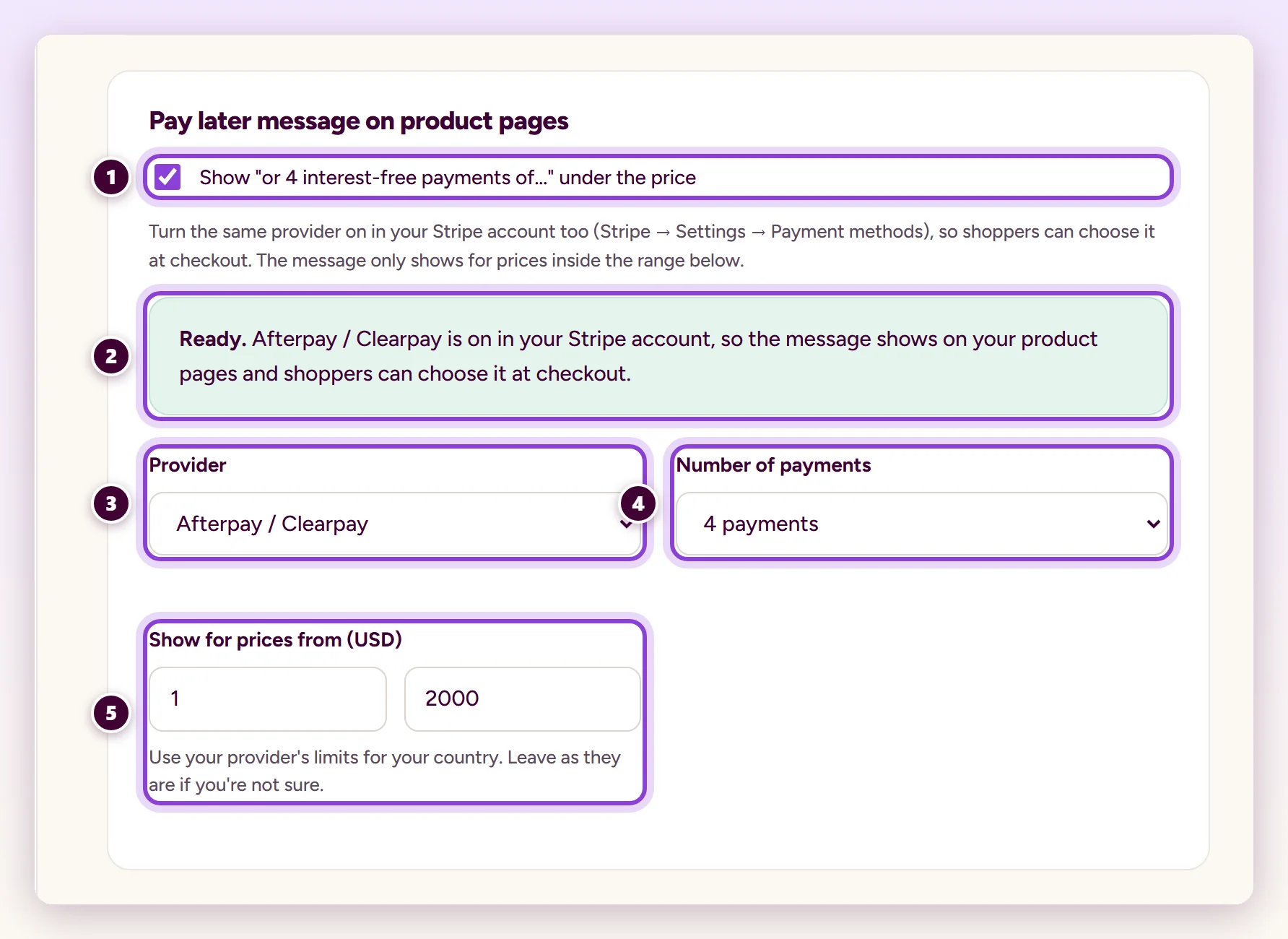
- In your dashboard, go to Shop → Settings → Pay later message on product pages.
- Tick Show "or 4 interest-free payments of…" under the price.
- Choose the Provider you turned on in Stripe, and the Number of payments.
- Choose Save shop settings at the bottom of the page, then publish your site.
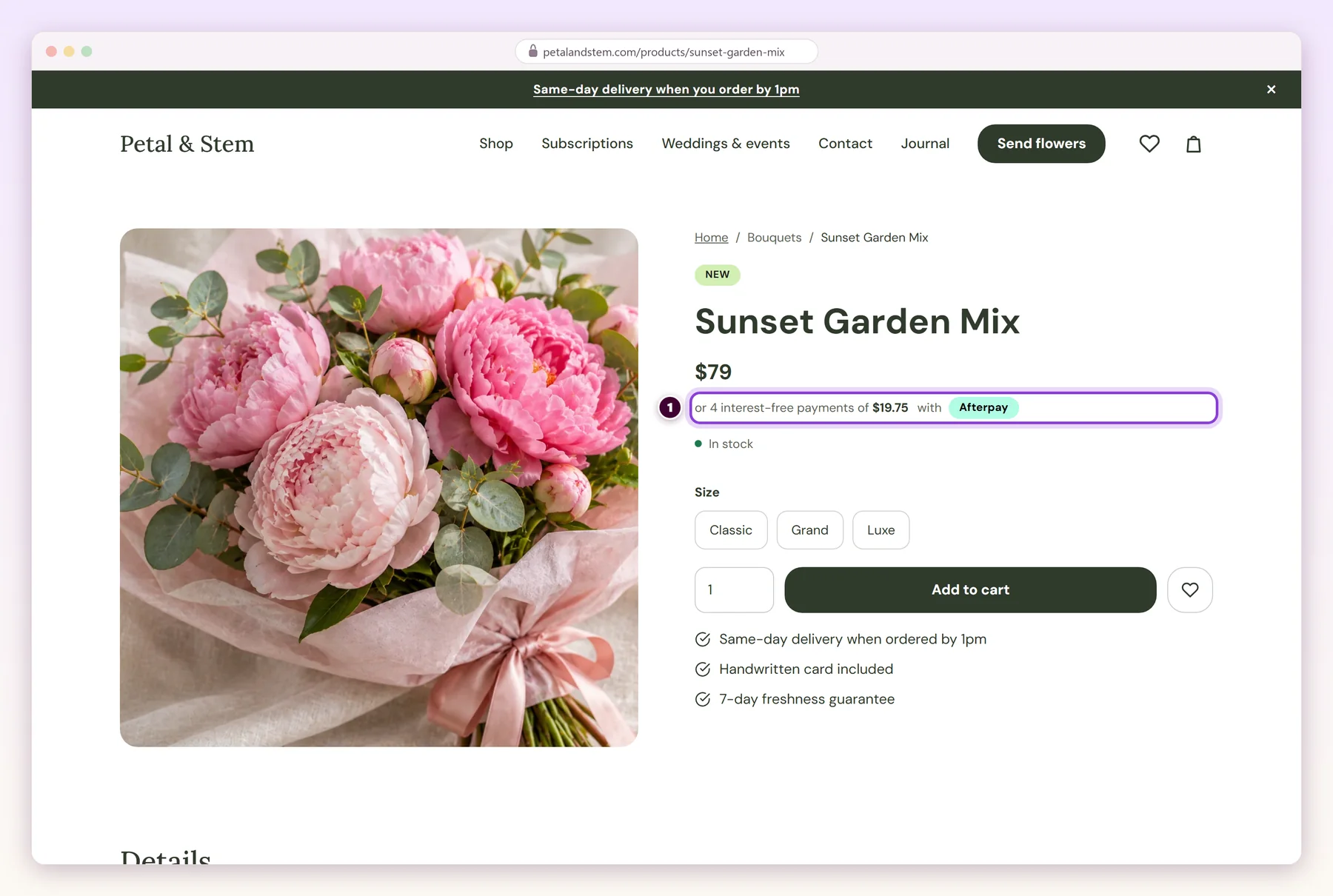
Under each price, shoppers now see a line like "or 4 interest-free payments of $12.50 with Afterpay". It updates when they choose a different size or colour.
Zertle checks Stripe for you
So your pages never promise a way to pay that checkout doesn't offer, Zertle checks your Stripe account when you save, whenever you open Shop settings, and again every night.
| What you see in Shop settings | What it means |
|---|---|
| Ready | The service is on in Stripe. The message shows on your product pages. |
| Not showing yet | The service isn't on in Stripe yet (or Stripe isn't connected), so the message is kept off your shop. Turn it on in Stripe, come back to Shop settings, then publish. |
| We couldn't reach Stripe just now | Refresh the page in a minute. |
Which prices show the message
Each service has its own lowest and highest price, which depends on your country. Zertle fills in common limits for you. Change Show for prices from if your provider's limits are different. Prices outside the range don't show the message.
Good to know
- Each service works only in certain countries and currencies. Stripe only offers it to shoppers who can use it.
- The service's fee comes off your Stripe payout, just like card fees. Zertle doesn't add anything.
- Refunds work as normal from your Stripe dashboard. The shopper's remaining payments are adjusted by the service.