These three appear on every page of your site. Add them from Add elements, then select them on any page to edit them everywhere.
Add it
- Click the section you want it in.
- Choose Add elements (the + at the top of the left-hand bar) and click Announcement bar, Header info strip or Floating contact button. You can also type its name in the search box.
- It appears on every page. Select it on any page to change it.
Announcement bar and Header info strip
They're the same bar across the top of your site, with two types.
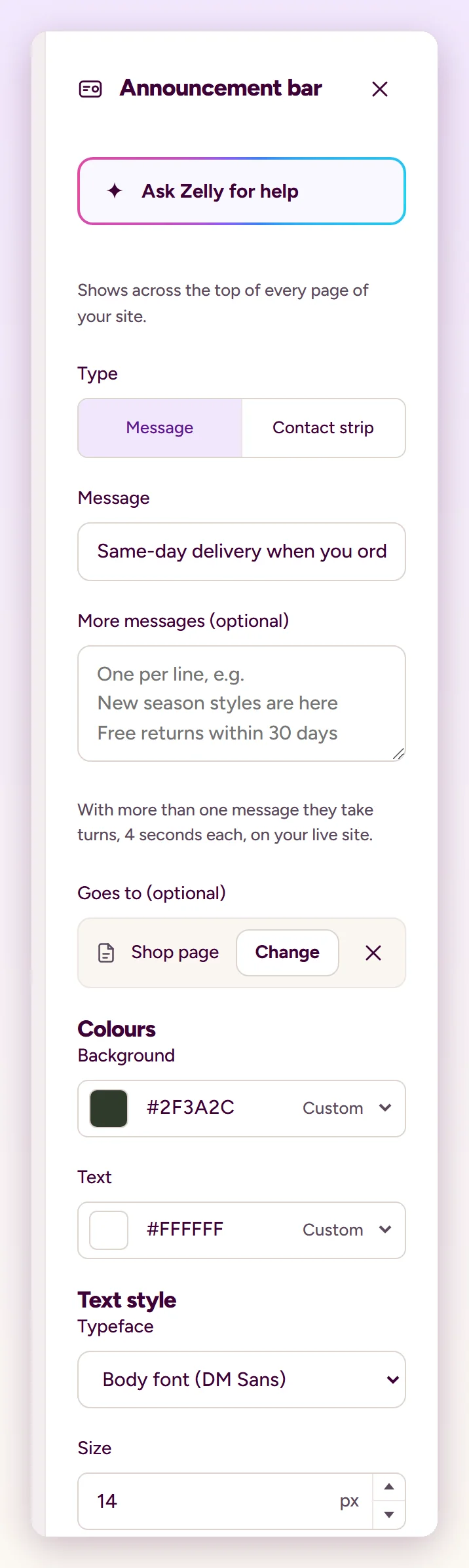
| Setting | What it does |
|---|---|
| Type | Message (an announcement, like a sale or delivery cut-off) or Contact strip (phone, email, hours and social icons). |
| Message | The announcement. |
| More messages | With more than one, they take turns every 4 seconds. |
| Goes to | Optional link for the message. |
| Contact details | For Contact strip: each item has an Icon, Words, optional Link, and a Side (left or right). |
| Social icons | Facebook, Instagram, LinkedIn, X, Pinterest, TikTok, WhatsApp or YouTube, each with your profile address. |
| Also show the message in the middle | Shows your message between the contact details. |
| Colours | Background and text colour. |
| Text style | Typeface, size, weight, letter spacing, CAPITALS and height. |
| Remove | Takes the bar off every page. |
Floating contact button
A round button in a bottom corner of every page.
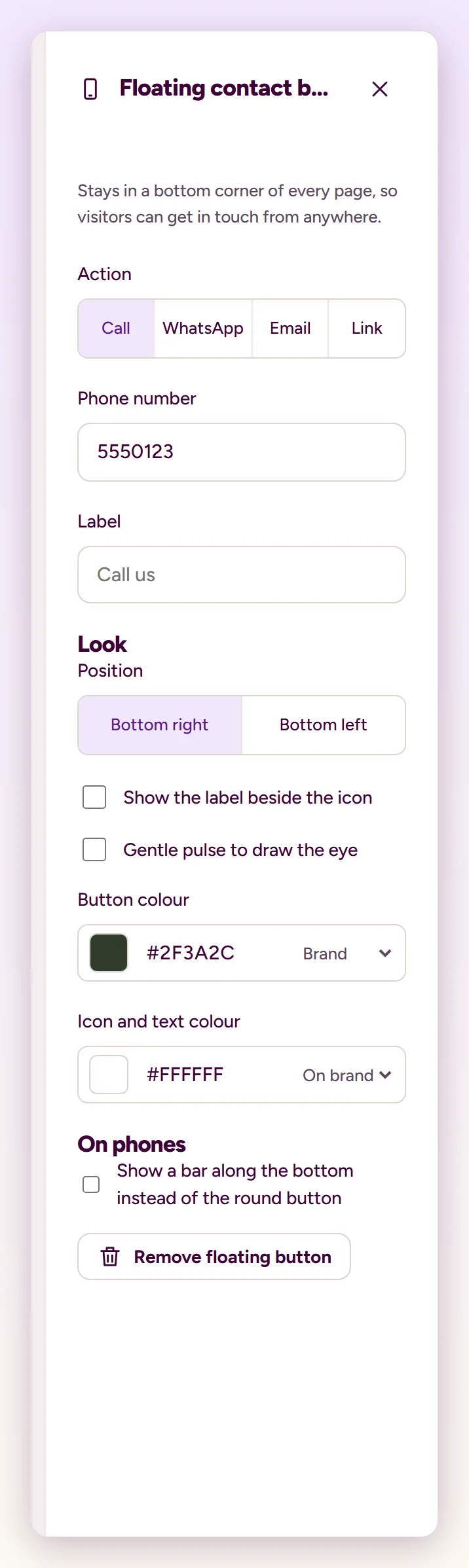
| Setting | What it does |
|---|---|
| Action | Call, WhatsApp, Email or Link. |
| Phone number, address or link | Where it goes. |
| Label | Words like "Call us". |
| Position | Bottom right or bottom left. |
| Show the label beside the icon | Shows the words, not just the icon. |
| Gentle pulse | A soft pulse to draw the eye. |
| Colours | Button colour and icon colour. |
| On phones | Show a bar along the bottom instead of the round button. |
Every element also has the shared Style, Layout and Advanced settings: colours, spacing, borders, effects, size, visibility per screen and custom CSS.
← All elements guides