- Select the section you want it in, then choose Add elements (the + at the top of the left-hand bar) and click Embed.
- In the panel on the right, paste the code or web address the other service gives you into Embed code or web address.
- Add a Title that says what it is, like "Booking calendar".
- Set its height in the Layout tab, then publish your site to see it working.
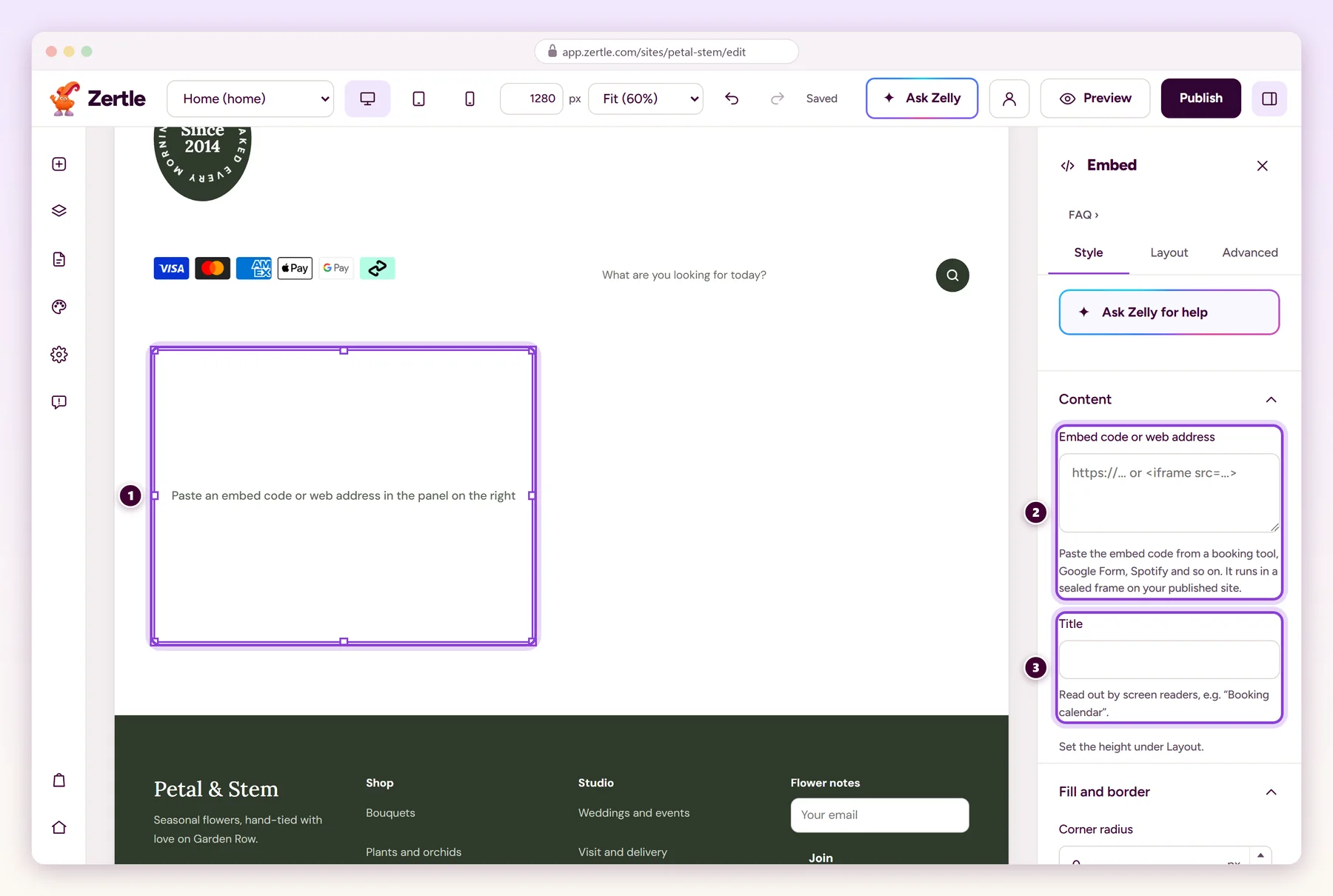
| Setting | What it does |
|---|---|
| Embed code or web address | Paste the embed code the other service gives you, or its web address. |
| Title | Read out by screen readers, like "Booking calendar". |
Set the height in the Layout tab (it can be different on phones).
Every element also has the shared Style, Layout and Advanced settings: colours, spacing, borders, effects, size, visibility per screen and custom CSS.
← All elements guides