Add it
- Click the section you want it in.
- Choose Add elements (the + at the top of the left-hand bar) and click Hero slider, Flexi hero or Promo card. You can also type its name in the search box.
- Select it, then change the photos, words and buttons in the panel on the right.
Hero slider
Full-width slides, each with a photo, words and a button.
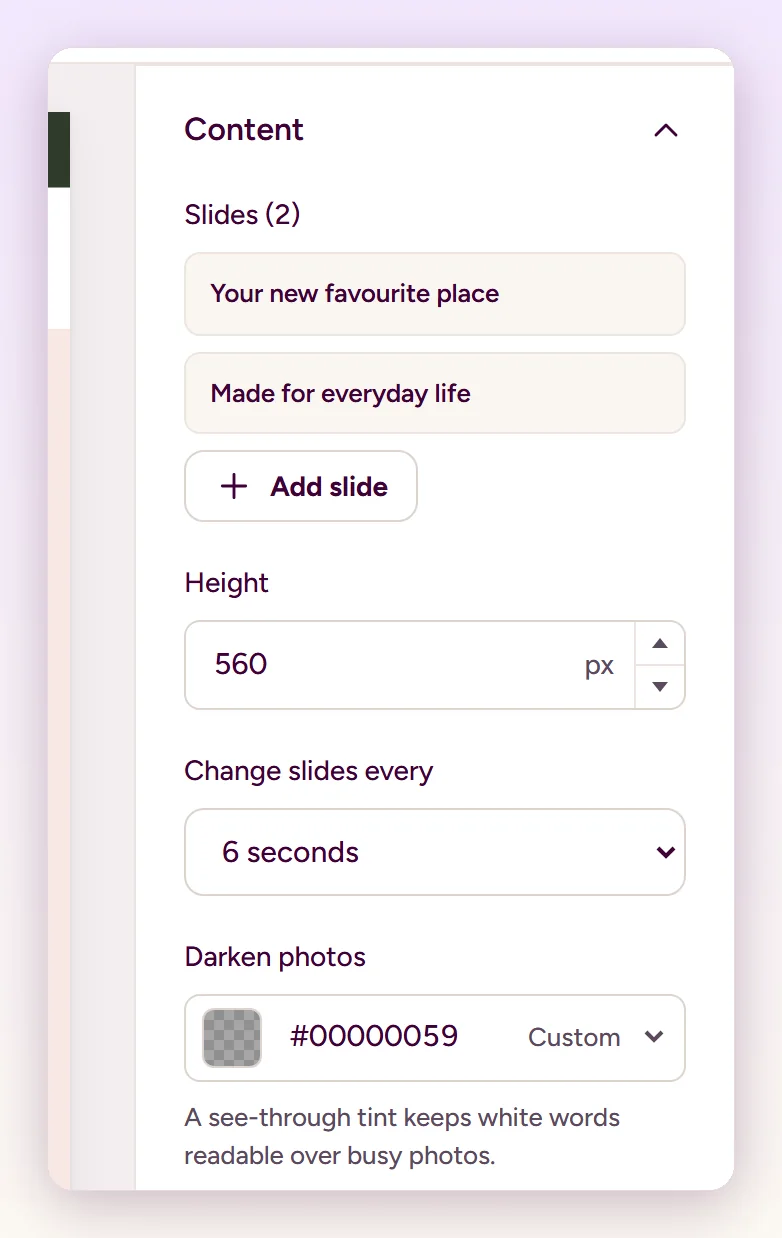
| Setting | What it does |
|---|---|
| Slides | Each slide's Photo, Small line above, Heading, Text, Button text, Link, and which side the Words sit on (Left or Right). |
| Add slide | Add another slide. |
| Slider height | How tall the slider is. |
| Change slides every | Don't change automatically, or every 4, 6, 8 or 12 seconds. |
| Darken photos | A see-through tint that keeps white words readable over busy photos. |
Flexi hero
A slider where every slide is a free canvas: put any elements anywhere, exactly like a free section. Select the Flexi hero and, on the Layout tab, choose Add a slide (copy of the last) and set Change slides every. Style the background, photo or video on the Style tab.
Promo card
A card for an offer, a collection or a category, with a photo and a button.
| Setting | What it does |
|---|---|
| Layout | Words left and photo right, photo left and words right, photo on top, words over the photo, or centred over the photo. |
| Small line above, Heading, Text | The words. |
| Button text, Link, Button style, Button size | The button. Leave the text empty for no button. |
| Photo | The photo, and its width. |
| Badge | An optional round sticker, like "50% off". |
| Sizes and spacing | Minimum height, text sizes and inner spacing. |
| Colours | Background colour and text colour. |
Every element also has the shared Style, Layout and Advanced settings: colours, spacing, borders, effects, size, visibility per screen and custom CSS.
← All elements guides