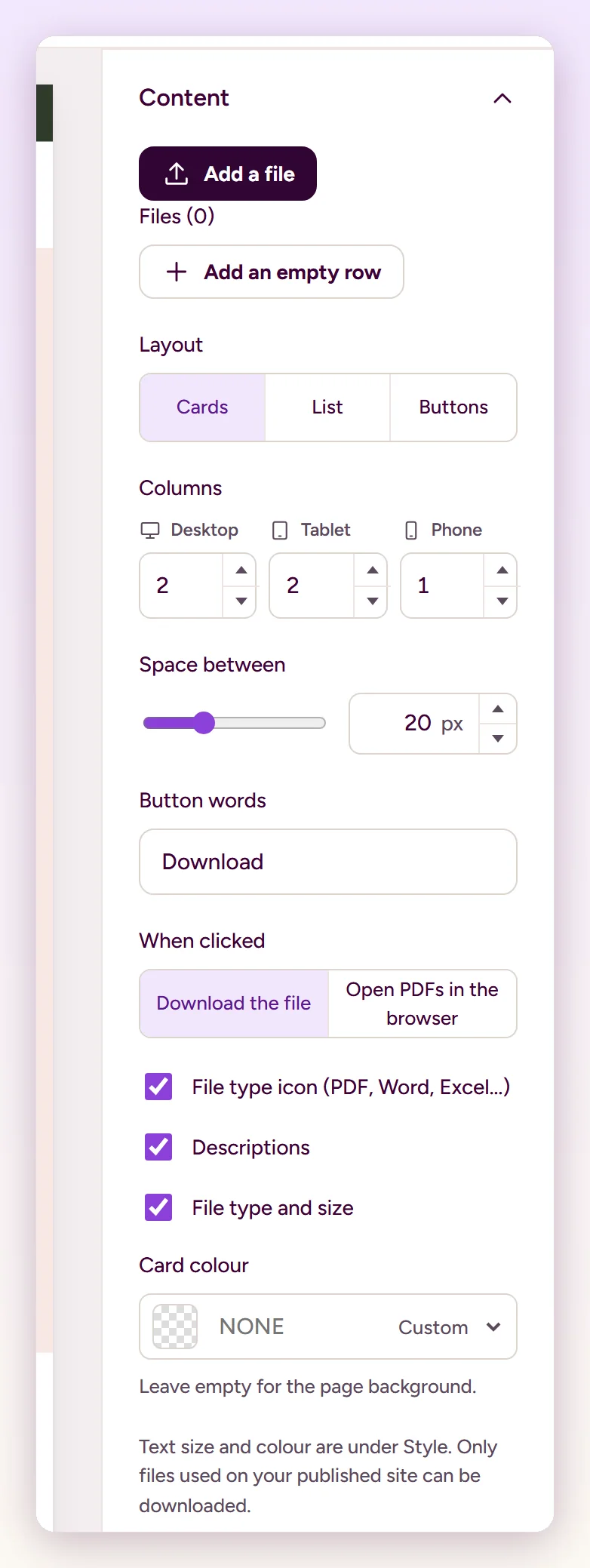
- Add a File downloads element to a page.
- Choose Add a file to upload a PDF, Word, Excel, PowerPoint, text, CSV or ZIP file (up to 25 MB), or pick one you've uploaded before.
- Give each file a title and a short description.
Settings
| Setting | What it does |
|---|---|
| Layout | Cards, List or Buttons. |
| Columns and Space between | For desktop, tablet and phone. |
| Button words | Like "Download". |
| When clicked | Download the file, or Open PDFs in the browser. |
| Show | File type icon (PDF, Word, Excel…), Descriptions, and File type and size. |
| Card colour | Leave empty for the page background. |
Every element also has the shared Style, Layout and Advanced settings: colours, spacing, borders, effects, size, visibility per screen and custom CSS.
← All elements guides