Many shoppers start checking out, then get distracted. Zertle can email them a friendly reminder with a Finish your order button that puts their cart back exactly as they left it. It's one of the easiest ways to win back sales, and it runs by itself.
- Open Shop → Orders, then choose Abandoned checkouts and reminder emails at the top.
- Tick Email shoppers who don't finish checking out. It's on by default.
- Choose when to send the first reminder, then Save reminder settings.
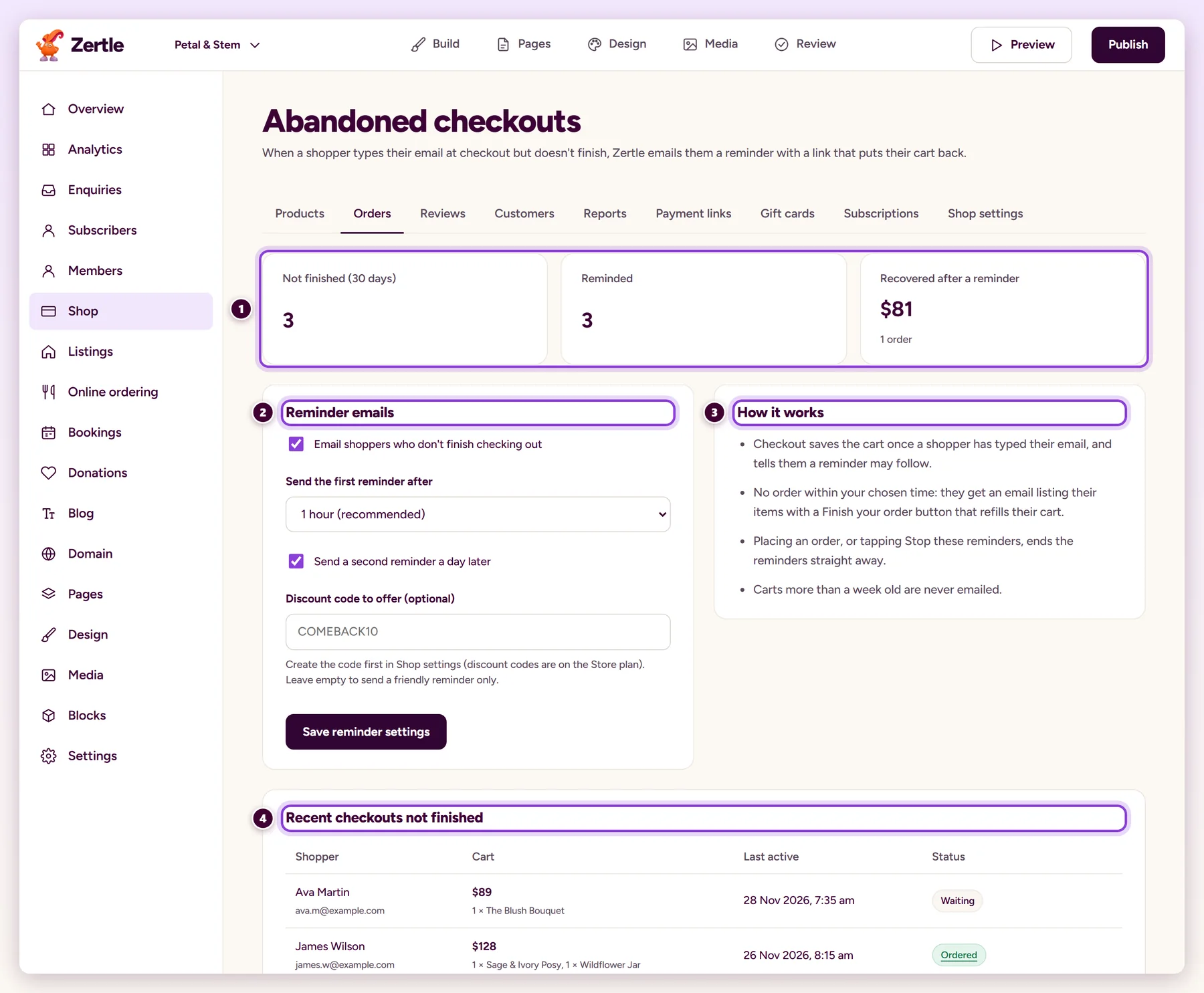
How it works
- A shopper types their email at checkout. Zertle saves their cart, and checkout shows a short note that a reminder may follow.
- If they don't order within your chosen time, they get an email listing their items, with a Finish your order button.
- The button opens checkout with their cart filled in again.
- Placing an order, or choosing Stop these reminders in the email, ends the reminders straight away.
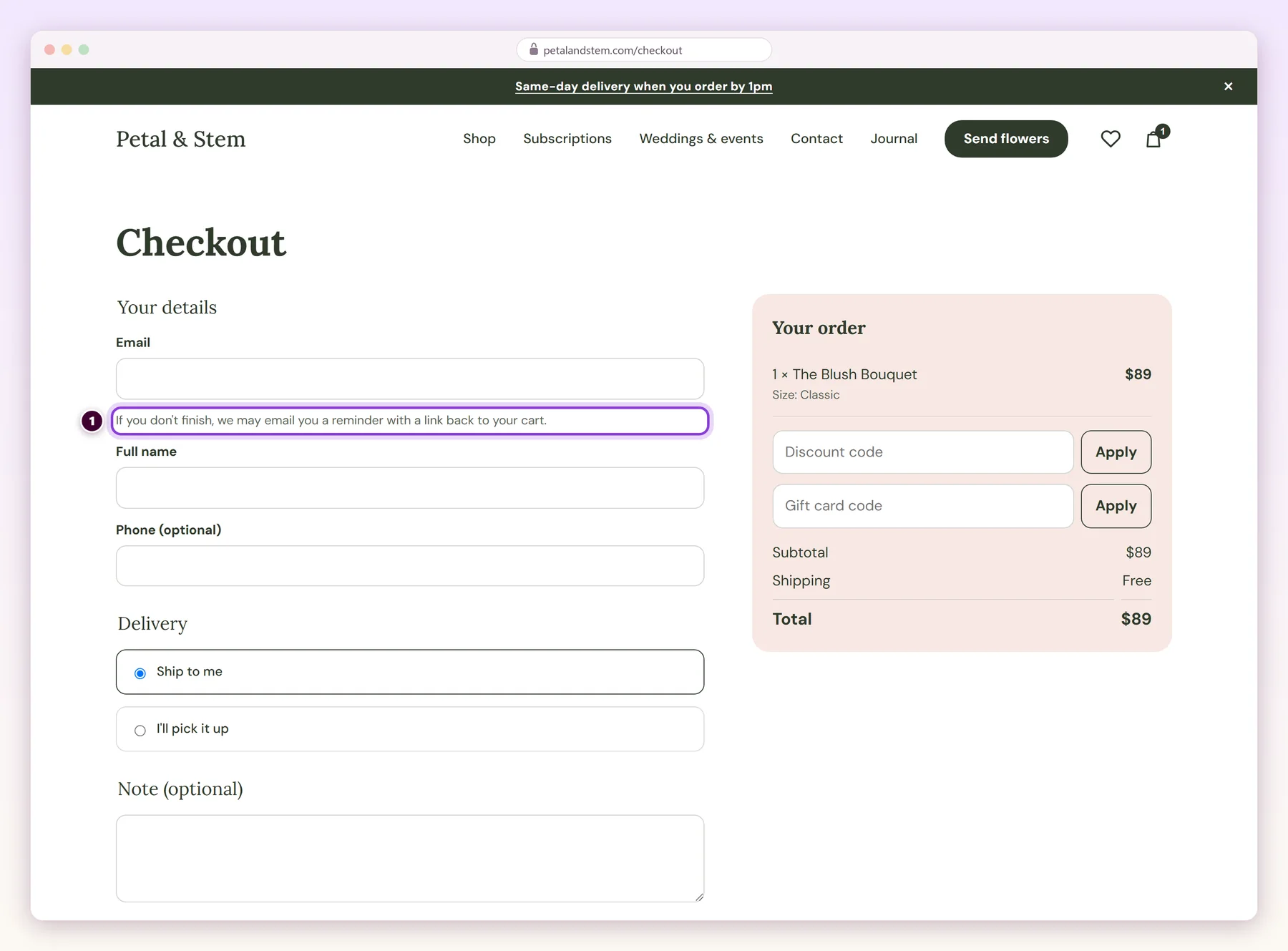
Carts more than a week old are never emailed, and each shopper gets two reminders at most.
Choose your settings
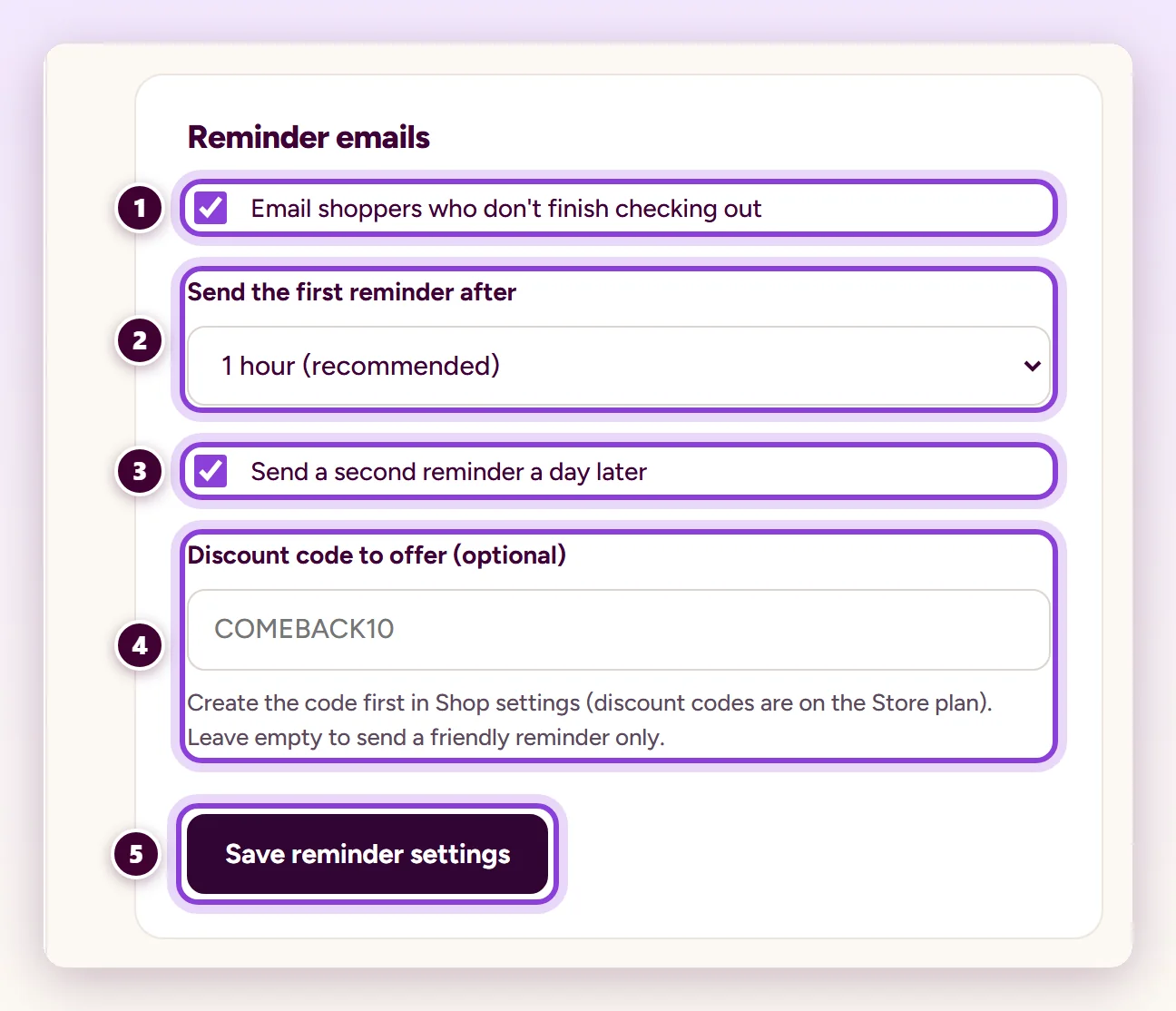
| Setting | What it does |
|---|---|
| Email shoppers who don't finish checking out | Turns reminders on or off. |
| Send the first reminder after | 1 hour (recommended), 2, 4 or 10 hours, or 1 day. |
| Send a second reminder a day later | A last, gentle reminder for anyone who still hasn't ordered. |
| Discount code to offer | Optional. Adds a line like *Use the code COMEBACK10 at checkout* to the email. |
To offer a discount, create the code first in Shop settings, under Discount codes (discount codes are on the Store plan), then type it here. Leave it empty to send a friendly reminder only.
See what it's winning back
The totals at the top cover the last 30 days: checkouts not finished, how many shoppers were reminded, and the sales that came back after a reminder.
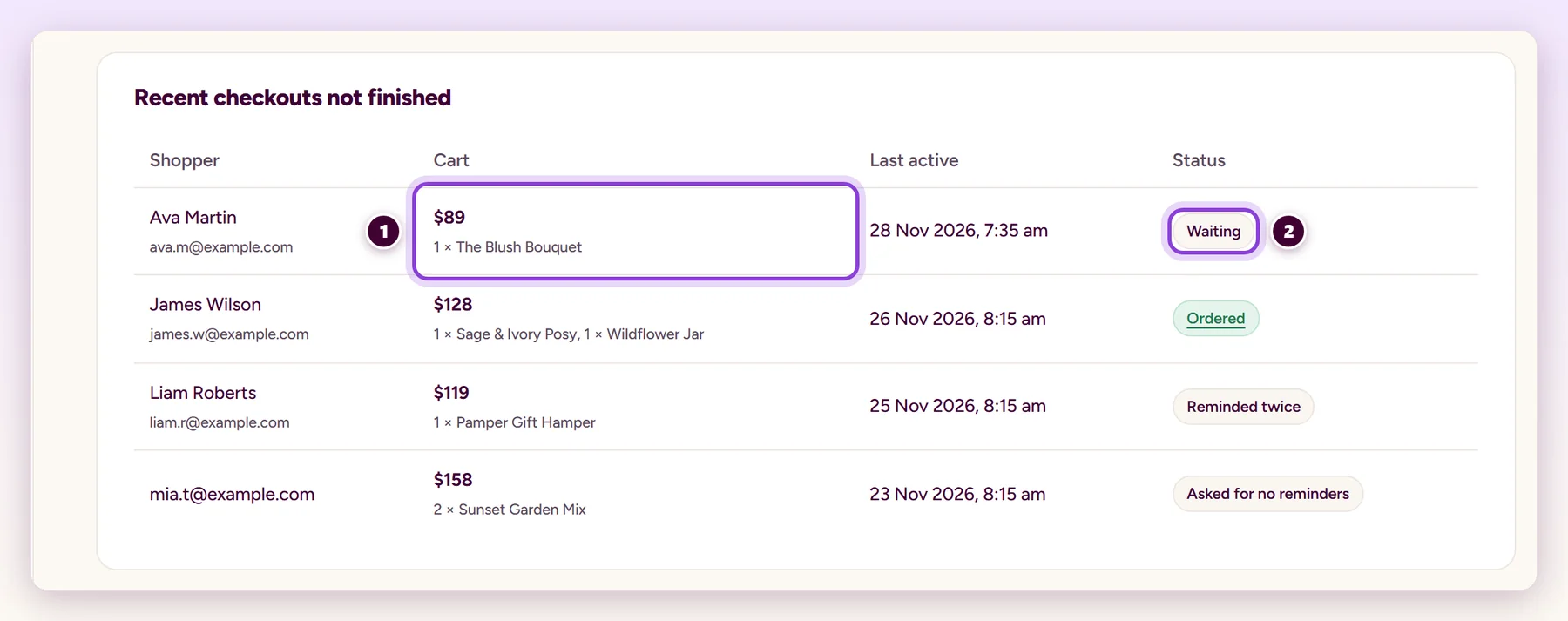
Recent checkouts not finished lists each shopper with their cart and when they were last active:
| Status | Means |
|---|---|
| Waiting | No reminder sent yet. |
| Reminded once / twice | Reminder emails have gone out. |
| Ordered | They came back and ordered. Choose it to open the order. |
| Asked for no reminders | They chose Stop these reminders. |